
Xero training fails when it sits in a portal, gets ticked off, and never changes how work gets done. If you want adoption across finance and operations, you need to turn Xero training into a live operating habit, tied directly to cash flow, approvals, reporting, and accountability.
What You Need Before You Roll Out Xero Training
Training only sticks when the system, the process, and the ownership are already pointed in the same direction. If your team enters a messy file, unclear workflow, or weak approval structure, the training gets blamed for a setup failure.
Define the business outcomes you want from Xero training
Start with business targets, not course content. Set specific outcomes: bank reconciliation completed daily, invoices sent same day, month-end close shortened by three days, fewer coding corrections, stronger dashboard visibility, and cleaner VAT-ready records for Cyprus and Greece operations.
That changes the tone immediately. Xero training stops being “software learning” and becomes a control programme tied to efficiency and ROI.
Check that your Xero setup is ready for training
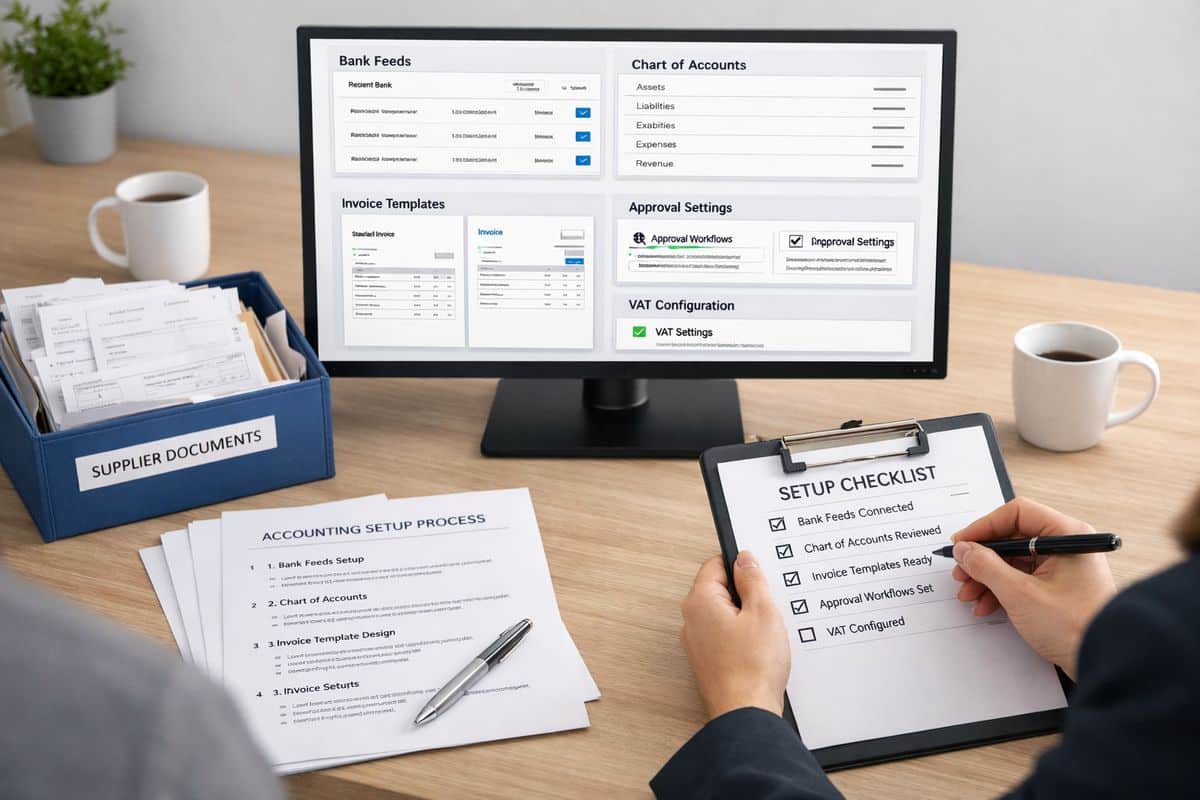
Before rollout, confirm your Xero environment is clean enough to teach from. Your chart of accounts, branding, bank feeds, user access, reporting layout, integrations, lock dates, and VAT settings must reflect how your business actually operates. The first setup stage matters disproportionately, because the first 30 to 60 minutes often set the tone for months of reporting quality.
If your structure is too basic, fix it before you train. A weak file creates bad habits fast, especially when operational staff are entering bills, attaching documents, and coding transactions under pressure.
Choose the right people to own adoption
Assign three owners: an executive sponsor, a day-to-day training lead, and role champions. Your sponsor keeps adoption visible. Your lead manages sessions, standards, and follow-up. Your champions handle practical questions inside each workflow.
That is how accountability stays inside finance and operations, where it belongs.
Step 1: Diagnose Why Your Team Is Not Using Xero Training
Do not respond to low uptake with more modules. Diagnose the barrier first.
- Review actual usage in the last 30 days.
- Compare trained tasks against completed tasks in Xero.
- Identify where activity drops: login, transaction entry, approvals, or reporting.
- Pin each issue to one root cause: relevance, confidence, workload, setup, or management follow-through.
Separate a training problem from a process problem
If your team knows what to click but still avoids the workflow, the process is broken. Duplicate spreadsheets, vague approval paths, and unclear ownership kill adoption faster than weak training.
A simple test works: if one trained task still requires switching between email, Excel, WhatsApp, and Xero, your issue is workflow design. That is exactly where avoiding implementation errors early saves time and stops training from becoming cleanup.
Ask role-specific questions, not generic feedback questions
Ask each role about the tasks that define performance. Bookkeeping staff need to explain where coding slows down. Managers need to show how approvals happen. Operational staff need to identify what documents, references, or supplier details are missing when bills arrive.
Generic feedback produces generic fixes. Role-based feedback gives you a training plan.
Audit the tasks your team avoids or gets wrong
Check five high-friction actions: coding transactions, sending invoices, processing bills, attaching backup documents, and running reports. Look for repeats. If the same errors appear every week, you do not have a motivation problem. You have a training and control gap.
Step 2: Build a Role-Based Xero Training Plan
One session for everyone is the fastest route to low retention. People adopt Xero when the training matches the exact tasks sitting on their desk.
- Group users by role.
- Limit each role to a small task set.
- Train only the actions needed in the first 30 days.
- Schedule application immediately after each session.
Map each role to a small set of Xero tasks
Keep the scope tight. Sales admin handles invoicing and payment follow-up. Finance handles reconciliation, bill entry, and reporting. Managers approve spend and review dashboards. Operations submits complete source documents and coding references.
That creates clarity. Nobody sits through irrelevant training.
Set a 30-day training path for each group
Use short blocks, not marathon sessions. A practical model is one focused session each week, followed by same-day task completion in the live workflow or a safe test environment.
Short, applied learning works because retention depends on use. Research into Xero-related technology adoption shows 47% wanted practical training, ahead of most other support types.
Use the right training format for each task
Use live walkthroughs for complex workflows, screen recordings for repeatable tasks, checklists for approvals, and guided practice for reconciliation and reporting. Self-paced content is useful for orientation, but not for adoption on its own.
That matters because 79% learn through self-guided experimentation, and that usually produces uneven standards.
Step 3: Make Training Hands-On From Day One
Watching is not training. Completion is training.
- Set up a demo company or protected test file.
- Load realistic examples.
- Give each person one task to finish fully.
- Review the output before ending the session.
Start with the five tasks that create immediate value
Begin with bank reconciliation, invoicing, bill capture, document attachments, and dashboard checks. These tasks create visible time savings and better control within days, not months.
If reconciliation is a bottleneck, training should connect directly to reducing the drag in daily matching and coding, not just explaining the interface.
Use real scenarios from your business
Use your own invoice types, supplier bills, VAT treatments, approval thresholds, and reporting lines. For Cyprus and Greece, include local tax handling, supporting documents, and cross-functional approvals that reflect your actual operating model.
Real scenarios remove abstraction. Your team sees the job, not the software.
Create same-day wins that prove value
Every session needs a visible output by the end of the day: a reconciled bank line, a sent invoice, an approved bill, a clean attachment trail, or a report saved correctly. Success must feel operational immediately.

Step 4: Connect Xero Training to Daily Workflows
If Xero sits beside the workflow, usage drops. If Xero sits inside the workflow, usage becomes normal.
- Rewrite each finance process around one source of truth.
- Remove duplicate spreadsheets and shadow trackers.
- Define where approvals happen.
- Lock handovers into the Xero process.
Rewrite workflows so Xero sits at the centre
Purchases, sales, expenses, and month-end activity must flow through one agreed route. That is where clean sign-off structures inside the process stop chaos and make training relevant.
For businesses growing across entities, departments, or countries, this usually needs support from /services/business-transformation, because process redesign is what turns software into operational control.
Standardise rules, naming, and data entry
Create non-negotiable standards for coding, attachments, references, tracking categories, and approval paths. Keep them simple enough to follow under pressure.
Standards protect reporting quality. Without them, every person creates a different version of the truth.
Link Xero tasks to management visibility
Show your team what daily discipline produces: cleaner cash flow visibility, faster reporting packs, stronger KPI tracking, and fewer end-of-month surprises. That is the bridge between finance activity and management action.
Step 5: Remove Trust, Security, and Change Barriers
People avoid systems that feel risky. Fix trust before blaming attitude.
- Set permissions by role.
- Turn on two-step authentication.
- Define approval limits.
- Use audit trails actively.
Tighten permissions and controls before full rollout
Security controls increase confidence. Xero guidance consistently points to permissions, two-step authentication, and audit trails as practical safeguards. That matters because data privacy and security concerns remain one of the biggest barriers to software adoption.
Set clear rules for data handling and system use
Write simple rules for document storage, transaction edits, approval evidence, connected apps, and correction handling. Policy removes hesitation because people know the boundary.
Deal with fear of mistakes directly
Normalise review, correction, and escalation. Your team must know which errors can be fixed independently, which need finance review, and which need management approval. Safe correction builds confidence faster than perfect theory.
Step 6: Reinforce Adoption With Management Cadence
Training without follow-through fades fast. Management cadence keeps usage visible.
- Set weekly adoption metrics.
- Review blockers in operational meetings.
- Correct workflow gaps immediately.
- Recognise consistent, accurate usage.
Track usage with simple adoption KPIs
Track logins, reconciliations completed, invoices sent on time, bills processed correctly, report access, and spreadsheet reduction. Use numbers your managers can review in under five minutes.
Review progress in weekly operational meetings
Make Xero performance part of the operating rhythm, not an HR side topic. For businesses building stronger visibility through /services/real-time-accounting or connected tools like InsightFlow, that weekly rhythm is what turns transaction discipline into live control.
Reward correct usage, not course completion
Completion certificates do not improve cash flow. Accurate entries, timely approvals, and faster reporting do.
Step 7: Scale Training Into Continuous Improvement
Adoption is not the finish line. It is the base layer.
- Refresh training when workflows change.
- update materials when apps or reports change.
- grow internal champions.
- add advanced skills only after core habits stabilise.
Update training when workflows or apps change
Any change to approvals, apps, reporting packs, or structure needs a training refresh. Otherwise your team follows an outdated version of the process.
Build internal champions and peer support
Appoint go-to users in finance and operations who can answer quick practical questions, reinforce standards, and keep momentum high.
Add advanced training once core habits are stable
Only then move into automation rules, customised reporting, and wider connected workflows. That is how partners such as Prodyssey Solutions help businesses move from software use to real-time control.
Troubleshooting: Common Reasons Teams Still Ignore Xero Training
“Training was completed, but usage stayed low”
Training was too generic, too passive, or too detached from live tasks. Rebuild it around role-specific actions with same-day completion.
“Your team still uses spreadsheets and side processes”
Your workflow still rewards duplication. Remove the parallel tracker, redefine the handover, and make Xero the only accepted route.
“Errors increased after training”
Your rollout was rushed, your permissions are loose, or your setup structure is weak. Slow down, tighten controls, and retrain the exact error points.
“Managers want reports, but nobody updates Xero properly”
Ownership is missing. Tie reporting quality to daily accountability, not month-end scrambling.
What Success Looks Like After Xero Training
Successful Xero training produces cleaner data, faster reporting, tighter approvals, stronger cash flow visibility, and far less manual admin. Finance and operations stop working as separate systems.
Signs your Xero training is delivering ROI
You see quicker close cycles, fewer corrections, stronger audit readiness, more consistent approvals, and management decisions based on live data instead of delayed spreadsheets.
Your next step: turn training into connected operations
The real goal is not better course completion. The goal is a business where finance, technology, and operations work as one, with Xero at the centre and your workflows built around speed, visibility, and control.
Leave a Reply