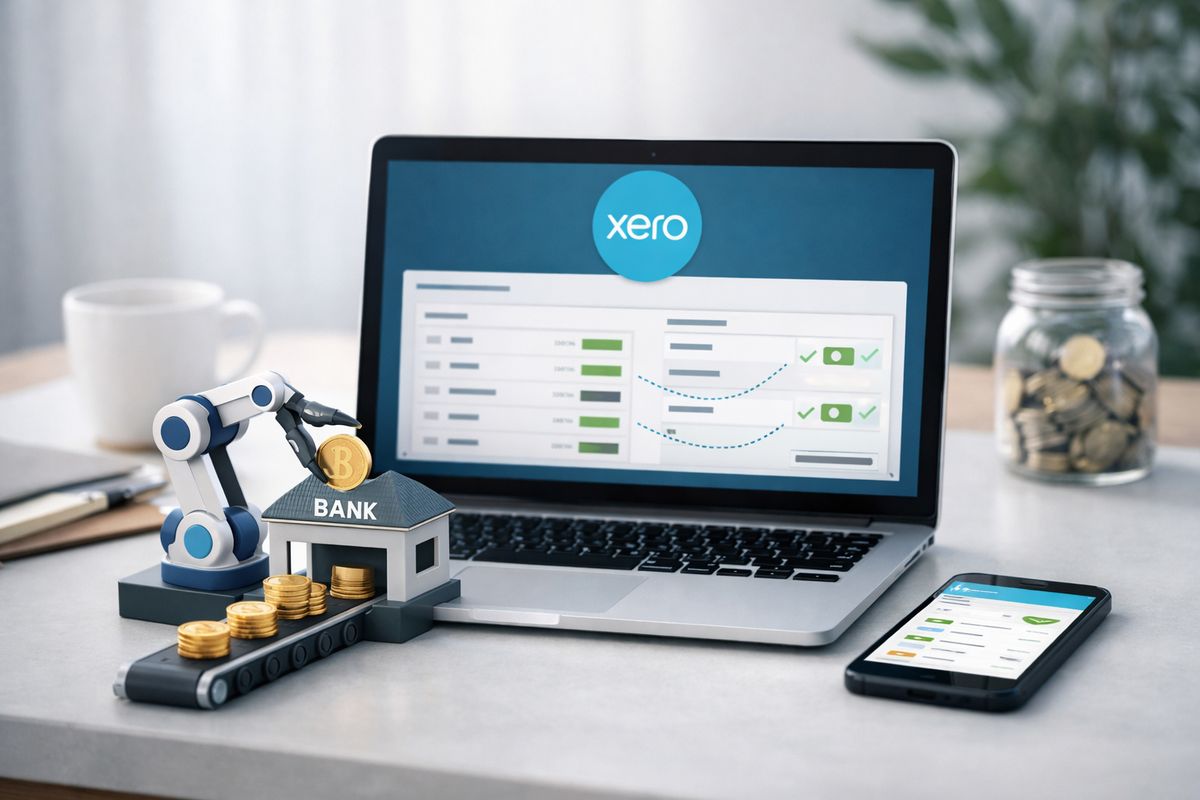
Xero bank reconciliation automation is the process of pulling bank transactions into Xero, matching them against invoices, bills, transfers, and coded spend, then handling the obvious items automatically so you stop wasting time on repetitive review. Get it right and you get more than cleaner books: you get faster month-end, sharper cash visibility, and tighter control over how finance connects to operations.
What Xero Bank Reconciliation Automation Actually Does
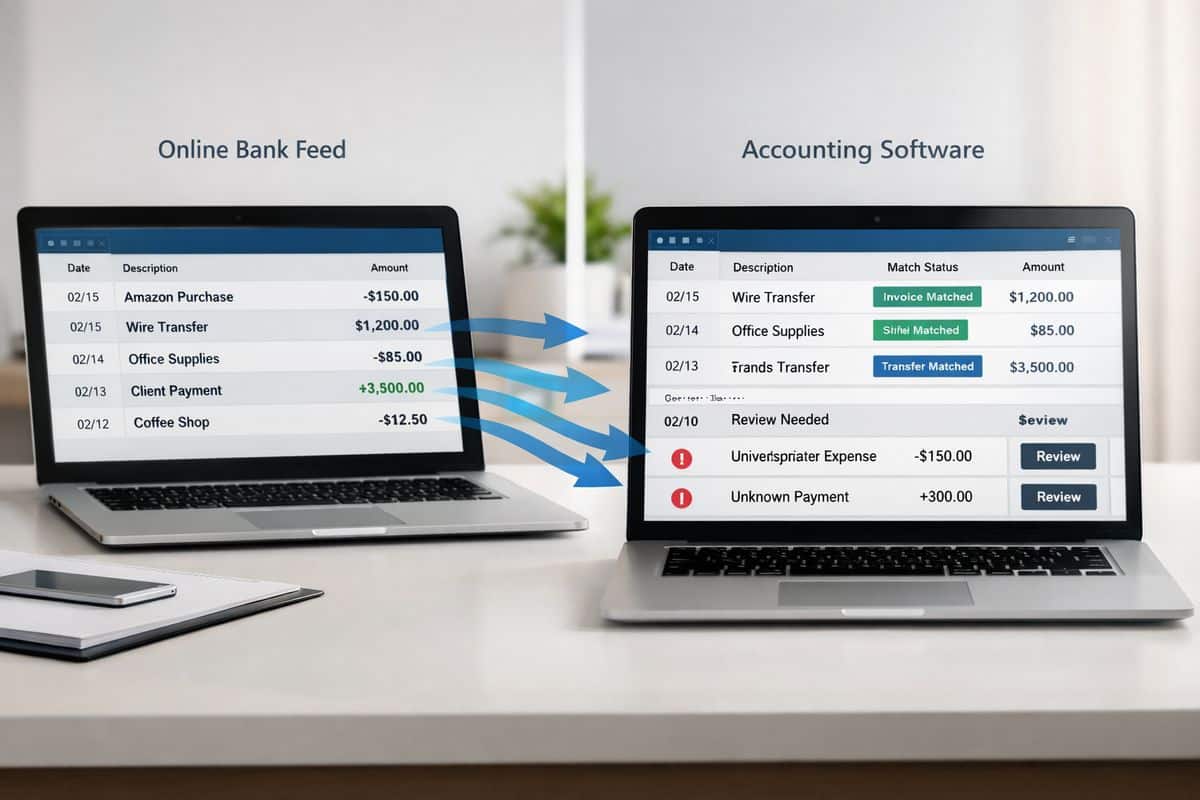
At its simplest, Xero bank reconciliation automation replaces manual ticking and coding with a connected workflow. Your bank feed sends statement lines into Xero. Xero checks those lines against what already exists in your accounts, such as sales invoices, supplier bills, transfers between accounts, and regular expenses. It then suggests the right match or coding, and for high-confidence transactions it can reconcile them automatically.
That matters because reconciliation is where accounting accuracy meets business reality. If bank data is current and reconciled, your cash position is current and reconciled too. If bank data is delayed, uncategorised, or full of exceptions, every dashboard, forecast, and KPI built on top of it becomes less trustworthy.
Why This Matters Beyond Bookkeeping
Reconciliation is not a back-office admin chore. It sits at the centre of cash control, reporting accuracy, VAT readiness, and management confidence.
If your transactions are reconciled daily or weekly, you can see what has actually cleared, what is still outstanding, and where cash pressure is building. That improves purchasing decisions, payment timing, collections follow-up, and short-term forecasting. It also reduces the usual month-end scramble, when finance teams are forced to clean up weeks of old transactions while operations wait for numbers.
For businesses in Cyprus and Greece, where cross-border payments, external accountants, VAT pressure, and operational complexity often collide, that speed matters. Clean reconciliation gives you one version of the truth.
How Xero Automates Reconciliation Step by Step
The automation flow is straightforward once you break it down. Bank feeds import transaction data. Xero compares each statement line with invoices, bills, contacts, references, and past coding. Rules apply to repeatable transactions. Automatic reconciliation handles high-confidence matches. Anything unusual stays visible for review.
That last point matters most. Good automation does not hide the hard stuff. It clears the routine work so your attention goes to exceptions, not admin.
Live Bank Feeds Create the Foundation
Automation starts with the feed. Xero connects many UK bank accounts through open banking and pulls transactions automatically, which means statement lines arrive ready to reconcile instead of being uploaded manually.
If the feed is late, incomplete, or connected to the wrong account structure, automation falls apart quickly. You cannot build daily reconciliation on monthly data habits. The whole point is to move from backlog processing to live financial visibility.
For that reason, strong implementation starts with account selection, feed quality, and a clean chart of accounts. If your wider finance system is still too loose, it is worth reviewing whether your current configuration is holding you back before switching on more automation.
Rules, Matches, and Memory Drive the Process
Once transactions arrive, Xero looks for direct matches. A customer payment can be matched to an open invoice. A supplier payment can be matched to a bill. A transfer can be matched to the other side of the movement. For regular transactions, bank rules step in and apply the same coding every time.
This is where speed comes from. Repeatable direct debits, bank charges, loan repayments, subscriptions, rent, utilities, and recurring suppliers do not need fresh manual judgement every week. They need consistent treatment.
But there is a difference between a suggested match and true automatic reconciliation. Suggested matches still need approval. Automatic reconciliation applies when confidence is high enough for Xero to complete the line without waiting for manual input.
JAX and High-Confidence Auto-Reconciliation
Xero’s newer automatic reconciliation capability, powered by JAX, pushes that process further. Xero says JAX uses rules, matching, memory, and prediction to reconcile transactions when confidence is high, and the company’s stated target is more than 80% of statement lines in real time.
The right way to think about JAX is as a high-confidence helper. It is not financial autopilot. It handles the repetitive decisions that follow clear patterns, while exceptions stay visible for review and correction. That keeps control intact and moves your finance effort toward exception management, which is where judgement actually matters.
Where Automation Delivers the Biggest Business Gains
Features are not the real story. Business control is.
When reconciliation speeds up, finance capacity opens up. When coding consistency improves, reporting becomes more reliable. When bank data is current, cash-flow decisions stop relying on guesswork. That is why automation matters.
Faster Processing, Fewer Manual Touchpoints
Xero states that 94% of UK customers say it saves time. Early users of automatic reconciliation have reported saving 4 to 7 hours a week. Cash coding can process up to 200 lines at once on selected plans.
Those numbers matter because time saved in reconciliation is not just admin time saved. It is finance capacity redirected into review, analysis, collections, margin tracking, and forward planning. If your team is still spending hours categorising obvious transactions one by one, that is not control. That is drag.
This is also where training matters. Automation only works properly when your team understands what to review, what to trust, and what to escalate. That is why adoption improves when you focus on getting people confident in the workflow, not just enabling features.
Better Cash Flow Visibility and Cleaner Reporting
Frequent reconciliation improves the quality of every financial view built on top of your accounts. Cash balances are more current. Liabilities are easier to track. Forecasts become more useful because cleared transactions are no longer mixed with stale assumptions.
It also helps you spot anomalies faster. Duplicate payments, unexpected fees, missing receipts, unusual supplier activity, and delayed settlements show up earlier when reconciliation is part of the weekly operating rhythm. For businesses trying to connect finance with live operational decisions, that is a serious advantage.
Where Native Xero Automation Stops Being Enough
Native Xero automation is strong for standard workflows. It becomes less effective when volume rises and transaction patterns stop being simple.
That is not a flaw. It is just the boundary between accounting software automation and specialised reconciliation software.
High Transaction Volume Creates Exception Backlogs
At low and moderate volume, even a 75 to 85 percent auto-match rate feels efficient. At scale, it creates work. On 2,000 monthly transactions, 10 percent unmatched still leaves 200 exceptions. Push that down to 2 percent and manual review drops to 40. That is why the jump from good automation to excellent automation changes workload so dramatically.
Comparison research places Xero’s typical automation rate around 75 to 85%, which is perfectly workable for many SMEs but less compelling when account activity is heavy and exceptions pile up daily.
Payment Platforms, Fees, and Multi-Currency Add Complexity
Reconciliation gets harder when one payout contains multiple sales, fees, chargebacks, refunds, and timing differences. Stripe, GoCardless, Klarna, Pay by Bank, marketplaces, and foreign-currency settlements create exactly that problem.
Now one bank line no longer equals one accounting event. It can represent dozens of underlying transactions. Add FX differences and fee allocations, and native matching reaches its limit fast. If that describes your environment, you need a realistic view of how far the built-in currency handling really goes before assuming automation will solve it on its own.
How to Set Up Xero Bank Reconciliation Automation Without Creating New Problems
The safest rollout is selective, structured, and tightly reviewed. Switch on the accounts where automation has the highest payoff and the lowest ambiguity first.
Connect the Right Bank Accounts First
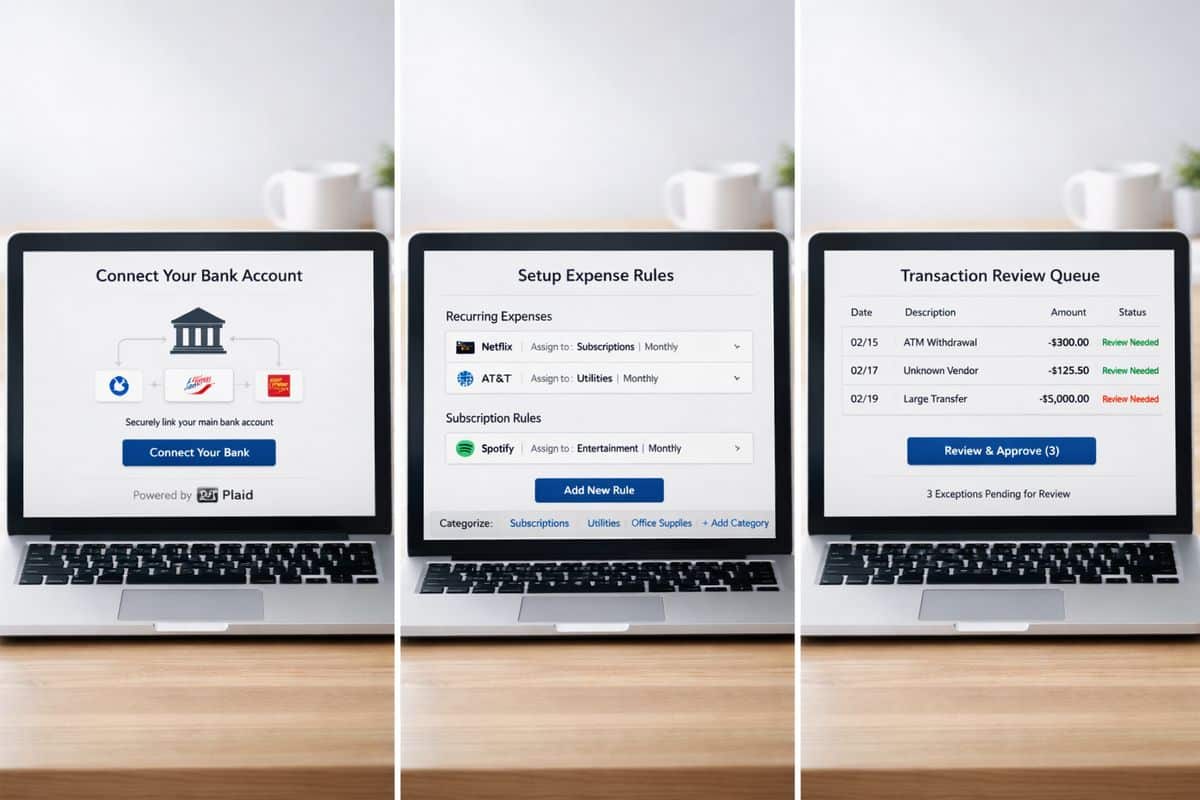
Start with your main operating accounts and high-volume accounts where transaction patterns repeat. That gives you fast wins and clean learning data. Do not switch everything on at once. Roll out account by account, check results, then expand.
If your broader rollout still needs planning, the same logic applies to the wider implementation timeline and sequencing. Good automation follows good setup.
Build Bank Rules Around Real Transaction Patterns
Create rules for recurring suppliers, direct debits, bank charges, loan repayments, subscriptions, and routine spend. Keep naming consistent. Keep tax treatment consistent. Test rule logic before broad use.
Bad rules are dangerous because they look efficient while quietly spreading miscoding. Good rules remove repetition and preserve reporting quality.
Set a Review Rhythm for Exceptions
Daily or weekly reconciliation is the strongest model. Xero’s guidance recommends weekly or daily because issues are easier to investigate while details are still fresh.
Monthly catch-up is where errors age, explanations disappear, and finance loses control of the close. Review little and often. That is how automation stays clean.
Use Cash Coding for Volume, Not for Guesswork
Cash coding is built for obvious, repetitive transaction lines. It is not a substitute for judgement on unusual items, one-off payments, or messy settlement activity.
Use it to batch the straightforward lines quickly. Stop and review anything that looks unfamiliar, split, or inconsistent. Speed is only useful when the coding stays reliable.
Best Practices for SMEs in Cyprus and Greece Using Xero
For SMEs managing operational teams, external advisers, and cross-border activity, reconciliation should sit inside a connected workflow, not in isolation.
Keep Finance and Operations Working from the Same Data
Reconciled bank data supports better decisions across purchasing, sales, approvals, and cash planning. When finance and operations work from different versions of reality, delays and arguments follow. When reconciled data feeds reporting and workflows in real time, control improves across the business.
That is exactly where Prodyssey Solutions positions automation best: business, finance, and technology working as one. Through Real-Time Accounting and connected operational workflows, reconciliation becomes part of live business control rather than end-of-month cleanup.
Protect Audit Trail, Control, and Compliance
Automation strengthens control only when audit trail and approval discipline stay intact. Keep receipts attached. Keep personal and business spend separate. Keep exception handling clear. Keep roles and sign-offs defined.
If approvals around payments and spend are still loose, bank automation will expose that weakness rather than fix it. Strong reconciliation works best when combined with structured approval flow and sign-off control.
Common Misconceptions About Automated Reconciliation in Xero
Bad assumptions are what derail adoption. The most common ones are easy to correct.
“Automation Means No Human Review”
It does not. Automation removes repetitive matching work. Accountability stays with you. Your role shifts from manual entry to review, exception handling, and control.
“If Xero Matches Most Transactions, Setup Does Not Matter”
Wrong. Feed quality, chart of accounts structure, rule logic, contact naming, and review cadence determine whether automation creates clarity or cleanup work. Setup is the difference between clean acceleration and silent disorder.
“More Automation Always Means Better Reconciliation”
The target is not 100 percent automation. The target is high-confidence automation with visible exceptions, reliable audit trail, and clean reporting. Blind auto-processing is not efficient if it creates rework later.
When to Use Xero Alone and When to Add a Specialist Layer
This decision should be practical, not ideological.
Xero Alone Fits Standard SME Workflows
If your business has moderate transaction volume, straightforward bank activity, and normal invoice and bill matching, native Xero tools are enough. You keep reconciliation inside the accounting platform, reduce manual work, and avoid adding another system.
Add Specialist Automation for Complex Reconciliation Demands
If your business handles very high transaction counts, ecommerce payouts, deep fee reconciliation, advanced multi-currency activity, or large exception queues, specialist tooling earns its place. At that point, the question is no longer “Can Xero automate this?” but “Can Xero automate enough of this without creating manual review bottlenecks?”
Quick Answers on Xero Bank Reconciliation Automation
How often should you reconcile in Xero?
Daily or weekly. That keeps discrepancies small, catches issues faster, and prevents month-end backlog.
How much time can automation save?
For repeatable workflows, several hours a week is realistic. Savings rise sharply when transaction volume is high and your setup is clean.
Is Xero automation enough for growing businesses?
Yes for many SMEs. No for every workflow. Once payment channels, currencies, fees, and exception volumes become complex, native automation stops being enough on its own.
What is the safest way to turn it on?
Enable it in phases, account by account. Test rules carefully. Review exceptions frequently. Keep controls visible. That is how Xero bank reconciliation automation delivers speed without sacrificing accuracy.
Leave a Reply