
A Xero implementation timeline is shorter than an ERP project, but longer than opening a software account. If you expect clean reporting, connected workflows, bank feeds, VAT accuracy, and a team that actually uses the system, you should plan for weeks, not hours, and treat the first 90 days as part of the rollout.
What a Xero Implementation Really Means
A real implementation means building your finance operating system, not just activating Xero. The account setup is the easy part. The real work sits underneath: chart of accounts design, VAT configuration, bank connections, contact data, opening balances, approval flows, connected apps, user permissions, reporting structure, training, and early adoption.
That distinction matters because timing gets distorted when setup is confused with implementation. Creating an organisation profile can happen quickly. Getting your business to run smoothly through it takes longer.
Think of it like moving office. Unlocking the new premises takes a day. Wiring the network, organising teams, setting rules, and making sure everyone can work on Monday takes planning. Xero is the same. The software is fast. The business decisions around it are what shape the timeline.

The Short Answer: Most Xero Implementations Take 2 to 12 Weeks
For most SMEs, the realistic Xero implementation timeline sits between 2 and 12 weeks. At the short end, you have a clean, single-entity business with simple processes. At the long end, you have multiple entities, messy historical data, payroll, inventory, app integrations, approvals, and management reporting that needs to reflect how your business actually runs.
That range is normal. Xero itself does not publish one universal implementation timeframe, and that is the right approach. Complexity drives duration, not the brand name on the login screen.
A Simple Setup: 2 to 5 Days
If your business has one entity, tidy records, limited historical data, straightforward VAT treatment, and only a few users, the core setup can be done in 2 to 5 days. That includes organisation settings, chart of accounts, bank feeds, opening balances, basic invoice and bill templates, and user access.
What it does not include is deep process redesign, advanced reporting, full historical cleanup, or a layered app stack. This is a launch pad, not a finished operating model.
A Standard SME Rollout: 2 to 6 Weeks
This is the most realistic expectation for growing businesses in Cyprus and Greece. You need migration from a previous system or spreadsheets, a better reporting structure, approval rules, expenses or payroll setup, and team training. You also need time to test outputs before relying on them for month-end and management decisions.
In this range, the work is not technical for its own sake. It is operational. You are deciding how sales, purchasing, expenses, reconciliations, and reporting should flow through the business. If you are reviewing how sign-offs should work in practice, this is usually where extra time gets added, and where the quality of the rollout improves.
A Complex Multi-System Project: 6 to 12 Weeks or More
Once you add departments, projects, stock, multiple locations, legacy cleanup, group structures, custom dashboards, or several connected apps, the timeline extends. Not because Xero is slow, but because your business has more moving parts.
This is where implementation becomes a finance and operations project. Xero sits at the centre, but the hard part is designing how data moves across the business and who owns each step.
What Drives Your Xero Implementation Timeline
The fastest projects have clear scope, clean source data, and quick decisions. The slowest ones do not fail on software. They stall on uncertainty, messy records, and unavailable people.
Data Migration and Cleanup
Data quality decides speed. If your chart of accounts is inconsistent, customer and supplier records are duplicated, VAT history is unreliable, or unpaid invoices do not reconcile cleanly, migration takes longer because every import needs checking.
Opening balances are another pressure point. If those figures are wrong, every dashboard and report that follows is wrong too. Speed means nothing if your first month in Xero starts with bad numbers.
Bank Feeds, Tax Setup, and Local Finance Requirements
Bank feeds look simple, but accuracy comes first. Connections need testing, reconciliation rules need logic, and VAT settings need to match how you actually trade. A beginner guide from Armstrong Watson stresses that getting tax settings right early is what gets businesses up to speed without creating rework later.
For Cyprus and Greece, local reporting expectations and filing discipline push this even further. If your setup does not reflect your finance reality, implementation is unfinished no matter how fast the login works.
Integrations Across Operations
Xero is powerful partly because it connects well. Its ecosystem now spans 1,000+ apps across payroll, expenses, inventory, CRM, payments, and reporting. That flexibility is valuable, but it adds design work.
Choosing the right apps matters as much as connecting them. A bad integration setup creates duplicate data, broken ownership, and manual corrections. If you rely on multiple entities or group reporting, the timeline also needs to account for how your structure should be configured.
Team Availability and Decision Speed
Implementation slows down when nobody approves anything. If you or your finance lead take a week to review workflows, user access, templates, or reports, your go-live date shifts by a week. Simple as that.
The hidden timeline driver is not software. It is response time. Fast implementations have one internal owner who can make decisions, gather feedback, and sign off changes.
The Typical Phases of a Xero Implementation
A good rollout feels controlled because it is phased. Each stage builds the next one.
Phase 1: Discovery and Implementation Planning
This stage defines what you are actually building. You review the current system, map finance and operational workflows, clarify reporting needs, identify integration points, and decide what “good” looks like after go-live.
Skipping this stage is how businesses end up rebuilding the setup two months later. If you are treating implementation as part of a wider digital operations upgrade, this planning phase is where the value starts.
Phase 2: Core Configuration and Data Migration
Now the financial foundation gets built. That includes organisation setup, chart of accounts, VAT codes, tracking categories, contacts, opening balances, historical imports, and bank feed connections.
This is the part most people think of as implementation. It is only one phase. Important, yes, but not enough on its own.
Phase 3: Workflow Design, Integrations, and Testing
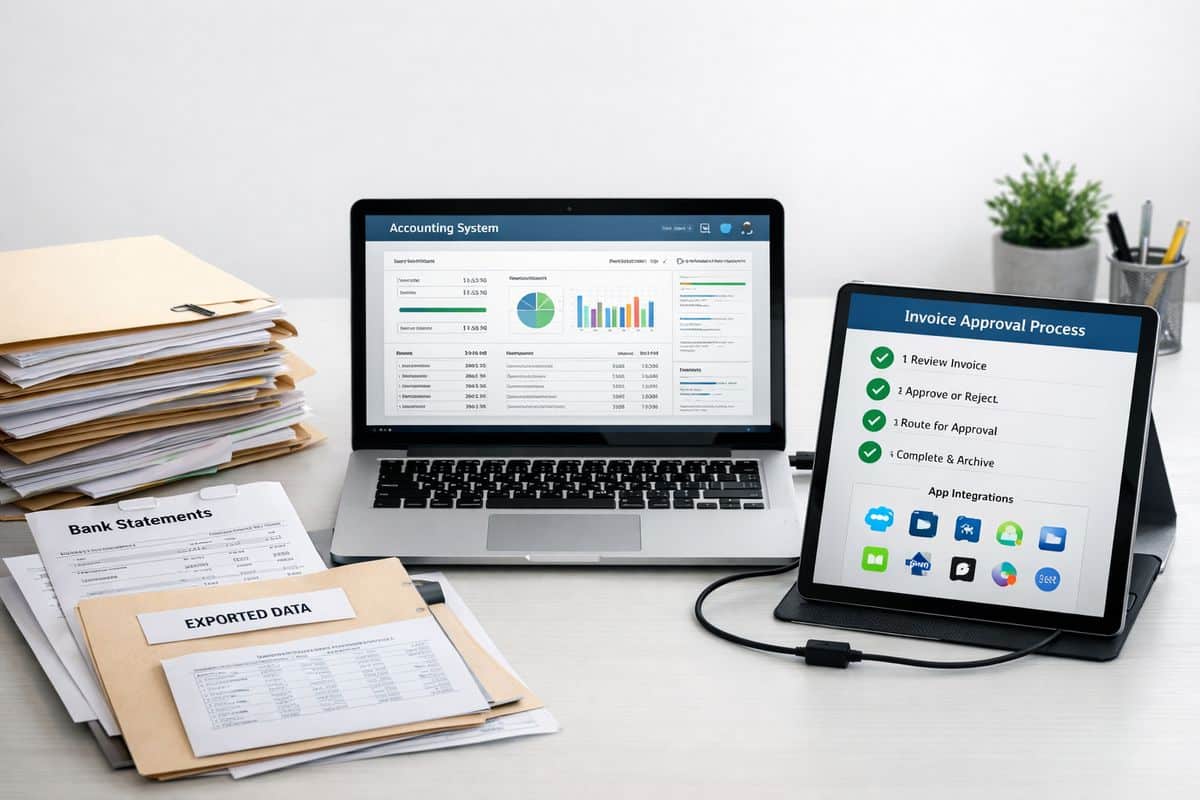
This phase connects finance to the way work actually happens. Invoice approval paths, bill processing, expenses, payroll links, stock or project workflows, and app integrations all get tested against real scenarios.
Here is where many timelines expand, and for good reason. Integration work is never just about connecting APIs. Even a minimal direct Xero integration can take 4 to 8 weeks to build, while production-ready setups take longer. For most SMEs, the priority is simpler: connect only the systems that improve control from day one.
Phase 4: Training, Go-Live, and the First 90 Days
Go-live is not the finish line. It is the handover from project mode to operating mode. Users need role-based training, reconciliations need a rhythm, month-end needs ownership, and dashboards need to become part of decision-making.
Xero itself now treats onboarding as a first 90 days journey with guided support, which tells you something important. Real implementation includes adoption. If your team needs better habits around approvals, reconciliations, and reporting, getting people to use the system properly is part of the timeline, not an optional extra.
What Slows a Xero Implementation Down
Most delays are self-inflicted. The pattern is predictable.
Migrating Bad Data Into a New System
If you move messy ledgers, duplicate contacts, broken VAT treatment, and incomplete balances into Xero, you do not save time. You relocate the problem. Then you spend the next quarter fixing reports, correcting reconciliations, and explaining why the numbers do not tie out.
Trying to Rebuild Every Legacy Process
Old spreadsheets and manual approval chains often survive for one reason: habit. But habit is not a good system design principle. If you insist on rebuilding every workaround from the previous setup, implementation drags and automation never delivers.
Xero works best when you simplify. Fewer handoffs. Clearer ownership. Better visibility.
Adding Too Many Apps Too Early
More apps do not equal better control. Early rollout should focus on the systems that remove the most friction and improve the most important decisions. Everything else can follow after stabilisation.
This is especially true if you want stronger automation. Start with the workflows that have the biggest volume and the clearest rules, such as bills and bank matching, then expand from there.
Skipping Training and Internal Ownership
No owner means no adoption. If nobody owns reconciliations, approvals, month-end checks, or dashboard review, the implementation looks finished on paper and fails in practice.
That is why experienced partners such as Prodyssey Solutions treat rollout as a connected finance and operations exercise, not a software handover.
What a Faster, Better Xero Rollout Looks Like
The best implementations are not the ones that finish fastest. They are the ones that become useful fastest.
Clear Scope, Clean Data, and Strong Project Ownership
Three things shorten the timeline consistently: a defined objective, cleaned source data, and one accountable internal lead. If your goal is vague, your build becomes vague. If your data is messy, every test becomes slower. If nobody owns decisions, nothing moves.
Connected Finance and Operations From Day One
A good setup gives you live visibility across cash flow, receivables, payables, approvals, and operational KPIs from the start. That is where Real-Time Accounting changes the value of implementation. You are not just replacing a ledger. You are creating a connected control layer for the business.
For businesses that need approvals, budget visibility, and workflow control beyond the ledger, tools such as insightFlow turn implementation into something far more useful than bookkeeping software alone.
Guided Support Through the First 90 Days
Structured support accelerates value. It helps your team activate features faster, solve issues before they spread, and turn setup into ROI. Research on accounting AI also points in the same direction: automation is reducing manual prep work, but human judgement still matters for workflow design, exceptions, and business decisions.
That is the real answer to the timeline question. A Xero implementation is quick to start, slower to mature, and most successful when you judge it by control and adoption, not by the day the account was created.
Frequently Asked Questions About the Xero Implementation Timeline
Can you set up Xero in one day?
Yes, you can create the account and complete a basic configuration in one day. No, that is not a full implementation. A real rollout includes migration, workflows, testing, training, and early adoption.
How long does data migration into Xero take?
Data migration takes anywhere from a few hours to several weeks. The deciding factors are volume, source quality, how much history you want to import, and how much cleanup is needed before the numbers can be trusted.
When should you go live with Xero?
The cleanest go-live points are month-end, quarter-end, or the start of a financial year. Those cutover points simplify reconciliations, opening balances, and reporting. Mid-period go-lives are possible, but they create more moving parts and more checking.
Do you need help from a Xero partner or advisor?
If your setup includes multiple entities, operational integrations, local compliance needs, custom reporting, or team training, guided implementation is the better choice. You get a faster route to clean data, usable dashboards, and workflows that match how your business actually operates.
Leave a Reply