Category: Xero

  • Automating Xero Bank Reconciliations Without the Headache

    Automating Xero Bank Reconciliations Without the Headache

    Xero bank reconciliation automation is the process of pulling bank transactions into Xero, matching them against invoices, bills, transfers, and coded spend, then handling the obvious items automatically so you stop wasting time on repetitive review. Get it right and you get more than cleaner books: you get faster month-end, sharper cash visibility, and tighter control over how finance connects to operations.

    What Xero Bank Reconciliation Automation Actually Does

    At its simplest, Xero bank reconciliation automation replaces manual ticking and coding with a connected workflow. Your bank feed sends statement lines into Xero. Xero checks those lines against what already exists in your accounts, such as sales invoices, supplier bills, transfers between accounts, and regular expenses. It then suggests the right match or coding, and for high-confidence transactions it can reconcile them automatically.

    That matters because reconciliation is where accounting accuracy meets business reality. If bank data is current and reconciled, your cash position is current and reconciled too. If bank data is delayed, uncategorised, or full of exceptions, every dashboard, forecast, and KPI built on top of it becomes less trustworthy.

    Why This Matters Beyond Bookkeeping

    Reconciliation is not a back-office admin chore. It sits at the centre of cash control, reporting accuracy, VAT readiness, and management confidence.

    If your transactions are reconciled daily or weekly, you can see what has actually cleared, what is still outstanding, and where cash pressure is building. That improves purchasing decisions, payment timing, collections follow-up, and short-term forecasting. It also reduces the usual month-end scramble, when finance teams are forced to clean up weeks of old transactions while operations wait for numbers.

    For businesses in Cyprus and Greece, where cross-border payments, external accountants, VAT pressure, and operational complexity often collide, that speed matters. Clean reconciliation gives you one version of the truth.

    How Xero Automates Reconciliation Step by Step

    The automation flow is straightforward once you break it down. Bank feeds import transaction data. Xero compares each statement line with invoices, bills, contacts, references, and past coding. Rules apply to repeatable transactions. Automatic reconciliation handles high-confidence matches. Anything unusual stays visible for review.

    That last point matters most. Good automation does not hide the hard stuff. It clears the routine work so your attention goes to exceptions, not admin.

    Live Bank Feeds Create the Foundation

    Automation starts with the feed. Xero connects many UK bank accounts through open banking and pulls transactions automatically, which means statement lines arrive ready to reconcile instead of being uploaded manually.

    If the feed is late, incomplete, or connected to the wrong account structure, automation falls apart quickly. You cannot build daily reconciliation on monthly data habits. The whole point is to move from backlog processing to live financial visibility.

    For that reason, strong implementation starts with account selection, feed quality, and a clean chart of accounts. If your wider finance system is still too loose, it is worth reviewing whether your current configuration is holding you back before switching on more automation.

    Rules, Matches, and Memory Drive the Process

    Once transactions arrive, Xero looks for direct matches. A customer payment can be matched to an open invoice. A supplier payment can be matched to a bill. A transfer can be matched to the other side of the movement. For regular transactions, bank rules step in and apply the same coding every time.

    This is where speed comes from. Repeatable direct debits, bank charges, loan repayments, subscriptions, rent, utilities, and recurring suppliers do not need fresh manual judgement every week. They need consistent treatment.

    But there is a difference between a suggested match and true automatic reconciliation. Suggested matches still need approval. Automatic reconciliation applies when confidence is high enough for Xero to complete the line without waiting for manual input.

    JAX and High-Confidence Auto-Reconciliation

    Xero’s newer automatic reconciliation capability, powered by JAX, pushes that process further. Xero says JAX uses rules, matching, memory, and prediction to reconcile transactions when confidence is high, and the company’s stated target is more than 80% of statement lines in real time.

    The right way to think about JAX is as a high-confidence helper. It is not financial autopilot. It handles the repetitive decisions that follow clear patterns, while exceptions stay visible for review and correction. That keeps control intact and moves your finance effort toward exception management, which is where judgement actually matters.
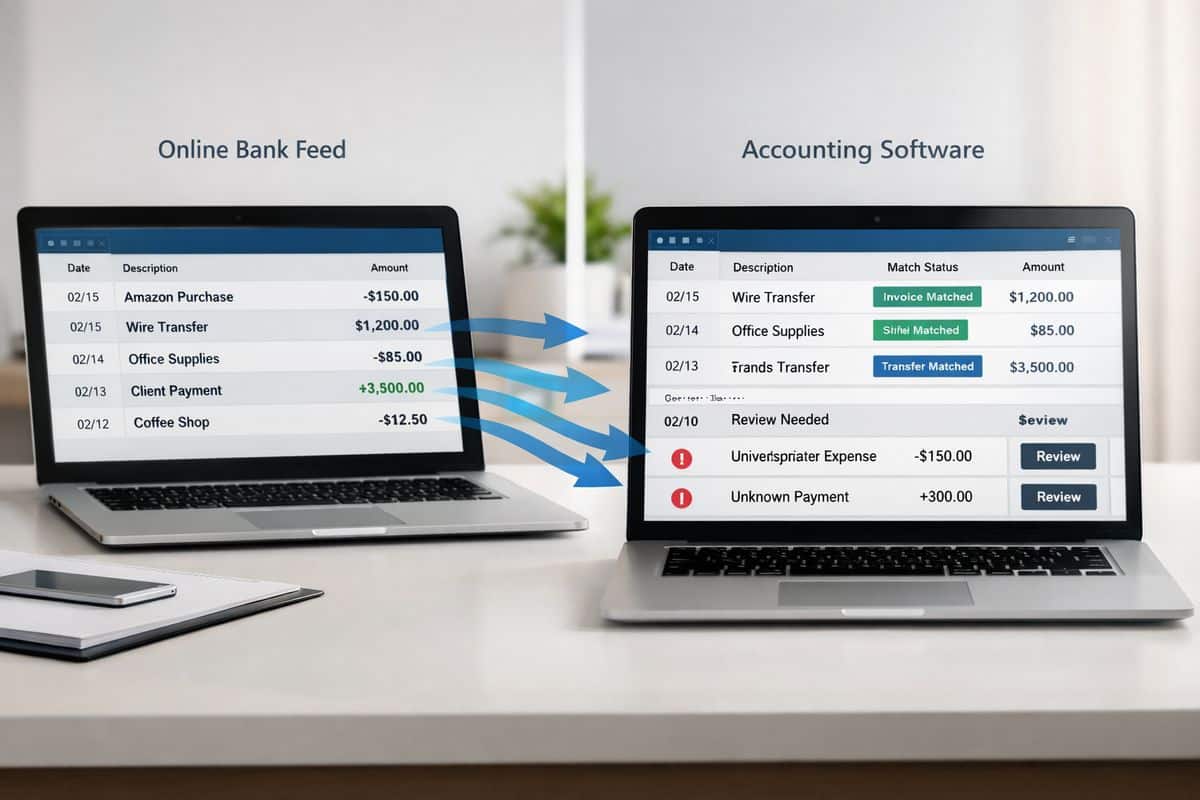
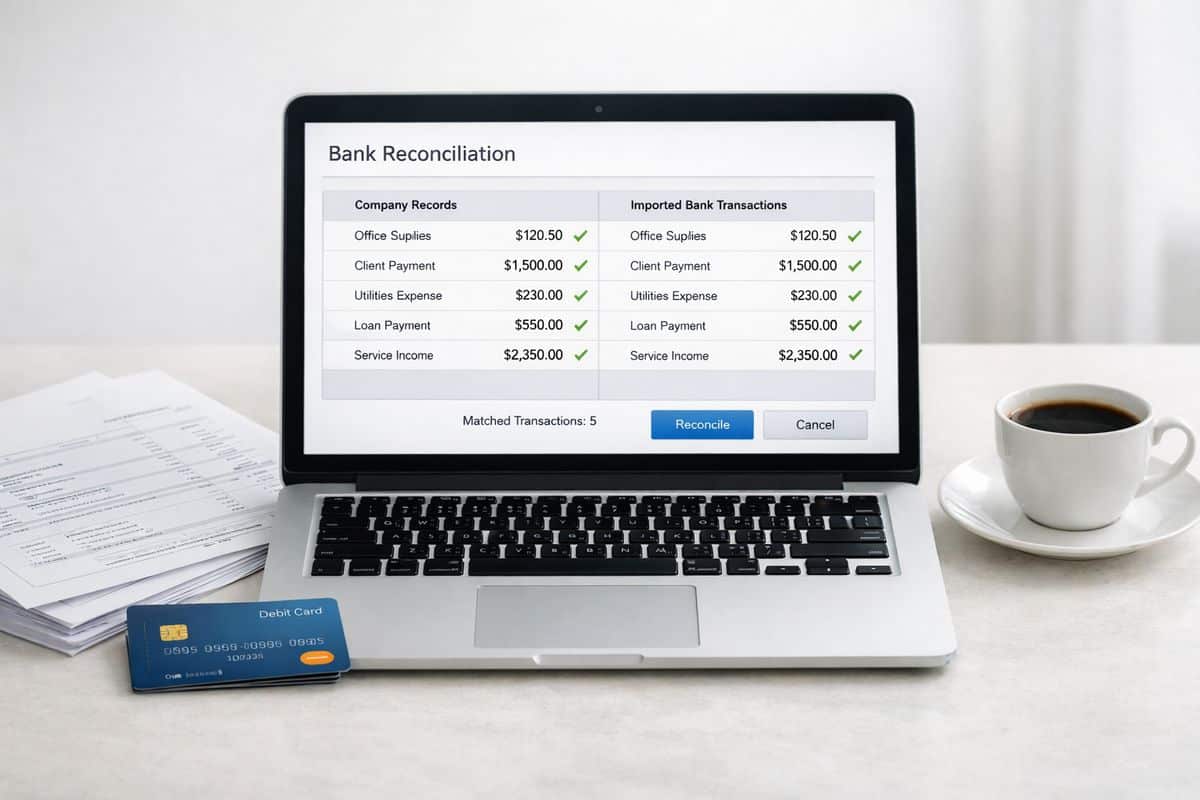
    A split workflow scene showing bank transaction lines flowing from an online bank feed into an accounting interface, where some items are automatically matched to invoices, bills, and transfers, while a few unmatched entries remain flagged for manual review

    Where Automation Delivers the Biggest Business Gains

    Features are not the real story. Business control is.

    When reconciliation speeds up, finance capacity opens up. When coding consistency improves, reporting becomes more reliable. When bank data is current, cash-flow decisions stop relying on guesswork. That is why automation matters.

    Faster Processing, Fewer Manual Touchpoints

    Xero states that 94% of UK customers say it saves time. Early users of automatic reconciliation have reported saving 4 to 7 hours a week. Cash coding can process up to 200 lines at once on selected plans.

    Those numbers matter because time saved in reconciliation is not just admin time saved. It is finance capacity redirected into review, analysis, collections, margin tracking, and forward planning. If your team is still spending hours categorising obvious transactions one by one, that is not control. That is drag.

    This is also where training matters. Automation only works properly when your team understands what to review, what to trust, and what to escalate. That is why adoption improves when you focus on getting people confident in the workflow, not just enabling features.

    Better Cash Flow Visibility and Cleaner Reporting

    Frequent reconciliation improves the quality of every financial view built on top of your accounts. Cash balances are more current. Liabilities are easier to track. Forecasts become more useful because cleared transactions are no longer mixed with stale assumptions.

    It also helps you spot anomalies faster. Duplicate payments, unexpected fees, missing receipts, unusual supplier activity, and delayed settlements show up earlier when reconciliation is part of the weekly operating rhythm. For businesses trying to connect finance with live operational decisions, that is a serious advantage.

    Where Native Xero Automation Stops Being Enough

    Native Xero automation is strong for standard workflows. It becomes less effective when volume rises and transaction patterns stop being simple.

    That is not a flaw. It is just the boundary between accounting software automation and specialised reconciliation software.

    High Transaction Volume Creates Exception Backlogs

    At low and moderate volume, even a 75 to 85 percent auto-match rate feels efficient. At scale, it creates work. On 2,000 monthly transactions, 10 percent unmatched still leaves 200 exceptions. Push that down to 2 percent and manual review drops to 40. That is why the jump from good automation to excellent automation changes workload so dramatically.

    Comparison research places Xero’s typical automation rate around 75 to 85%, which is perfectly workable for many SMEs but less compelling when account activity is heavy and exceptions pile up daily.

    Payment Platforms, Fees, and Multi-Currency Add Complexity

    Reconciliation gets harder when one payout contains multiple sales, fees, chargebacks, refunds, and timing differences. Stripe, GoCardless, Klarna, Pay by Bank, marketplaces, and foreign-currency settlements create exactly that problem.

    Now one bank line no longer equals one accounting event. It can represent dozens of underlying transactions. Add FX differences and fee allocations, and native matching reaches its limit fast. If that describes your environment, you need a realistic view of how far the built-in currency handling really goes before assuming automation will solve it on its own.

    How to Set Up Xero Bank Reconciliation Automation Without Creating New Problems

    The safest rollout is selective, structured, and tightly reviewed. Switch on the accounts where automation has the highest payoff and the lowest ambiguity first.

    Connect the Right Bank Accounts First

    Start with your main operating accounts and high-volume accounts where transaction patterns repeat. That gives you fast wins and clean learning data. Do not switch everything on at once. Roll out account by account, check results, then expand.

    If your broader rollout still needs planning, the same logic applies to the wider implementation timeline and sequencing. Good automation follows good setup.

    Build Bank Rules Around Real Transaction Patterns

    Create rules for recurring suppliers, direct debits, bank charges, loan repayments, subscriptions, and routine spend. Keep naming consistent. Keep tax treatment consistent. Test rule logic before broad use.

    Bad rules are dangerous because they look efficient while quietly spreading miscoding. Good rules remove repetition and preserve reporting quality.

    Set a Review Rhythm for Exceptions

    Daily or weekly reconciliation is the strongest model. Xero’s guidance recommends weekly or daily because issues are easier to investigate while details are still fresh.

    Monthly catch-up is where errors age, explanations disappear, and finance loses control of the close. Review little and often. That is how automation stays clean.

    Use Cash Coding for Volume, Not for Guesswork

    Cash coding is built for obvious, repetitive transaction lines. It is not a substitute for judgement on unusual items, one-off payments, or messy settlement activity.

    Use it to batch the straightforward lines quickly. Stop and review anything that looks unfamiliar, split, or inconsistent. Speed is only useful when the coding stays reliable.
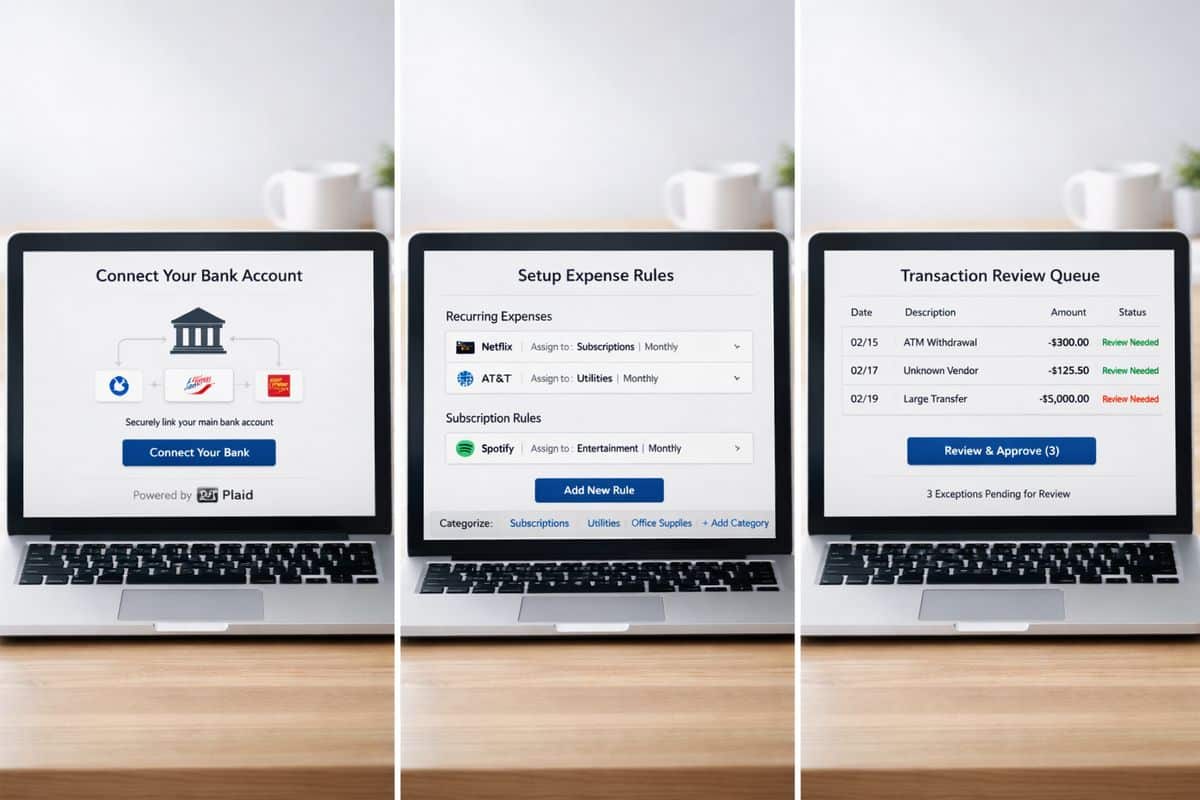
    A sequence of three finance workflow screens or sheets showing a main bank account being connected first, bank rules being configured for recurring expenses and subscriptions, and a separate review queue of exception transactions waiting to be checked before approval

    Best Practices for SMEs in Cyprus and Greece Using Xero

    For SMEs managing operational teams, external advisers, and cross-border activity, reconciliation should sit inside a connected workflow, not in isolation.

    Keep Finance and Operations Working from the Same Data

    Reconciled bank data supports better decisions across purchasing, sales, approvals, and cash planning. When finance and operations work from different versions of reality, delays and arguments follow. When reconciled data feeds reporting and workflows in real time, control improves across the business.

    That is exactly where Prodyssey Solutions positions automation best: business, finance, and technology working as one. Through Real-Time Accounting and connected operational workflows, reconciliation becomes part of live business control rather than end-of-month cleanup.

    Protect Audit Trail, Control, and Compliance

    Automation strengthens control only when audit trail and approval discipline stay intact. Keep receipts attached. Keep personal and business spend separate. Keep exception handling clear. Keep roles and sign-offs defined.

    If approvals around payments and spend are still loose, bank automation will expose that weakness rather than fix it. Strong reconciliation works best when combined with structured approval flow and sign-off control.

    Common Misconceptions About Automated Reconciliation in Xero

    Bad assumptions are what derail adoption. The most common ones are easy to correct.

    “Automation Means No Human Review”

    It does not. Automation removes repetitive matching work. Accountability stays with you. Your role shifts from manual entry to review, exception handling, and control.

    “If Xero Matches Most Transactions, Setup Does Not Matter”

    Wrong. Feed quality, chart of accounts structure, rule logic, contact naming, and review cadence determine whether automation creates clarity or cleanup work. Setup is the difference between clean acceleration and silent disorder.

    “More Automation Always Means Better Reconciliation”

    The target is not 100 percent automation. The target is high-confidence automation with visible exceptions, reliable audit trail, and clean reporting. Blind auto-processing is not efficient if it creates rework later.

    When to Use Xero Alone and When to Add a Specialist Layer

    This decision should be practical, not ideological.

    Xero Alone Fits Standard SME Workflows

    If your business has moderate transaction volume, straightforward bank activity, and normal invoice and bill matching, native Xero tools are enough. You keep reconciliation inside the accounting platform, reduce manual work, and avoid adding another system.

    Add Specialist Automation for Complex Reconciliation Demands

    If your business handles very high transaction counts, ecommerce payouts, deep fee reconciliation, advanced multi-currency activity, or large exception queues, specialist tooling earns its place. At that point, the question is no longer “Can Xero automate this?” but “Can Xero automate enough of this without creating manual review bottlenecks?”

    Quick Answers on Xero Bank Reconciliation Automation

    How often should you reconcile in Xero?

    Daily or weekly. That keeps discrepancies small, catches issues faster, and prevents month-end backlog.

    How much time can automation save?

    For repeatable workflows, several hours a week is realistic. Savings rise sharply when transaction volume is high and your setup is clean.

    Is Xero automation enough for growing businesses?

    Yes for many SMEs. No for every workflow. Once payment channels, currencies, fees, and exception volumes become complex, native automation stops being enough on its own.

    What is the safest way to turn it on?

    Enable it in phases, account by account. Test rules carefully. Review exceptions frequently. Keep controls visible. That is how Xero bank reconciliation automation delivers speed without sacrificing accuracy.


  • How Long Does a Xero Implementation Really Take?

    How Long Does a Xero Implementation Really Take?

    A Xero implementation timeline is shorter than an ERP project, but longer than opening a software account. If you expect clean reporting, connected workflows, bank feeds, VAT accuracy, and a team that actually uses the system, you should plan for weeks, not hours, and treat the first 90 days as part of the rollout.

    What a Xero Implementation Really Means

    A real implementation means building your finance operating system, not just activating Xero. The account setup is the easy part. The real work sits underneath: chart of accounts design, VAT configuration, bank connections, contact data, opening balances, approval flows, connected apps, user permissions, reporting structure, training, and early adoption.

    That distinction matters because timing gets distorted when setup is confused with implementation. Creating an organisation profile can happen quickly. Getting your business to run smoothly through it takes longer.

    Think of it like moving office. Unlocking the new premises takes a day. Wiring the network, organising teams, setting rules, and making sure everyone can work on Monday takes planning. Xero is the same. The software is fast. The business decisions around it are what shape the timeline.

    An open office moving scene with boxes, a router being plugged in, cables laid out for network setup, and folders of accounting documents spread across a desk beside a calculator and bank statements.

    The Short Answer: Most Xero Implementations Take 2 to 12 Weeks

    For most SMEs, the realistic Xero implementation timeline sits between 2 and 12 weeks. At the short end, you have a clean, single-entity business with simple processes. At the long end, you have multiple entities, messy historical data, payroll, inventory, app integrations, approvals, and management reporting that needs to reflect how your business actually runs.

    That range is normal. Xero itself does not publish one universal implementation timeframe, and that is the right approach. Complexity drives duration, not the brand name on the login screen.

    A Simple Setup: 2 to 5 Days

    If your business has one entity, tidy records, limited historical data, straightforward VAT treatment, and only a few users, the core setup can be done in 2 to 5 days. That includes organisation settings, chart of accounts, bank feeds, opening balances, basic invoice and bill templates, and user access.

    What it does not include is deep process redesign, advanced reporting, full historical cleanup, or a layered app stack. This is a launch pad, not a finished operating model.

    A Standard SME Rollout: 2 to 6 Weeks

    This is the most realistic expectation for growing businesses in Cyprus and Greece. You need migration from a previous system or spreadsheets, a better reporting structure, approval rules, expenses or payroll setup, and team training. You also need time to test outputs before relying on them for month-end and management decisions.

    In this range, the work is not technical for its own sake. It is operational. You are deciding how sales, purchasing, expenses, reconciliations, and reporting should flow through the business. If you are reviewing how sign-offs should work in practice, this is usually where extra time gets added, and where the quality of the rollout improves.

    A Complex Multi-System Project: 6 to 12 Weeks or More

    Once you add departments, projects, stock, multiple locations, legacy cleanup, group structures, custom dashboards, or several connected apps, the timeline extends. Not because Xero is slow, but because your business has more moving parts.

    This is where implementation becomes a finance and operations project. Xero sits at the centre, but the hard part is designing how data moves across the business and who owns each step.

    What Drives Your Xero Implementation Timeline

    The fastest projects have clear scope, clean source data, and quick decisions. The slowest ones do not fail on software. They stall on uncertainty, messy records, and unavailable people.

    Data Migration and Cleanup

    Data quality decides speed. If your chart of accounts is inconsistent, customer and supplier records are duplicated, VAT history is unreliable, or unpaid invoices do not reconcile cleanly, migration takes longer because every import needs checking.

    Opening balances are another pressure point. If those figures are wrong, every dashboard and report that follows is wrong too. Speed means nothing if your first month in Xero starts with bad numbers.

    Bank Feeds, Tax Setup, and Local Finance Requirements

    Bank feeds look simple, but accuracy comes first. Connections need testing, reconciliation rules need logic, and VAT settings need to match how you actually trade. A beginner guide from Armstrong Watson stresses that getting tax settings right early is what gets businesses up to speed without creating rework later.

    For Cyprus and Greece, local reporting expectations and filing discipline push this even further. If your setup does not reflect your finance reality, implementation is unfinished no matter how fast the login works.

    Integrations Across Operations

    Xero is powerful partly because it connects well. Its ecosystem now spans 1,000+ apps across payroll, expenses, inventory, CRM, payments, and reporting. That flexibility is valuable, but it adds design work.

    Choosing the right apps matters as much as connecting them. A bad integration setup creates duplicate data, broken ownership, and manual corrections. If you rely on multiple entities or group reporting, the timeline also needs to account for how your structure should be configured.

    Team Availability and Decision Speed

    Implementation slows down when nobody approves anything. If you or your finance lead take a week to review workflows, user access, templates, or reports, your go-live date shifts by a week. Simple as that.

    The hidden timeline driver is not software. It is response time. Fast implementations have one internal owner who can make decisions, gather feedback, and sign off changes.

    The Typical Phases of a Xero Implementation

    A good rollout feels controlled because it is phased. Each stage builds the next one.

    Phase 1: Discovery and Implementation Planning

    This stage defines what you are actually building. You review the current system, map finance and operational workflows, clarify reporting needs, identify integration points, and decide what “good” looks like after go-live.

    Skipping this stage is how businesses end up rebuilding the setup two months later. If you are treating implementation as part of a wider digital operations upgrade, this planning phase is where the value starts.

    Phase 2: Core Configuration and Data Migration

    Now the financial foundation gets built. That includes organisation setup, chart of accounts, VAT codes, tracking categories, contacts, opening balances, historical imports, and bank feed connections.

    This is the part most people think of as implementation. It is only one phase. Important, yes, but not enough on its own.

    Phase 3: Workflow Design, Integrations, and Testing

    This phase connects finance to the way work actually happens. Invoice approval paths, bill processing, expenses, payroll links, stock or project workflows, and app integrations all get tested against real scenarios.

    Here is where many timelines expand, and for good reason. Integration work is never just about connecting APIs. Even a minimal direct Xero integration can take 4 to 8 weeks to build, while production-ready setups take longer. For most SMEs, the priority is simpler: connect only the systems that improve control from day one.

    Phase 4: Training, Go-Live, and the First 90 Days

    Go-live is not the finish line. It is the handover from project mode to operating mode. Users need role-based training, reconciliations need a rhythm, month-end needs ownership, and dashboards need to become part of decision-making.

    Xero itself now treats onboarding as a first 90 days journey with guided support, which tells you something important. Real implementation includes adoption. If your team needs better habits around approvals, reconciliations, and reporting, getting people to use the system properly is part of the timeline, not an optional extra.

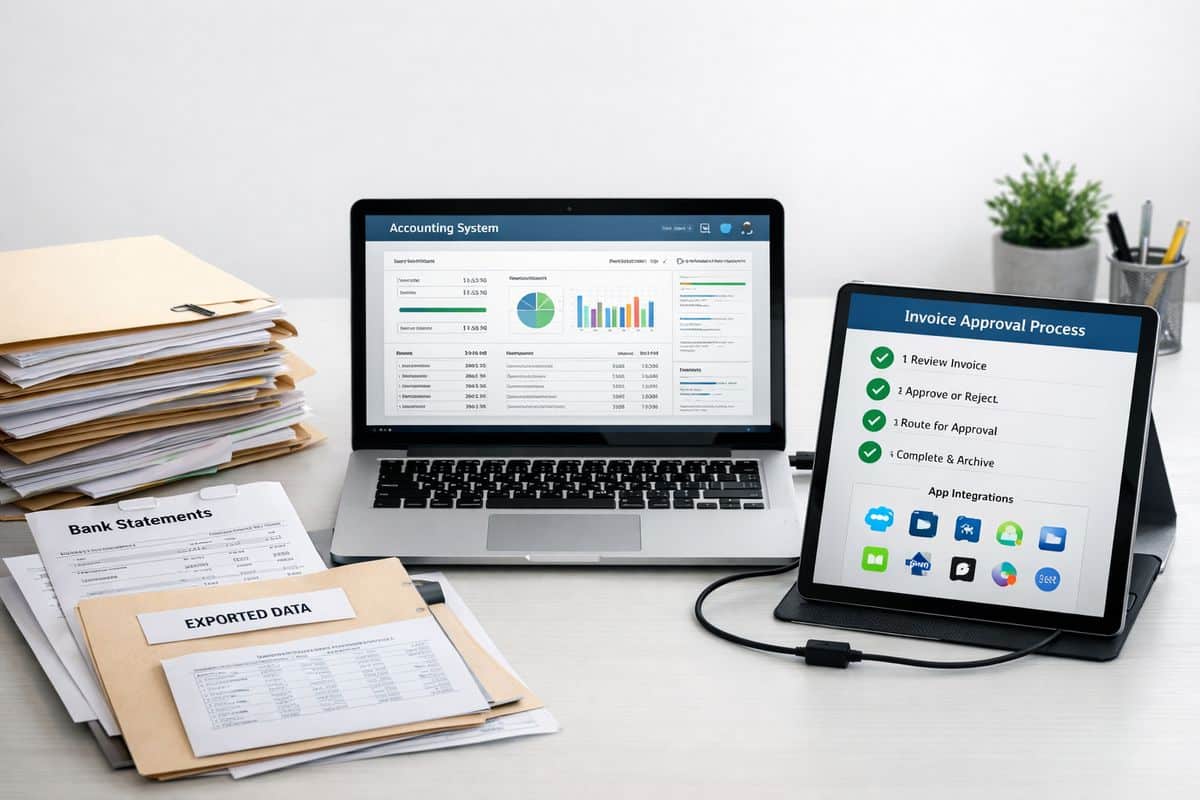
    A staged process scene showing a stack of paper files, bank statements, and a folder of exported data next to a laptop connected to an accounting system, with a second device displaying invoice approval steps and app connection icons on a clean workspace.

    What Slows a Xero Implementation Down

    Most delays are self-inflicted. The pattern is predictable.

    Migrating Bad Data Into a New System

    If you move messy ledgers, duplicate contacts, broken VAT treatment, and incomplete balances into Xero, you do not save time. You relocate the problem. Then you spend the next quarter fixing reports, correcting reconciliations, and explaining why the numbers do not tie out.

    Trying to Rebuild Every Legacy Process

    Old spreadsheets and manual approval chains often survive for one reason: habit. But habit is not a good system design principle. If you insist on rebuilding every workaround from the previous setup, implementation drags and automation never delivers.

    Xero works best when you simplify. Fewer handoffs. Clearer ownership. Better visibility.

    Adding Too Many Apps Too Early

    More apps do not equal better control. Early rollout should focus on the systems that remove the most friction and improve the most important decisions. Everything else can follow after stabilisation.

    This is especially true if you want stronger automation. Start with the workflows that have the biggest volume and the clearest rules, such as bills and bank matching, then expand from there.

    Skipping Training and Internal Ownership

    No owner means no adoption. If nobody owns reconciliations, approvals, month-end checks, or dashboard review, the implementation looks finished on paper and fails in practice.

    That is why experienced partners such as Prodyssey Solutions treat rollout as a connected finance and operations exercise, not a software handover.

    What a Faster, Better Xero Rollout Looks Like

    The best implementations are not the ones that finish fastest. They are the ones that become useful fastest.

    Clear Scope, Clean Data, and Strong Project Ownership

    Three things shorten the timeline consistently: a defined objective, cleaned source data, and one accountable internal lead. If your goal is vague, your build becomes vague. If your data is messy, every test becomes slower. If nobody owns decisions, nothing moves.

    Connected Finance and Operations From Day One

    A good setup gives you live visibility across cash flow, receivables, payables, approvals, and operational KPIs from the start. That is where Real-Time Accounting changes the value of implementation. You are not just replacing a ledger. You are creating a connected control layer for the business.

    For businesses that need approvals, budget visibility, and workflow control beyond the ledger, tools such as insightFlow turn implementation into something far more useful than bookkeeping software alone.

    Guided Support Through the First 90 Days

    Structured support accelerates value. It helps your team activate features faster, solve issues before they spread, and turn setup into ROI. Research on accounting AI also points in the same direction: automation is reducing manual prep work, but human judgement still matters for workflow design, exceptions, and business decisions.

    That is the real answer to the timeline question. A Xero implementation is quick to start, slower to mature, and most successful when you judge it by control and adoption, not by the day the account was created.

    Frequently Asked Questions About the Xero Implementation Timeline

    Can you set up Xero in one day?

    Yes, you can create the account and complete a basic configuration in one day. No, that is not a full implementation. A real rollout includes migration, workflows, testing, training, and early adoption.

    How long does data migration into Xero take?

    Data migration takes anywhere from a few hours to several weeks. The deciding factors are volume, source quality, how much history you want to import, and how much cleanup is needed before the numbers can be trusted.

    When should you go live with Xero?

    The cleanest go-live points are month-end, quarter-end, or the start of a financial year. Those cutover points simplify reconciliations, opening balances, and reporting. Mid-period go-lives are possible, but they create more moving parts and more checking.

    Do you need help from a Xero partner or advisor?

    If your setup includes multiple entities, operational integrations, local compliance needs, custom reporting, or team training, guided implementation is the better choice. You get a faster route to clean data, usable dashboards, and workflows that match how your business actually operates.

  • The Biggest Xero Implementation Mistakes to Avoid

    The Biggest Xero Implementation Mistakes to Avoid

    Xero implementation mistakes are avoidable setup, migration, integration, and process errors that leave you running a modern finance platform on unreliable numbers. That matters more than the software choice itself, because a bad implementation damages reporting, compliance, cash flow control, and daily operations from day one. One real-world example put the cost of poor setup at £7,000, and the bigger danger was not the fee, it was making decisions on flawed data with total confidence.

    What Xero Implementation Mistakes Actually Cost Your Business

    Poor implementation is expensive in two ways. The direct cost shows up in fines, clean-up work, missed deductions, duplicate effort, and delayed reporting. The hidden cost is worse: you trust numbers that are incomplete, misclassified, or out of date, then use them to price jobs, approve spending, forecast cash, and assess profitability.

    That is why Xero implementation mistakes are not small admin slip-ups. They are finance system failures. If bank feeds are disconnected, VAT codes are wrong, supplier records are duplicated, or approvals happen outside the system, your management accounts stop reflecting reality. You do not get real-time visibility. You get a polished dashboard sitting on bad inputs.

    For businesses operating across Cyprus and Greece, or across multiple teams and entities, the stakes climb further. Tax handling, currency exposure, approval layers, and operational handoffs all need structure. If you want Xero to support connected finance and operations, the implementation has to be designed that way from the start.

    Mistake 1: Treating Xero Setup as an Admin Task Instead of a Finance Systems Project

    The first major mistake is assuming setup is just data entry and basic preferences. It is not. It is the design of how money, approvals, tax, reporting, and operational activity move through your business.

    When setup is rushed, old inefficiencies get rebuilt inside new software. Sales invoicing still sits outside finance. Purchasing approvals still happen in email. Payroll journals still land late. Stock movements still fail to align with cost reporting. A cloud platform does not fix broken process logic by itself.

    A proper implementation starts with process mapping. You need to define how finance connects to sales, purchasing, payroll, stock, expenses, approvals, and management reporting. That matters even more if your business spans locations, legal entities, or operational teams. This is exactly where Business Transformation work and finance system design have to meet.

    What You Need to Scope Before You Switch On

    Before you go live, you need a clear view of the outputs you expect from the system. Start with reporting. What do you need to see weekly and monthly: cash flow, departmental profitability, overdue debtors, project margin, VAT liabilities, budget versus actuals? If you do not define that first, the setup defaults will define it for you, badly.

    Then scope your approval flows, tax treatment, bank accounts, currencies, user roles, integrations, historical data, and month-end routines. Decide who enters transactions, who approves them, who reviews exceptions, and how corrections are handled. If your old process relied on spreadsheets, inboxes, and manual workarounds, copying it into Xero simply locks the problem in more tightly.

    Why a Staged Rollout Beats a Big-Bang Launch

    A staged rollout gives you control. A big-bang launch gives you pressure. Xero itself advises against flipping everything at once and recommends a staged implementation so the change does not become rushed and overwhelming.

    Phasing the rollout lets you validate bank feeds, invoice flows, approvals, and reports before every team depends on them. It also makes it easier to isolate errors. If something breaks, you know where. That is far better than discovering three weeks after go-live that your purchasing workflow, tax setup, and customer balances all went live with faults.

    A staged rollout scene with three desks in different phases of setup: one showing a bank statement being checked against accounting records, another with folders for approvals and purchasing documents being organized, and a third with a finance process flow diagram spread across papers beside a calendar and checklist, suggesting a controlled implementation in progress

    Mistake 2: Using the Default Chart of Accounts and Weak Tracking Structure

    Your chart of accounts is not just an accounting list. It is the reporting architecture for your business. If it is too generic, too messy, or badly aligned to how you operate, every dashboard and management report becomes harder to trust.

    Default account structures rarely reflect how you actually make money. They do not know your service lines, locations, departments, cost centres, margin drivers, or management priorities. The same applies to tracking categories. If they are missing or inconsistent, you lose visibility across teams and activities exactly when you need it most.

    This is where Real-Time Accounting either works or fails. Live dashboards and KPI reporting depend on disciplined structure under the surface.

    Build Reporting Around Decisions, Not Around Software Defaults

    Build the chart around the decisions you need to make. If you want control over cash flow, you need clean separation of recurring overheads, one-off costs, financing items, tax liabilities, and operational spend. If you want profitability by segment, you need income and direct costs mapped in a way that reflects how you sell and deliver.

    The same goes for performance by team, location, project, or entity. Structure the accounts and tracking so your monthly reports answer real management questions quickly. If you need a spreadsheet every month to get basic answers, the setup is already wrong.

    Avoid Overcomplicating Tracking Categories

    There is a balance here. Too little detail gives you weak reporting. Too much detail creates chaos. If your team has to choose between too many coding options, consistency falls apart. One manager uses one category. Another uses a different one. A third leaves it blank.

    Tracking categories should be disciplined, limited, and directly tied to decision-making. Keep them simple enough for operational teams to use correctly every day. If you are already wondering whether your current structure has become messy, this is often a sign that your setup has stayed too basic for your growth.

    Mistake 3: Migrating Bad Data and Assuming Opening Balances Are “Close Enough”

    Bad migration poisons everything that follows. It creates a false starting point, then every report built on top of that point becomes unreliable. That is how businesses end up trusting dashboards that look clean but are fundamentally wrong.

    The usual failures are predictable: incomplete customer and supplier records, duplicate contacts, wrong VAT codes, uncleared bank items, missing payroll liabilities, and opening balances that do not match the last validated trial balance. Xero can import historical data, including up to 12 months in many setups, but imported data still needs validation. Migration is not a file upload. It is a finance control exercise.

    The Data Checks You Must Complete Before Go-Live

    Before go-live, reconcile the trial balance, aged receivables, aged payables, VAT position, bank balances, outstanding invoices, payroll liabilities, and comparative periods. Every one of these needs to tie back to known, approved figures. No rounding guesses. No suspense assumptions. No “close enough”.

    This matters because false confidence in bad data is one of the most damaging implementation failures. When bad data looks believable, your cash flow forecasts, tax estimates, and board reporting all drift off course without any obvious alarm.

    Mistake 4: Connecting Apps Without Mapping the Data Flow

    More apps do not mean more control. They often mean more confusion.

    Xero connects with 800+ business apps and broad banking networks, which is useful only if every connection has a defined purpose, clean data mapping, and clear ownership. The failure point is chasing features instead of workflow fit. An app looks impressive in a demo, then creates duplicate records, partial syncs, tax mismatches, or manual exception handling in daily use.

    If you want connected operations, map the data flow first. What starts in the operational system? What passes into Xero? What stays in the source system? Which system is the master record for contacts, invoices, stock, payments, and approvals? Without those answers, integration becomes another layer of admin.

    Choose Integrations That Remove Work, Not Add Another Layer of It

    A useful integration removes rekeying, duplicate uploads, and spreadsheet fixes. A weak one just hides them. Check whether the integration is genuinely API-based, whether support is reliable, whether the app can scale with your transaction volume, and whether your business still owns and can audit the data.

    Pseudo-integrations are a common trap. If the process still depends on exports, CSV imports, or manual pushes, you have not automated the workflow. You have just added software to a manual process.

    Test Every Sync Scenario Before You Rely on It

    Testing has to go beyond a successful demo invoice. Run actual scenarios: invoice creation, payment matching, credit notes, tax treatment, stock updates, payroll journals, multi-entity transactions, and error handling. Broken syncs often fail silently, which is exactly why they are dangerous.

    If your operation includes multiple currencies or cross-border activity, testing gets even more important. In that case, it helps to understand where Xero’s currency capability supports growth and where it needs careful design.

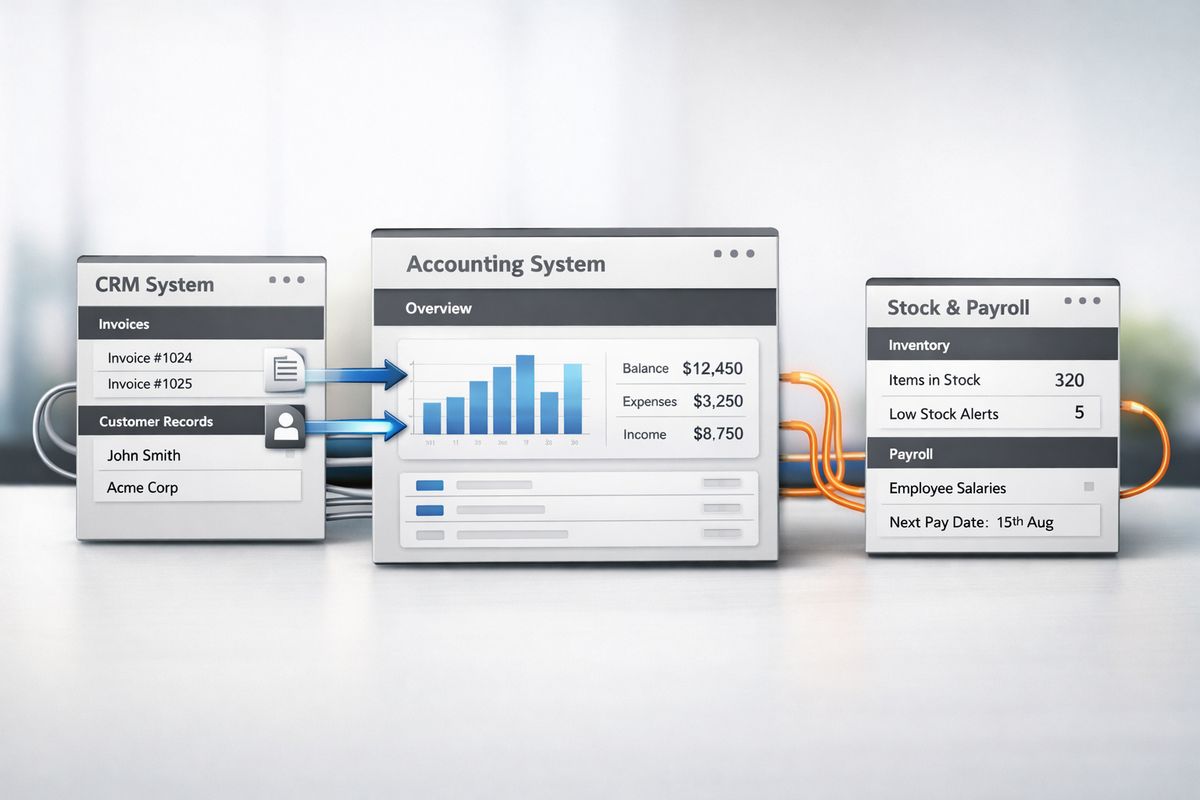
    A set of connected business software systems shown as separate interface panels linked by arrows and cable-like lines, with one panel feeding invoices and customer records into another accounting system panel, while a third panel for stock or payroll sits off to the side with its own isolated data stream, illustrating mapped and controlled information flow

    Mistake 5: Leaving Bank Feeds, Reconciliation Rules, and Automation Until Later

    If your team is still downloading statements, typing supplier names manually, and reconciling line by line after implementation, the setup is incomplete. Bank feeds and automation are not optional enhancements. They are part of the core operating model.

    Xero’s bank feeds and matching tools are designed to reduce manual reconciliation dramatically, with one source citing 5.5 hours a week saved through automation alone. That is not just admin time back. It is faster visibility, quicker exception handling, and cleaner month-end.

    Where Automation Delivers Immediate ROI

    The fastest wins usually come from bank reconciliation, recurring invoices, expense capture, approval routing, payment runs, and month-end routines. Each one cuts manual effort and improves control at the same time.

    That is the important point. Automation is not only about speed. It creates consistency. Coding rules reduce classification errors. Automated matching keeps bank data current. Approval workflows stop spend from bypassing review. If you want a deeper look at where the biggest gains usually sit, reducing reconciliation friction with the right rules and flows is one of the clearest places to start.

    Mistake 6: Underestimating VAT, Compliance, and Local Reporting Requirements

    Compliance failures are implementation failures. If VAT is wrong, filing periods are wrong, invoice formats are wrong, permissions are weak, or source documents are missing, your setup is not complete.

    This matters even more as MTD expands in 2026 and businesses face more pressure for digital records, auditability, and filing discipline. For businesses with activity across Cyprus and Greece, the wider issue is the same: local tax treatment, cross-border workflows, payroll links, and audit trails must be configured deliberately. You do not fix compliance later with month-end heroics.

    Compliance Settings to Lock Down From Day One

    Lock down VAT codes, filing periods, invoice formats, contact tax treatment, payroll postings, user permissions, approval controls, and document capture from the start. Make sure posting logic is consistent and review rights are clear. Restrict access where needed. Preserve the audit trail.

    This is not bureaucracy. It is control. Clean compliance comes from disciplined configuration, not from asking the finance team to catch errors after the fact.

    Mistake 7: Assuming Your Team Will “Figure It Out”

    Intuitive software still fails without training. That is because the issue is not where to click. The issue is how transactions should be entered, coded, approved, reviewed, and corrected across the business.

    When teams are left to figure it out, habits take over. People bypass workflows, keep side spreadsheets, upload documents inconsistently, and code similar transactions in different ways. Reporting quality falls, adoption stalls, and the finance team spends month-end fixing avoidable errors.

    Train by Role, Not in One Generic Session

    Your finance team needs deeper process training. Approvers need to understand controls, cut-offs, and exceptions. Operational managers need to know how their actions affect costs, budgets, and reporting. Directors need to know what dashboards mean and what they do not.

    Role-based enablement works because it reflects how the system is actually used. One generic session does not. If you want adoption that sticks, focus on training that changes daily behaviour, not just familiarity with the screens.

    Replace Spreadsheet Habits With Embedded Workflows

    After go-live, look for every manual workaround still in use. If invoices are being rekeyed, statements are downloaded manually, approvals happen in chat messages, or KPI packs are rebuilt in Excel, implementation is unfinished.

    The goal is embedded workflow. Finance, operations, and management should be working from one connected process, not translating data between disconnected tools.

    How to Spot a Bad Xero Implementation Early

    Bad implementations reveal themselves quickly if you know what to look for. Your dashboards do not tie to underlying reports. Suspense balances appear and stay there. VAT returns need regular corrections. Month-end drifts later every cycle. Documents are missing. The same data is entered twice. Managers make decisions outside the system because they do not trust what they see inside it.

    You also see warning signs in behaviour. Finance teams exporting everything to Excel. Operations asking for numbers that should already be visible. Approvers relying on email threads. Bank transactions sitting unreconciled for days. Payroll journals posted late. None of this is normal for a well-implemented cloud finance setup.

    If those symptoms exist, the issue is rarely “Xero does not work”. The issue is that the implementation never matched the way your business runs.

    How to Get Xero Implementation Right From the Start

    Good implementation follows a simple discipline: scope first, design reporting around decisions, clean the data before migration, test integrations properly, automate core workflows early, train each role properly, and review the setup regularly as your business evolves.

    That gives you something much more valuable than accounting software. It gives you control. You get reliable numbers, faster month-end, stronger cash flow visibility, cleaner compliance, and a finance system that actually connects with operations.

    If you are building that foundation across Cyprus or Greece, or untangling an existing setup that no longer supports the business, Prodyssey Solutions brings finance, technology, and operations into one working model. That is how Xero stops being a bookkeeping tool and starts becoming a platform for real-time business decisions.

  • How Long Does It Take to Implement Xero?

    How Long Does It Take to Implement Xero?

    If you are asking how long to implement Xero, the short answer is this: a straightforward setup takes a few days, while a full implementation usually takes 2 to 8 weeks. The real timeline has very little to do with opening a subscription and everything to do with how much finance, tax, reporting, and operational work needs to be connected properly.

    How Long Does It Take to Implement Xero?

    A basic Xero account can be created quickly. For a new or very small business with one entity, simple VAT treatment, and no legacy data to migrate, implementation can be completed in 1 to 5 days. For an established business moving from Sage, QuickBooks, spreadsheets, or a local accounting system, the realistic timeframe is 2 to 6 weeks. If your business has multiple entities, inventory, payroll, approval layers, or operational systems that need to connect, 6 to 12 weeks is a normal implementation window.

    That range exists because implementation is a business change project, not a software download. You are setting up how cash is tracked, how invoices flow, how VAT is coded, how approvals happen, and how management reporting becomes reliable.

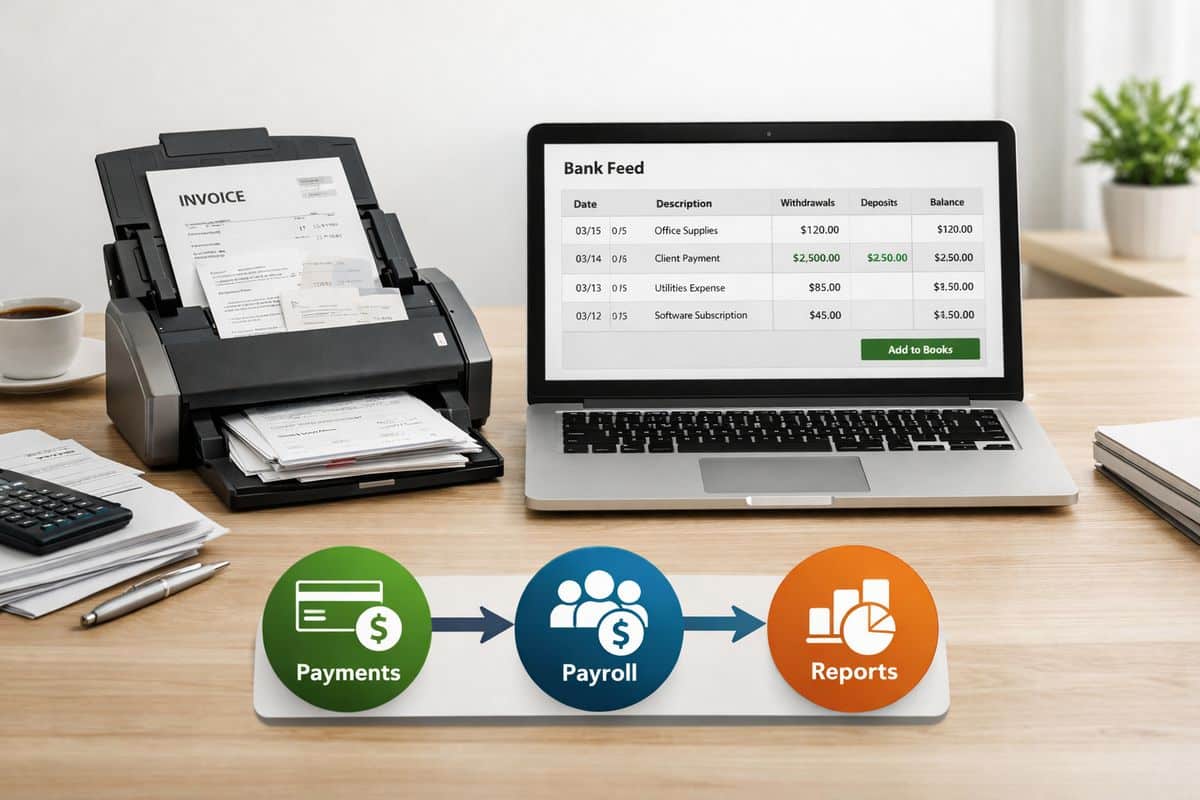
    A clean accounting setup scene with a laptop showing a bank feed and invoice entry screens, a stack of bank statements, an open folder of financial documents, and a calculator on a desk, suggesting a small business finance system being configured and reconciled

    What “Implementing Xero” Actually Includes

    Implementing Xero means building a working finance environment, not just switching on the platform. That includes organisation settings, financial year setup, chart of accounts, VAT and tax logic, bank feeds, invoice branding, payment options, opening balances, contact imports, outstanding sales and purchase documents, app integrations, user roles, testing, and team adoption.

    If your goal is real-time visibility and cleaner finance operations, implementation also includes deciding how Xero will support approvals, reporting, and operational workflows. That is why businesses that treat implementation as a setup task usually end up revisiting it later. If your current file already feels too limited, this is often the point where a more structured finance environment becomes necessary.

    Setup Is Fast; Operational Readiness Takes Longer

    Creating the account is the easy part. Research from Certum notes that a clean new Xero file can be configured in 1 to 3 hours, which sounds fast because it is.

    But operational readiness takes longer. Reliable reports, clean bank reconciliations, correct VAT treatment, approval controls, and connected apps require design decisions and testing. That is the real implementation timeline, and it is the only one that matters if you want trusted numbers.

    Typical Xero Implementation Timelines by Business Type

    Your timeline depends on business complexity more than company size alone. A lean services business can move quickly. A trading or multi-entity group with several systems will not.

    New or Very Small Business: 1-5 Days

    If you are starting fresh, implementation is fast. There is little historic data, few users, and usually one legal entity. You set the structure, connect the bank, configure VAT, design the invoice template, and start transacting.

    This is the cleanest implementation path because you are not translating years of accounting decisions from another system. You are building the file correctly from day one.

    Established Business Moving from Another System: 2-6 Weeks

    Once you are moving from another platform, the timeline expands. You need to map the chart of accounts, decide how much historic data to bring over, enter or import opening balances, migrate contacts, and reconcile outstanding invoices and bills.

    That migration work is where most delays happen. The system is ready long before the data is ready. If you want a more detailed view of timing expectations, what really drives the rollout schedule always comes back to data quality and process design.

    Multi-Entity or Integration-Heavy Setup: 6-12 Weeks

    If your business includes several legal entities, stock, payroll, CRM, project tracking, e-commerce, or field operations, the implementation becomes a connected systems project. Xero’s 1,000+ app ecosystem is a strength, but every connected tool adds mapping, testing, and ownership decisions.

    This is where timeline growth is justified. You are not just setting up accounts. You are building cross-system visibility, approval control, and reporting consistency. That matters even more if you are managing several businesses in one finance structure.

    The 7 Factors That Decide How Long Your Xero Implementation Takes

    Seven factors decide the timeline more than anything else.

    Data Migration and Opening Balances

    Migration is usually the biggest bottleneck. You need to decide whether to move opening balances only, current-year detail, or full history. Then you need those numbers to reconcile properly.

    That includes trial balances, unpaid invoices, unpaid bills, contact records, fixed assets, and bank positions. A fast import is useless if the file does not tie back to your closing balances.

    Chart of Accounts and Reporting Design

    Your chart of accounts controls what you can see later. If you want live reporting on margin, overheads, departments, jobs, or cash flow drivers, the account structure and tracking categories need to support that from the start.

    Rushed account design creates weak reporting and expensive clean-up. Keep it lean, but design it around the KPIs you actually use.

    VAT, Tax, and Local Compliance Setup

    For businesses in Cyprus and Greece, VAT logic needs to be correct before go-live. That means tax rates, reporting categories, invoice treatment, and the structure behind your filing outputs must be configured accurately.

    This is not the place to move fast and fix later. Nearly 58% of businesses adopt accounting software partly to improve tax accuracy and compliance, which makes proper setup non-negotiable.

    Bank Feeds, Payment Tools, and Invoice Configuration

    Bank feeds drive the daily rhythm of Xero. Payment services, invoice branding, reminders, and customer payment options all shape cash flow visibility and the speed of receivables collection.

    If you rely on automation, this part matters even more. Strong bank rules and clean feed setup reduce manual posting and create control from the first week.

    Integrations With Payroll, Inventory, CRM, and Operations

    Implementation often succeeds or fails at the integration layer. Payroll, stock, project tracking, expenses, e-commerce, and operational platforms all need clean field mapping and workflow testing.

    That is where businesses benefit from connected design, especially when finance and operations need to work as one. Prodyssey Solutions focuses on exactly that by linking accounting, workflows, and operational visibility through Business Transformation, rather than treating finance as a standalone system.

    User Roles, Permissions, and Internal Controls

    As your team grows, access control stops being admin and becomes governance. You need clear roles, approval levels, and segregation of duties so purchasing, invoice approval, payment processing, and reporting are not all sitting with the same person.

    That structure protects audit trails and keeps the system usable. It also supports cleaner sign-offs if you are planning faster approval flows with less manual chasing.

    Team Training and Adoption

    Implementation is not finished when the file goes live. It finishes when finance staff, approvers, managers, and operational users know how to use it properly.

    Xero’s guidance on time tracking makes a useful point here: explaining the change as a tool for insight helps teams adopt new processes faster. The same applies to accounting workflows. If your team does not trust or use the system, the implementation is incomplete.

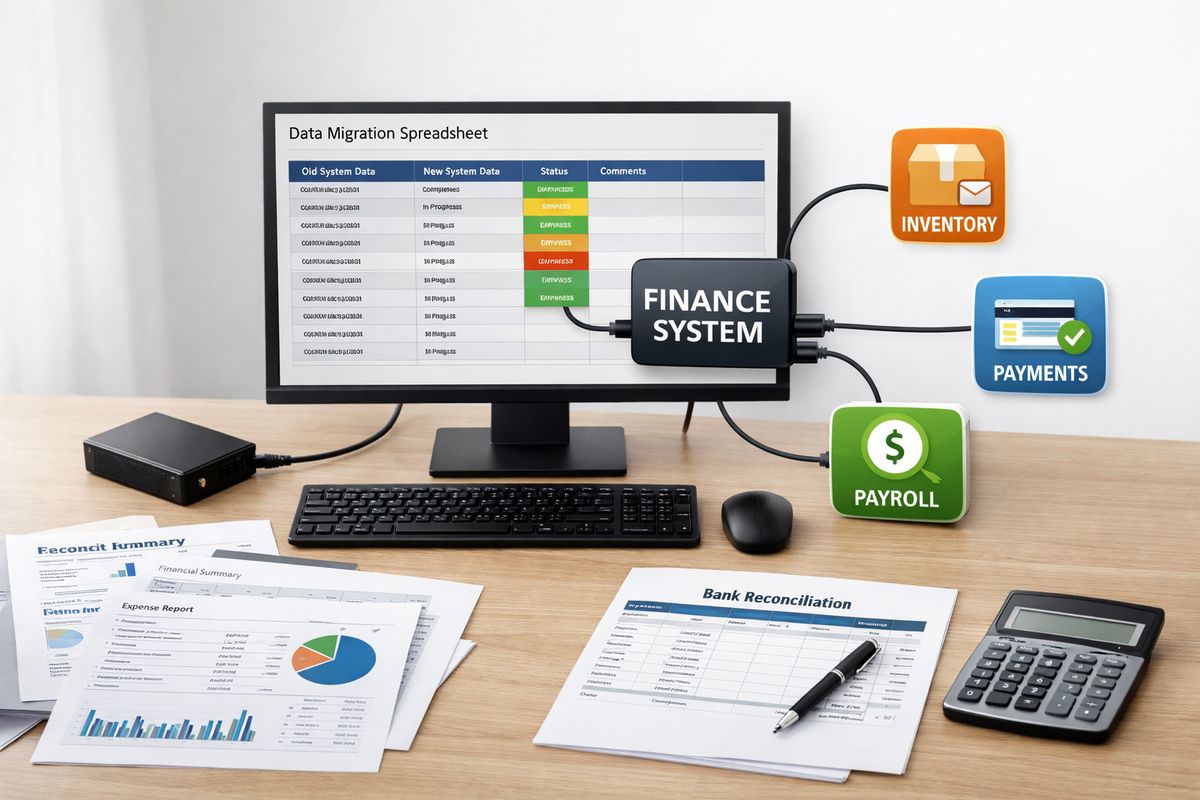
    A workspace with printed accounting reports, a data migration spreadsheet on a monitor, a small external drive, a bank reconciliation sheet, and several connected app icons represented as separate devices and cables linking a finance system to payroll, inventory, and payment tools

    A Practical Xero Implementation Sequence

    The right order saves time and prevents rework.

    1. Prepare Your Finance Data and Go-Live Date

    Gather your business registration details, tax information, latest financials, chart of accounts, closing balances, open invoices, open bills, and a firm cut-off date before setup starts. Preparation shortens the timeline more than anything else.

    A clean month-end or VAT period end usually gives you the best starting point.

    2. Configure Core Settings Before Importing Data

    Set organisation details, financial year, VAT, tracking categories, invoice branding, and payment settings first. Structure comes before users and transactions.

    If those foundations are wrong, every import after that creates more work.

    3. Import, Map, and Reconcile

    Import the chart, balances, contacts, products, and any selected historic transactions. Then reconcile everything back to your source system.

    Until the numbers tie, the file is not ready for reporting or management decisions.

    4. Connect Apps and Test Real Workflows

    Now connect payroll, expenses, inventory, project tools, or operational systems. Use real transactions during testing. Send invoices, approve bills, post payments, and review reports end to end.

    That is where automation inside Xero starts delivering value, but only after the workflow works in practice.

    5. Train Users and Launch With Control

    Invite users once the file is structurally sound. Train each role around the tasks that matter, not around every feature in the menu. Then run a controlled go-live and review the first reporting cycle carefully.

    This is where implementation becomes ROI, especially if your finance team needs stronger live visibility through Real-Time Accounting.

    How to Speed Up Xero Implementation Without Creating Clean-Up Work

    Speed matters, but clean structure matters more.

    Choose a Clean Cut-Off Date

    Month-end or quarter-end gives you cleaner balances, easier reconciliation, and less confusion for your team. Mid-period switches create overlap and increase validation work.

    Keep the First-Version Setup Lean

    Do not overbuild the chart of accounts. Do not connect every app in week one. Do not design approval logic for edge cases you rarely face.

    A lean first version launches faster and gets adopted more easily.

    Test With Real Transactions Before Go-Live

    A 2 to 4 week test period with real data gives you far fewer surprises at launch. It also exposes VAT issues, workflow gaps, and reporting problems while they are still easy to fix.

    Use an Implementation Partner for Migration and Process Design

    Migration, app selection, controls, and rollout design go faster with specialist support. Certum puts it bluntly: bad migration costs more than doing it right the first time.

    That is especially true when you need to connect finance with operations across Cyprus and Greece, align local reporting requirements, and create one live view of cash, approvals, and performance.

    Common Questions About Xero Implementation Time

    Can You Implement Xero in One Day?

    Yes, but only for a very simple new business with no migration, minimal users, and basic configuration. That is account setup, not full implementation.

    What Takes the Longest During Implementation?

    Migration, reconciliation, integrations, and reporting design take the longest. Software activation is never the real delay.

    Is It Better to Switch at Year-End?

    No. A clean month-end or VAT period end is often better because balances are easier to validate and business disruption is lower.

    How Much Historic Data Should You Move?

    Move only what supports reporting and continuity. Opening balances are the fastest route. Current-year detail gives stronger in-year reporting. Full history takes the longest and only makes sense if you actively use it.

    When Are You Fully Implemented?

    You are fully implemented when finance processes run inside Xero, data is reconciled, reports are trusted, integrations are stable, and your team uses the system confidently. That is the finish line. Once you understand that, the timeline becomes much easier to judge, and much easier to control.

  • Xero Approval Workflows: Faster Sign-Offs, Less Chaos

    Xero Approval Workflows: Faster Sign-Offs, Less Chaos

    Xero approval workflows are the rules and sign-off steps that control bills, purchase orders, invoices, and payments before anything gets posted or paid. If your team still relies on inboxes, phone calls, and memory, this is where speed, control, and accountability start to break down. Once you understand how these workflows work, it becomes obvious why growing businesses stop treating approvals as admin and start treating them as a finance control.

    What Xero Approval Workflows Actually Do

    Xero approval workflows create a structured path for spend decisions. Instead of a document landing in finance and waiting for somebody to notice it, the right person gets asked to approve it, reject it, or send it back with comments. That brings order to what is usually a messy handoff between operations, procurement, and finance.

    The real promise is simple: faster sign-offs, tighter spend control, and less chaos. You stop paying invoices late because nobody knew who owned the decision. You stop guessing whether a purchase was authorised. You also stop turning month-end into a clean-up exercise.

    Where Xero’s Native Approval Feature Starts

    Native Xero gives you a basic approval checkpoint for bills through an “Awaiting Approval” status. An authorised approver can review the bill and either approve or reject it before it moves forward. For a small business with low invoice volume and one or two decision-makers, that is often enough.

    That works best when approval logic is simple. One bill comes in, one person checks it, finance posts it. Clean and manageable.

    Where Basic Approval Status Stops Being Enough

    Growth changes everything. Once approvals depend on amount thresholds, departments, project budgets, locations, or legal entities, a simple status is no longer a workflow. It is just a queue.

    Here is where the cracks show. Native bill approval does not support threshold-based routing, true sequential or parallel approvals, or deeper conditional logic by supplier, category, cost centre, or entity. Finance ends up chasing people manually, operations loses momentum, and nobody has a reliable view of what is waiting, blocked, or overdue. If that sounds familiar, your current setup has probably been outgrown.

    A finance document workflow shown as a bill moving from an inbox tray into an approval queue, then to a manager for review, with a paper trail of stamped forms, a routed folder, and a final stack marked for payment processing

    Why Growing Teams Outgrow Email and Ad Hoc Sign-Offs

    Email approvals feel easy at first because they require no design. But that convenience disappears as soon as volume rises. Invoices get buried in inboxes, forwarded to the wrong person, approved without context, or forgotten altogether.

    That creates duplicated effort across every department. Finance re-asks questions that procurement already answered. Managers approve from memory because the original document is lost in a thread. Payment deadlines drift, supplier relationships take the hit, and cash flow becomes reactive instead of controlled.

    The Hidden Cost of Manual Approval Handling

    Manual invoice handling is not just annoying. It is expensive. Research regularly places invoice processing costs between $8 and $30 per invoice, while automation can reduce that by up to 70%. Across a busy finance function, that turns into real money, real admin hours, and real delays.

    The damage goes further than cost per invoice. Approval bottlenecks slow month-end, distort live reporting, and waste management time on follow-ups instead of decisions. That is why businesses looking at connected finance automation usually start with approvals. The return is immediate because the friction is visible every day.

    The Risk You Carry Without Formal Controls

    Weak approvals create exposure on three fronts: error, overspend, and fraud. Duplicate invoices slip through because no check happens before review. Documents get edited after a verbal sign-off. Supplier bank detail changes are missed. Nobody can prove who approved what.

    That is not a minor process issue. Accounts payable fraud has a median cost in the six figures, and small businesses are not protected by being small. Formal workflows add auditability, clear accountability, and payment protection. Every decision is timestamped, attributed, and traceable.

    The Core Building Blocks of an Effective Xero Approval Workflow

    An effective workflow is not about adding clicks. It is about making sure routine spend moves quickly while higher-risk spend gets the right scrutiny. Done properly, approvals become faster because the decision path is already defined.

    Multi-Step and Threshold-Based Approvals

    You need approval levels that reflect risk. A low-value recurring supplier bill should not wait for director review. A large project invoice absolutely should. Multi-step workflows enforce that automatically, using value thresholds and escalation rules.

    That gives you control without creating drag. Routine approvals stay fast. Higher-value or exceptional items move up the chain with no argument about who should look at them.

    Smart Routing by Supplier, Category, Cost Centre, or Entity

    The best workflows send documents to the right person based on rules, not guesswork. If a bill belongs to a specific supplier, department, cost centre, or group company, the system routes it there immediately.

    That matters even more if you operate across Cyprus and Greece, where entity structure, location responsibility, and management oversight often overlap. If your business is already dealing with group-level finance complexity, smart routing stops approvals from becoming a bottleneck between entities.

    Audit Trails, Comments, and Full Visibility

    A proper audit trail shows who reviewed a document, when action happened, what changed, and why a decision was made. Comments matter just as much as the approval itself because they preserve context.

    Without that history, every dispute turns into detective work. With it, finance can resolve issues quickly, support audits cleanly, and enforce internal controls without friction.

    Mobile, Email, and Real-Time Notifications

    Approvers are busy. If approval requires a desktop login and a spare half hour, delays are guaranteed. Modern workflow tools remove that delay through mobile approvals, email actions, and automatic reminders.

    That is one reason dedicated tools have gained traction. ApprovalMax, for example, has 625 reviews and a 4.79 rating in the Xero ecosystem because it addresses exactly this operational gap: approvals that move in real time instead of waiting for someone to return to the office.

    How the Workflow Works from Capture to Payment

    A strong approval process starts before approval and ends after sign-off. The goal is not a single button. The goal is a controlled path from document capture to payment readiness.

    Step 1: Capture and Validate the Document

    The process starts when an invoice or purchase document is captured. Good systems extract key details, support coding, check supplier data, and screen for duplicates before approval begins.

    That first control point matters more than most businesses realise. Bad data at intake creates bad approvals later. Stronger capture and validation prevent errors from entering the workflow in the first place.

    Step 2: Route for Approval Automatically

    Once validated, the document follows rules you have already defined. Thresholds, approver hierarchies, categories, and entity logic decide who needs to review it. No manual forwarding. No guessing.

    This is where workflow design pays off. You remove admin handling and replace it with consistency.

    Step 3: Approve, Reject, or Send Back with Comments

    At decision stage, the approver has three clean options: approve, reject, or send back with comments. That sounds basic, but it is the difference between a controlled loop and endless confusion.

    Comments keep the process moving because questions stay attached to the document. Rejection reasons become visible. Revisions happen inside the workflow, not across scattered emails.

    Step 4: Sync to Xero and Support Payment Control

    After approval, the document syncs into Xero as part of the accounting record. The strongest systems keep the ledger updated while preserving the approval logic outside the ledger itself. That separation is smart. Xero holds the books, while the workflow layer manages operational control.

    For businesses working with /Prodyssey Solutions, that same principle sits behind Business Transformation: finance and operations run better when each system has a clear role and the flow between them is connected.

    Native Xero vs Add-On Workflow Tools: What Changes in Practice

    The difference is not branding or interface. The difference is control.

    When Native Xero Is Enough

    Native Xero is enough when your approval needs are simple: low invoice volume, limited approvers, straightforward spend rules, and no complex routing. In that environment, a basic approve-or-reject checkpoint does the job.

    When a Dedicated Workflow Tool Becomes the Better Option

    A dedicated workflow tool becomes the better option when approvals cross departments, entities, or value thresholds, or when compliance and auditability matter. This is where tools such as ApprovalMax add real business value through multi-step logic, mobile and email approvals, and end-to-end control from bill arrival to payment.

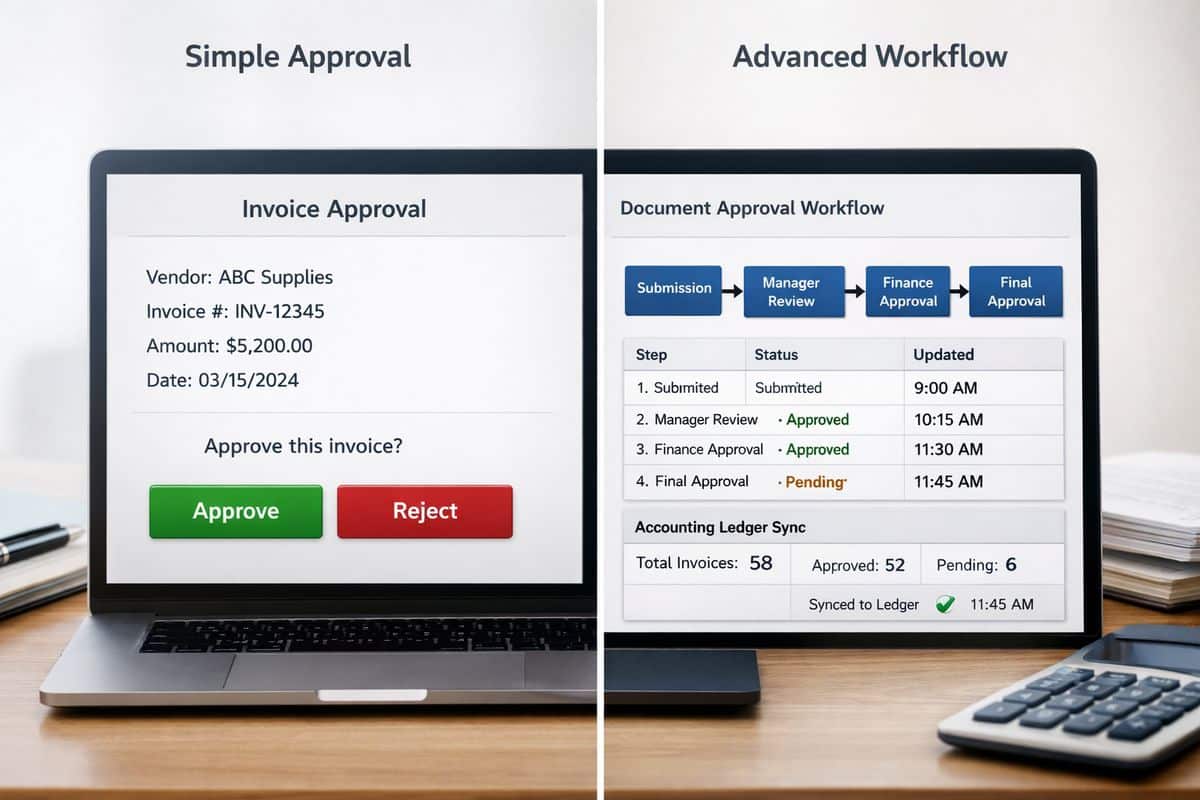
    A split-screen setup showing a simple accounting approval screen with one approve-or-reject step on one side, and a more advanced workflow interface on the other with routed documents passing through multiple approval stages, automated status changes, and synchronized records feeding into an accounting ledger

    What Better Approval Workflows Deliver to Your Business

    Better workflows do not just tidy up finance admin. They change how your business runs.

    Faster Sign-Offs and Stronger Cash Flow Control

    When invoices move through approvals faster, you gain control over due dates, supplier commitments, and payment timing. Cash flow becomes planned rather than reactive.

    Better KPIs, Fewer Errors, and Cleaner Month-End

    Standardised approvals improve coding accuracy, reduce manual corrections, and support cleaner reporting. Your dashboards become more trustworthy because the data entering the ledger is already controlled.

    Connected Finance and Operations

    This is the real shift. Finance, procurement, and operations stop working through disconnected emails and verbal approvals and start working through one controlled process. That is exactly where platforms such as InsightFlow and services like Real-Time Accounting create value: live visibility, cleaner handoffs, and better decisions.

    Common Questions About Xero Approval Workflows

    Does Xero Have Approval Workflows Built In?

    Yes, but only at a basic level. Xero supports bill approval status for simple approve-or-reject handling. Full workflow automation requires more than a status field.

    Can You Approve Bills and Purchase Orders Outside Xero?

    Yes. Connected tools often allow approvals through mobile, email, or dedicated apps while keeping Xero updated as the accounting ledger.

    What Should You Look for Before Choosing a Solution?

    Look for threshold enforcement, routing rules, audit trails, duplicate detection, supplier validation, two-way sync, and multi-entity support. If those are missing, you do not have a workflow. You have a queue with extra steps.

    Once you see Xero approval workflows properly, the decision becomes straightforward: use native approval for simple control, and move to a dedicated workflow layer as soon as your business needs real routing, real visibility, and real accountability. That is the point where faster sign-offs stop being a convenience and start becoming a business advantage.

  • How to Get Your Team to Actually Use Xero Training

    How to Get Your Team to Actually Use Xero Training

    Xero training fails when it sits in a portal, gets ticked off, and never changes how work gets done. If you want adoption across finance and operations, you need to turn Xero training into a live operating habit, tied directly to cash flow, approvals, reporting, and accountability.

    What You Need Before You Roll Out Xero Training

    Training only sticks when the system, the process, and the ownership are already pointed in the same direction. If your team enters a messy file, unclear workflow, or weak approval structure, the training gets blamed for a setup failure.

    Define the business outcomes you want from Xero training

    Start with business targets, not course content. Set specific outcomes: bank reconciliation completed daily, invoices sent same day, month-end close shortened by three days, fewer coding corrections, stronger dashboard visibility, and cleaner VAT-ready records for Cyprus and Greece operations.

    That changes the tone immediately. Xero training stops being “software learning” and becomes a control programme tied to efficiency and ROI.

    Check that your Xero setup is ready for training

    Before rollout, confirm your Xero environment is clean enough to teach from. Your chart of accounts, branding, bank feeds, user access, reporting layout, integrations, lock dates, and VAT settings must reflect how your business actually operates. The first setup stage matters disproportionately, because the first 30 to 60 minutes often set the tone for months of reporting quality.

    If your structure is too basic, fix it before you train. A weak file creates bad habits fast, especially when operational staff are entering bills, attaching documents, and coding transactions under pressure.

    Choose the right people to own adoption

    Assign three owners: an executive sponsor, a day-to-day training lead, and role champions. Your sponsor keeps adoption visible. Your lead manages sessions, standards, and follow-up. Your champions handle practical questions inside each workflow.

    That is how accountability stays inside finance and operations, where it belongs.

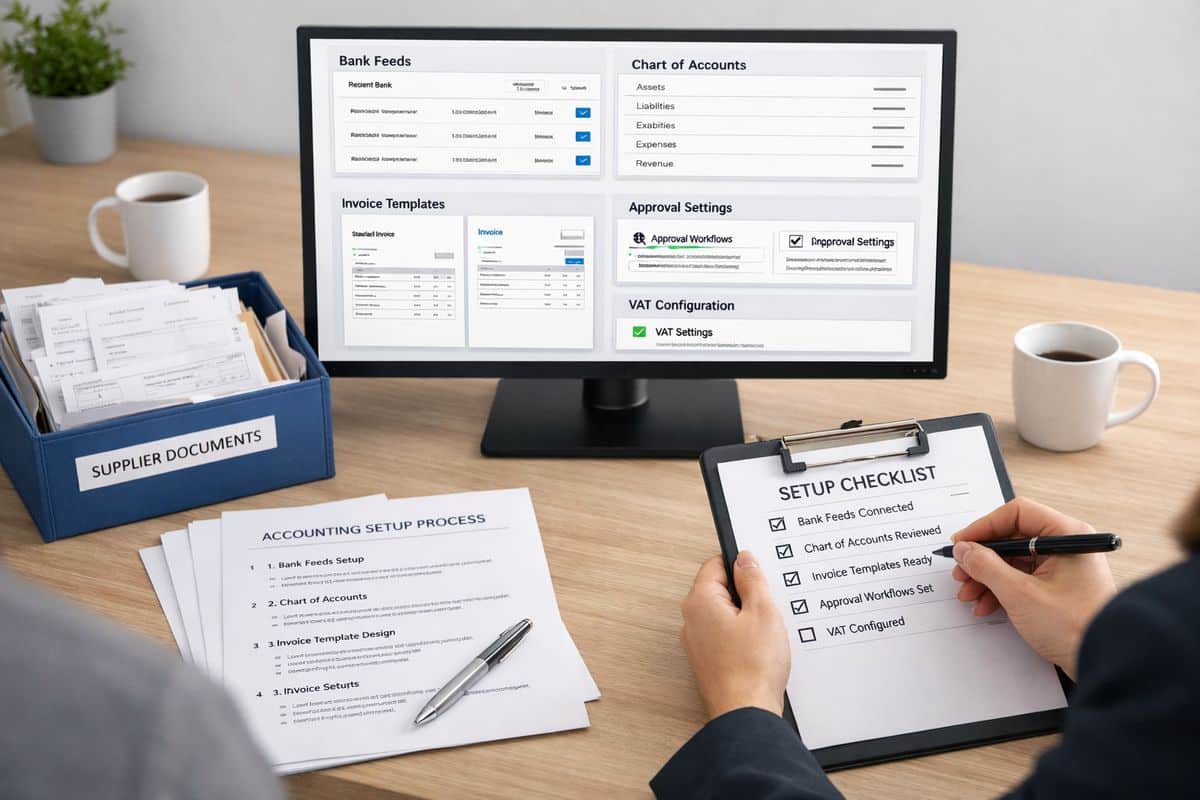
    A finance team preparing a clean accounting setup for training: a computer screen showing a tidy accounting file with bank feeds, chart-of-accounts categories, invoice templates, approval settings, and VAT configuration open alongside printed process notes, a folder of supplier documents, and a checklist being reviewed at a desk.

    Step 1: Diagnose Why Your Team Is Not Using Xero Training

    Do not respond to low uptake with more modules. Diagnose the barrier first.

    1. Review actual usage in the last 30 days.
    2. Compare trained tasks against completed tasks in Xero.
    3. Identify where activity drops: login, transaction entry, approvals, or reporting.
    4. Pin each issue to one root cause: relevance, confidence, workload, setup, or management follow-through.

    Separate a training problem from a process problem

    If your team knows what to click but still avoids the workflow, the process is broken. Duplicate spreadsheets, vague approval paths, and unclear ownership kill adoption faster than weak training.

    A simple test works: if one trained task still requires switching between email, Excel, WhatsApp, and Xero, your issue is workflow design. That is exactly where avoiding implementation errors early saves time and stops training from becoming cleanup.

    Ask role-specific questions, not generic feedback questions

    Ask each role about the tasks that define performance. Bookkeeping staff need to explain where coding slows down. Managers need to show how approvals happen. Operational staff need to identify what documents, references, or supplier details are missing when bills arrive.

    Generic feedback produces generic fixes. Role-based feedback gives you a training plan.

    Audit the tasks your team avoids or gets wrong

    Check five high-friction actions: coding transactions, sending invoices, processing bills, attaching backup documents, and running reports. Look for repeats. If the same errors appear every week, you do not have a motivation problem. You have a training and control gap.

    Step 2: Build a Role-Based Xero Training Plan

    One session for everyone is the fastest route to low retention. People adopt Xero when the training matches the exact tasks sitting on their desk.

    1. Group users by role.
    2. Limit each role to a small task set.
    3. Train only the actions needed in the first 30 days.
    4. Schedule application immediately after each session.

    Map each role to a small set of Xero tasks

    Keep the scope tight. Sales admin handles invoicing and payment follow-up. Finance handles reconciliation, bill entry, and reporting. Managers approve spend and review dashboards. Operations submits complete source documents and coding references.

    That creates clarity. Nobody sits through irrelevant training.

    Set a 30-day training path for each group

    Use short blocks, not marathon sessions. A practical model is one focused session each week, followed by same-day task completion in the live workflow or a safe test environment.

    Short, applied learning works because retention depends on use. Research into Xero-related technology adoption shows 47% wanted practical training, ahead of most other support types.

    Use the right training format for each task

    Use live walkthroughs for complex workflows, screen recordings for repeatable tasks, checklists for approvals, and guided practice for reconciliation and reporting. Self-paced content is useful for orientation, but not for adoption on its own.

    That matters because 79% learn through self-guided experimentation, and that usually produces uneven standards.

    Step 3: Make Training Hands-On From Day One

    Watching is not training. Completion is training.

    1. Set up a demo company or protected test file.
    2. Load realistic examples.
    3. Give each person one task to finish fully.
    4. Review the output before ending the session.

    Start with the five tasks that create immediate value

    Begin with bank reconciliation, invoicing, bill capture, document attachments, and dashboard checks. These tasks create visible time savings and better control within days, not months.

    If reconciliation is a bottleneck, training should connect directly to reducing the drag in daily matching and coding, not just explaining the interface.

    Use real scenarios from your business

    Use your own invoice types, supplier bills, VAT treatments, approval thresholds, and reporting lines. For Cyprus and Greece, include local tax handling, supporting documents, and cross-functional approvals that reflect your actual operating model.

    Real scenarios remove abstraction. Your team sees the job, not the software.

    Create same-day wins that prove value

    Every session needs a visible output by the end of the day: a reconciled bank line, a sent invoice, an approved bill, a clean attachment trail, or a report saved correctly. Success must feel operational immediately.

    A hands-on training session in a test accounting file: one person entering a bill with an attached receipt, another reconciling a bank transaction, and a third checking an invoice and report in a controlled demo environment, with several completed workflow examples spread across the workspace.

    Step 4: Connect Xero Training to Daily Workflows

    If Xero sits beside the workflow, usage drops. If Xero sits inside the workflow, usage becomes normal.

    1. Rewrite each finance process around one source of truth.
    2. Remove duplicate spreadsheets and shadow trackers.
    3. Define where approvals happen.
    4. Lock handovers into the Xero process.

    Rewrite workflows so Xero sits at the centre

    Purchases, sales, expenses, and month-end activity must flow through one agreed route. That is where clean sign-off structures inside the process stop chaos and make training relevant.

    For businesses growing across entities, departments, or countries, this usually needs support from /services/business-transformation, because process redesign is what turns software into operational control.

    Standardise rules, naming, and data entry

    Create non-negotiable standards for coding, attachments, references, tracking categories, and approval paths. Keep them simple enough to follow under pressure.

    Standards protect reporting quality. Without them, every person creates a different version of the truth.

    Link Xero tasks to management visibility

    Show your team what daily discipline produces: cleaner cash flow visibility, faster reporting packs, stronger KPI tracking, and fewer end-of-month surprises. That is the bridge between finance activity and management action.

    Step 5: Remove Trust, Security, and Change Barriers

    People avoid systems that feel risky. Fix trust before blaming attitude.

    1. Set permissions by role.
    2. Turn on two-step authentication.
    3. Define approval limits.
    4. Use audit trails actively.

    Tighten permissions and controls before full rollout

    Security controls increase confidence. Xero guidance consistently points to permissions, two-step authentication, and audit trails as practical safeguards. That matters because data privacy and security concerns remain one of the biggest barriers to software adoption.

    Set clear rules for data handling and system use

    Write simple rules for document storage, transaction edits, approval evidence, connected apps, and correction handling. Policy removes hesitation because people know the boundary.

    Deal with fear of mistakes directly

    Normalise review, correction, and escalation. Your team must know which errors can be fixed independently, which need finance review, and which need management approval. Safe correction builds confidence faster than perfect theory.

    Step 6: Reinforce Adoption With Management Cadence

    Training without follow-through fades fast. Management cadence keeps usage visible.

    1. Set weekly adoption metrics.
    2. Review blockers in operational meetings.
    3. Correct workflow gaps immediately.
    4. Recognise consistent, accurate usage.

    Track usage with simple adoption KPIs

    Track logins, reconciliations completed, invoices sent on time, bills processed correctly, report access, and spreadsheet reduction. Use numbers your managers can review in under five minutes.

    Review progress in weekly operational meetings

    Make Xero performance part of the operating rhythm, not an HR side topic. For businesses building stronger visibility through /services/real-time-accounting or connected tools like InsightFlow, that weekly rhythm is what turns transaction discipline into live control.

    Reward correct usage, not course completion

    Completion certificates do not improve cash flow. Accurate entries, timely approvals, and faster reporting do.

    Step 7: Scale Training Into Continuous Improvement

    Adoption is not the finish line. It is the base layer.

    1. Refresh training when workflows change.
    2. update materials when apps or reports change.
    3. grow internal champions.
    4. add advanced skills only after core habits stabilise.

    Update training when workflows or apps change

    Any change to approvals, apps, reporting packs, or structure needs a training refresh. Otherwise your team follows an outdated version of the process.

    Build internal champions and peer support

    Appoint go-to users in finance and operations who can answer quick practical questions, reinforce standards, and keep momentum high.

    Add advanced training once core habits are stable

    Only then move into automation rules, customised reporting, and wider connected workflows. That is how partners such as Prodyssey Solutions help businesses move from software use to real-time control.

    Troubleshooting: Common Reasons Teams Still Ignore Xero Training

    “Training was completed, but usage stayed low”

    Training was too generic, too passive, or too detached from live tasks. Rebuild it around role-specific actions with same-day completion.

    “Your team still uses spreadsheets and side processes”

    Your workflow still rewards duplication. Remove the parallel tracker, redefine the handover, and make Xero the only accepted route.

    “Errors increased after training”

    Your rollout was rushed, your permissions are loose, or your setup structure is weak. Slow down, tighten controls, and retrain the exact error points.

    “Managers want reports, but nobody updates Xero properly”

    Ownership is missing. Tie reporting quality to daily accountability, not month-end scrambling.

    What Success Looks Like After Xero Training

    Successful Xero training produces cleaner data, faster reporting, tighter approvals, stronger cash flow visibility, and far less manual admin. Finance and operations stop working as separate systems.

    Signs your Xero training is delivering ROI

    You see quicker close cycles, fewer corrections, stronger audit readiness, more consistent approvals, and management decisions based on live data instead of delayed spreadsheets.

    Your next step: turn training into connected operations

    The real goal is not better course completion. The goal is a business where finance, technology, and operations work as one, with Xero at the centre and your workflows built around speed, visibility, and control.

  • Xero Automation: What It Can Really Do for Your Team

    Xero Automation: What It Can Really Do for Your Team

    Xero automation is the use of automated workflows inside Xero, AI-assisted document capture, and connected apps to keep your finance data moving without constant manual input. That matters because faster finance processing gives you tighter cash control, cleaner reporting, and a business that runs on current numbers instead of last week’s guesswork.

    What Xero Automation Actually Means

    If you picture Xero automation as a robot running your accounts without oversight, you will be disappointed. If you picture it as a system that removes repetitive finance admin and keeps your books current, you have it exactly right.

    In practical terms, Xero automation handles the repeatable parts of bookkeeping and finance operations. It captures documents, suggests coding, matches transactions, sends recurring invoices, triggers reminders, and pushes data between systems. Your team still reviews, approves, and makes judgement calls. That is the right model. Automation does the heavy lifting. Your finance control stays with you.

    For a business owner, CFO, or financial controller, the real value is not novelty. It is speed and visibility. Current bank data, current receivables, current payables, current reporting. Once your ledger stays up to date throughout the month, decision-making changes. Budget reviews get sharper. Cash flow conversations get shorter. Month-end stops feeling like a rescue mission.

    Native Automation, AI Capture, and Integrations

    Xero automation makes the most sense when you break it into three layers.

    The first layer is native automation inside Xero itself. That includes bank feeds, auto-matching, recurring invoices, payment reminders, repeating coding rules, and built-in reporting. These are the basics, and they solve a large share of day-to-day finance admin.

    The second layer is AI-assisted capture. Xero’s recent AI capture rollout for UK customers pushes this further by extracting data from receipts, invoices, and similar records directly into the platform. That means less typing, fewer delays, and a faster route from paper or PDF to usable transaction data.

    The third layer is integration. This is where Xero becomes a finance hub rather than just an accounting package. Payment tools, CRM platforms, payroll systems, e-commerce platforms, expense tools, and reporting platforms feed data into one accounting core. That is where finance and operations start acting like one system instead of a collection of disconnected tasks.

    What It Delivers for Your Team

    The outcomes are straightforward. Your team spends less time on data entry and correction. Reconciliation happens faster. Debtor control tightens because invoices and reminders go out on time. Reporting improves because live data feeds dashboards instead of sitting in inboxes and spreadsheets.

    There is a human impact too. Xero’s research found small business owners lose 22 hours a month to financial management and many spend even more time worrying about it. Automation does not just cut admin. It reduces the drag that finance chaos puts on decisions, energy, and focus.

    A tidy accounting workspace with a stack of invoices and receipts being scanned into an accounting system, a bank feed window showing imported transactions, and a connected-app workflow linking payment, payroll, and reporting icons into one finance platform

    Where Xero Automation Delivers Immediate Value

    The best place to judge Xero automation is not in theory but in routine workflows. The strongest wins usually show up in the tasks your team repeats every day or every week.

    Invoice, Receipt, and Bill Capture

    Document capture is one of the clearest examples. Receipts and bills can enter Xero through a photo in the mobile app, by email, or by drag-and-drop on the web. Instead of a finance person manually typing supplier names, dates, VAT, and totals, the system extracts the data and prepares it for review.

    That matters because finance records are only useful when they are current. A pile of receipts sitting in a wallet or a shared mailbox is not a process. It is a reporting delay.

    Xero says its AI can read documents in under 20 seconds. For businesses in Cyprus and Greece working with UK-linked compliance requirements, that push towards digital record-keeping is not just convenient. It supports cleaner evidence trails and faster month-end processing.

    Bank Reconciliation and Recurring Coding

    Bank reconciliation is where automation often pays back immediately. Bank feeds pull transactions into Xero automatically. The platform then suggests matches against invoices, bills, or captured documents. For repeating transactions, bank rules apply coding automatically so routine entries stop consuming attention.

    This keeps your ledger alive throughout the month. Instead of waiting until month-end to work through a backlog, your finance data stays close to real time. That has a direct effect on cash visibility, VAT monitoring, and management reporting.

    If reconciliation is still clunky, the issue is often not Xero itself but the workflow around it. Better bank rules and cleaner process design usually fix that, especially when you focus on removing friction from reconciliation work.

    Repeating Invoices, Payment Reminders, and Cash Collection

    Recurring billing is another quick win. Xero can generate repeating invoices, schedule them consistently, and send automated payment reminders when accounts become overdue. That changes debtor control from reactive chasing to a managed process.

    This is not just an admin saving. It is a cash flow improvement. When invoices go out late, collection starts late. When reminders depend on memory, overdue balances grow quietly. Automated billing and reminders create discipline, and discipline improves cash conversion.

    That is especially useful in operational businesses where the finance team is already stretched across supplier management, reporting, payroll, and approvals. Your invoicing process should not depend on somebody remembering to do it every month.

    Reporting, Dashboards, and Month-End Visibility

    Automation improves reporting because it improves the quality and timing of inputs. If receipts are captured quickly, bank transactions are reconciled continuously, and invoices are issued on schedule, reports become more reliable by default.

    That is where Prodyssey Solutions positions Xero inside a broader control model. Through Real-Time Accounting, automation and connected reporting give you live visibility over cash, payables, receivables, profitability, and operational KPIs. The accounting system stops being a historical record and becomes a management tool.

    The month-end benefit is obvious. Less backlog means less clean-up. Some Xero-based reporting workflows have cut close cycles from over 15 days to under 5. That result depends on process quality, but the principle is solid: when data entry happens daily through automation, month-end becomes a review exercise instead of a data-entry sprint.

    What Xero Automation Can Do Beyond Bookkeeping

    The bigger gains begin once you stop treating accounting as a separate function. Xero automation is strongest when finance, sales, fulfilment, payroll, and reporting connect around one current data set.

    Connect Xero to Payments, CRM, Payroll, and Commerce Tools

    Xero has over 1,000 apps across more than 30 categories. That scale matters because most operational inefficiency comes from handoffs between systems, not from one isolated task inside accounting.

    Payment platforms can mark invoices as paid automatically. Expense tools can send approved claims straight into the ledger. Payroll systems can post payroll journals consistently. CRM and commerce tools can sync customers, sales activity, and billing events. Reporting tools can pull finance data without waiting for CSV exports.

    For businesses upgrading systems across finance and operations, this is where Business Transformation work becomes valuable. The right setup simplifies the whole operating model, not just the bookkeeping.

    Trigger Workflows Across Teams

    Connected workflows remove duplicate entry between departments. A sale in your CRM can trigger an invoice. A payment received can alert operations. A customer record updated in one system can stay current in another. Finance data can feed operational dashboards without someone rebuilding reports every week.

    This is the practical side of automation that often gets ignored. The win is not only faster bookkeeping. The win is fewer points where your team retypes, rechecks, or re-explains the same information across systems.

    Approvals matter here as well. If you automate inflow but leave approvals vague, the process still stalls. That is why clear sign-off logic and better approval structures across finance teams make such a difference.

    Build a Real-Time Operating View

    Once your systems connect properly, you stop looking at finance in isolation. Revenue, costs, payables, cash, project activity, and operational KPIs can sit in one current view. That is the foundation for stronger forecasting and better control.

    For businesses in Cyprus and Greece managing multiple functions, entities, or currencies, this matters even more. A live operating view helps you spot margin pressure earlier, see collection issues sooner, and compare performance without waiting for end-of-month consolidation. If your structure is more complex, it is worth understanding what stronger group-level visibility requires.

    A set of business systems connected by flowing data lines, including a payment processor, CRM database, payroll engine, e-commerce storefront, and reporting tool feeding information into a central accounting hub

    What Xero Automation Does Not Do

    This is where sensible expectations matter.

    It Does Not Replace Review, Approval, or Finance Control

    Automation processes transactions. It does not replace judgement. Your team still owns coding review, approvals, exception handling, and policy decisions. AI can extract data and suggest matches, but it should not have unchecked authority over your books.

    The best use of assistive AI in finance is speed plus review, not blind posting.

    It Does Not Fix Broken Processes on Its Own

    If your chart of accounts is messy, approval rules are unclear, supplier records are inconsistent, or teams work in silos, automation will expose the mess faster. It will not solve it for you.

    That is why process mapping matters before tool selection. A poor workflow done faster is still a poor workflow. If your current setup feels too basic or overly manual, the underlying issue is often structure rather than software. That is exactly what shows up when your finance system has not kept pace with growth.

    It Does Not Mean Every Task Should Be Automated

    High-volume, low-variance tasks are ideal for automation. Unusual transactions, sensitive approvals, and complex adjustments still deserve hands-on review. Chasing full automation everywhere is usually a mistake. Focus on the tasks where consistency and speed create measurable value.

    How to Decide What to Automate First

    The best starting point is not the fanciest tool. It is the process wasting the most time and causing the most friction.

    Start With Repetitive, Time-Heavy Tasks

    Invoice entry, receipt capture, recurring supplier coding, bank reconciliation, recurring invoices, reminders, and routine reporting are the obvious starting points. These tasks repeat constantly, absorb time, and generate avoidable errors when handled manually.

    Automate where volume is high and rules are clear. That gives you quick wins and cleaner adoption.

    Assess ROI in Time, Accuracy, and Cash Flow

    Measure automation against business outcomes, not software features. Look at hours saved, reduction in posting errors, faster approvals, shorter close cycles, stronger collections, and reporting that arrives on time. Admin savings matter, but decision quality matters more. Better data arriving earlier improves forecasting, cash planning, and management control.

    Prioritise Processes That Improve Visibility

    The best first automations are the ones that keep your ledger current. Once your books stay up to date during the month, every dashboard, KPI review, and budget discussion improves. Visibility is the multiplier. Without it, automation is just a nicer way to process old data.

    How to Implement Xero Automation Without Disruption

    Automation projects fail when tools are added before workflows are understood. The cleaner route is simpler.

    Map the Current Workflow Before Adding Tools

    Document how invoices, receipts, approvals, reconciliations, and reporting move through your business today. That exposes delays, duplicate work, missing controls, and ownership gaps between finance and operations.

    Without this step, you risk automating confusion.

    Choose Tools That Fit Your Local Compliance and Team Structure

    Your app stack must fit the way your business actually runs. That includes digital record-keeping, tax handling, payroll realities, approval structures, and local operating needs in Cyprus and Greece. Clean integration matters more than feature overload.

    Training matters too. Even strong automation tools lose value when your team does not understand how to use them properly. Adoption improves quickly when you focus on getting staff confident in the system.

    Launch in Phases and Measure Performance

    Start with one or two high-impact workflows. Stabilise them. Then expand. Measure reduced admin time, fewer corrections, faster approvals, quicker reporting, and better cash visibility. Controlled rollout beats big-bang implementation every time.

    Common Questions About Xero Automation

    Is Xero Automation the Same as AI Accounting?

    No. AI accounting suggests autonomous decision-making. Xero automation is mainly process automation with assistive AI layered in. AI helps capture data, recognise patterns, and suggest matches. Your accounting control still depends on review, approval, and policy.

    What Should Your Team Automate First in Xero?

    Start with receipt and bill capture, bank reconciliation, recurring coding, repeating invoices, payment reminders, and reporting feeds. These deliver the fastest operational return because they are frequent, rules-based, and closely tied to visibility.

    Is Xero Enough on Its Own, or Do You Need Add-Ons?

    Xero handles a strong core set of automations natively. But the biggest gains often come from connecting payments, expenses, payroll, CRM, e-commerce, and reporting tools around it. Native features give you efficiency. Connected systems give you control.

    How Do You Know Automation Is Working?

    You can see it in the numbers and in the workflow. Processing time drops. Manual touchpoints fall. Posting errors reduce. Approvals move faster. Month-end closes sooner. Dashboards stay current. Cash visibility improves. Most importantly, your finance team spends more time reviewing and deciding, and less time retyping.

    Once you understand Xero automation properly, the question stops being “Can accounting be automated?” and becomes “Which finance and operational bottlenecks are still wasting your time?” That shift is where better control starts.

  • Xero for Multi-Entity Businesses: What to Look For

    Xero for Multi-Entity Businesses: What to Look For

    Choosing a Xero multi entity setup is less about ticking a software box and more about deciding how you want group finance to run. You need clean control at entity level, fast reporting at group level, and far less spreadsheet repair in between. This guide shows what to look for before you commit.

    Why Xero Gets Shortlisted for Multi-Entity Finance

    Xero earns a place on the shortlist because it is a strong cloud accounting hub. You get real-time access, strong bank feeds, unlimited users, and a large ecosystem of connected tools. At scale, those strengths matter because finance does not sit in one office or one function anymore. You need shared visibility across accounting, operations, advisers, and management.

    Xero also has market depth. With over 4.9 million customers, it is an established platform rather than an experimental one. That matters when you are standardising finance across multiple entities and want a system your teams, accountants, and app partners already understand.

    Where Xero Fits Best

    Xero fits best when your group has several legal entities, branches, or subsidiaries and needs better control without ERP overhead. If your structure is owner-managed or finance-led, and your priority is visibility, standard workflows, and connected reporting, Xero is a practical foundation. That is especially relevant in Cyprus and Greece, where many businesses want tighter control across trading entities without introducing a heavyweight enterprise platform too early.

    Where Complexity Starts to Outgrow the Core Platform

    Here is the line: Xero is accounting software, not a full group finance platform. Once your business depends on advanced consolidation, heavy intercompany activity, complex foreign currency treatment, or highly structured group reporting, the core platform stops being enough on its own. At that point, your decision is not just about Xero. It is about the surrounding architecture.

    What to Look For in Xero for a Multi-Entity Business

    You should evaluate Xero through one lens: does it give you control, speed, and reporting accuracy across the whole group without manual work multiplying every month-end?

    Separate Entity Management Without Losing Group Visibility

    Each entity needs to stay separate for legal, tax, and operational reasons. That means separate records, clear access boundaries, and clean books for each company. But leadership still needs one connected view across the group.

    The practical test is simple: can you standardise the chart of accounts, close process, coding rules, and reporting structure across every entity? If not, multi-entity reporting becomes messy fast. Clean group visibility starts with disciplined entity design.

    Consolidation and Group Reporting

    This is the make-or-break requirement. Running multiple Xero organisations is not the same as having proper group reporting. You need a clear method for consolidated profit and loss, balance sheet visibility, KPI tracking, and month-end roll-up.

    For many businesses, this means adding reporting software on top of Xero. That is normal. In fact, multi-entity reporting is one of the most common reasons finance teams extend Xero with specialist tools.

    Intercompany Transactions and Reconciliations

    Intercompany charges, shared services, loans, cross-charging, and eliminations destroy reporting speed when the workflow is weak. If those transactions live in email threads and spreadsheets, your reporting is already late.

    You need a clear process for due-to and due-from balances, approvals, posting logic, and month-end reconciliation. Software helps, but process design matters just as much. If your operating model is loose, no platform will rescue it.

    User Access, Approvals, and Financial Controls

    One of Xero’s real strengths is unlimited users. That gives you flexibility to involve finance staff, external advisers, and operational managers without stacking user licence costs across entities.

    But access alone is not control. You should review role permissions, approval steps, audit visibility, and locked periods before buying. If approval routing is a problem today, it is worth looking at ways to tighten sign-offs before rolling Xero out across multiple entities.

    Multi-Currency, Tax, and Local Compliance

    If your group trades across jurisdictions, this section matters more than price. Review VAT handling, foreign currency requirements, local payroll workflows, and statutory reporting expectations in Cyprus and Greece. UK-focused features such as MTD are useful if you report there, and Xero is MTD-compatible for VAT, but that does not answer local compliance requirements elsewhere.

    A set of separate accounting binders and file folders spread across a desk, with printed financial statements, a calculator, and a consolidation worksheet showing rows of figures being manually combined into one group summary

    The Features That Matter Most Before You Buy

    The right features reduce friction every day. The wrong gaps create manual work every week.

    Bank Feeds, Reconciliation, and Daily Cash Visibility

    Daily cash control is one of Xero’s strongest advantages. Bank feeds import transactions each business day, and the platform’s single-screen reconciliation makes high-volume matching faster than older desktop workflows.

    For a multi-entity business, this gives you earlier visibility on cash position, collections, and payment timing across the group. If cash visibility is still delayed by manual reconciliation, your decisions are delayed too. For businesses trying to remove that bottleneck, reducing reconciliation friction should sit high on the buying checklist.

    Reporting Flexibility and Live Dashboards

    Your finance system should not wait until month-end to become useful. You need live dashboards, management packs, entity comparisons, and KPI views that support decisions while there is still time to act.

    Xero’s native reporting is flexible, but group finance usually needs more. If your board pack includes consolidation, operational KPIs, or rolling cash flow, plan for an extended reporting layer from the start. That is how you move from bookkeeping to control.

    Integrations That Extend Xero Beyond Core Accounting

    Xero’s value for multi-entity finance often depends on integrations more than core accounting screens. The ecosystem includes 1,000+ apps across payroll, expenses, payments, inventory, reporting, and automation.

    The catch is integration quality matters more than app count. You need connected workflows, shared data logic, and clear ownership of each process. A smart stack built around /services/business-transformation thinking beats a random pile of apps every time.

    Collaboration Across Finance and Operations

    Cloud access changes how your teams work. Finance, operations, external accountants, and management can work from the same live data instead of passing files around. That speed is valuable, but only if your processes are aligned.

    For many growing groups, the real gain comes when accounting connects to approvals, payables, budgets, and operational workflows. That is the point where platforms such as InsightFlow start to make sense alongside Xero.

    A laptop displaying a bank reconciliation screen beside a stack of bank statements, a debit card, and a cup of coffee, with matched transactions being checked against imported bank feed entries

    Costs, Add-Ons, and the Real ROI

    Xero often looks affordable at first glance. Your real cost depends on how many entities you run, which plan each entity needs, and how many add-ons you need to make group finance work properly.

    Core Subscription Pricing by Plan

    Xero’s UK plans currently span Ignite, Grow, Comprehensive, and Ultimate, with promotional pricing that looks low on paper. Do not buy on headline price. Map each entity’s needs first, especially if you need stronger analytics, payroll support, or multi-currency.

    The Hidden Cost of a Modular Stack

    A modular stack is powerful because you only buy what you need. But costs rise fast once you add payroll, expenses, AP automation, consolidation, reporting, and workflow tools across multiple companies.

    That does not make Xero poor value. It means your buying process should include total stack cost, implementation effort, and ongoing admin. If you skip that step, the cheapest-looking option becomes the most expensive operationally. Before you roll out, review what slows implementation down.

    When Paying More Delivers Better Control

    Pay more when the outcome is measurable. Faster close. Cleaner audit trails. Less manual reconciliation. Better cash decisions. Tighter approvals. Those gains protect margin and management time.

    That is also where Prodyssey Solutions tends to add value, by connecting finance, technology, and operations into one working model instead of treating software as the whole answer.

    Common Buying Mistakes With Xero Multi-Entity Setups

    Most multi-entity finance problems start long before the first report goes wrong.

    Assuming Separate Xero Organisations Equal True Consolidation

    Separate files do not create consolidated reporting. They create separate files. If your group reporting method is unclear before purchase, your close process will depend on exports, rework, and manual adjustment journals.

    Ignoring Intercompany Workflow Design

    Intercompany accounting needs rules. Who raises the charge, who approves it, how it posts, when balances reconcile, and how eliminations happen. Without that design, month-end becomes detective work.

    Overlooking Regional Compliance and Localisation

    Feature pages often lean UK or global. Your business does not operate in a generic market. If you trade in Cyprus or Greece, validate VAT handling, payroll workflow, statutory requirements, local e-invoicing expectations, and adviser support before you commit.

    Choosing Apps Without a Connected Data Model

    Adding apps one by one feels productive. It usually creates duplicate data, broken reporting, and extra reconciliations. You need a finance and operations architecture, not a shopping basket.

    Is Xero the Right Choice for Your Business Structure?

    The right answer depends on structure, reporting demands, and how much operational complexity sits behind finance.

    Best Fit: Growing Groups That Need Control Without ERP Overhead

    Xero is a strong fit if your group is small to mid-sized, runs multiple legal entities, needs cloud collaboration, and can standardise accounting processes across the business. It works especially well when you are prepared to extend the platform with the right tools and automation across routine finance work.

    Proceed With Caution: Groups With Heavy Consolidation or Cross-Border Complexity

    Proceed carefully if your group has frequent intercompany activity, advanced eliminations, demanding foreign currency requirements, high-volume AP, or board reporting that depends on tight consolidated controls. At that level, specialist add-ons or ERP-grade systems often deliver stronger long-term control.

    A Practical Buyer Checklist Before You Commit

    Before you decide, answer these questions clearly: how many entities you need to run, how many currencies you transact in, how much intercompany volume you process, how fast group reporting needs to land, which compliance rules apply in each jurisdiction, which apps are non-negotiable, how approvals should work, and who needs dashboard access every day.

    If you cannot answer those questions yet, you are not choosing software. You are guessing.

  • Xero Multi-Currency: Is It Enough for Your Business?

    Xero Multi-Currency: Is It Enough for Your Business?

    If you trade across borders, the question is not whether Xero multi currency works. It does. The real question is whether it gives you enough control for the way your business actually operates. This guide cuts through the feature list and shows where Xero handles international accounting well, where it starts to strain, and what to check before you commit.

    What Xero Multi-Currency Actually Does

    Xero multi currency is built to let you invoice, bill, reconcile, and report in foreign currencies without pushing everything into spreadsheets. At a practical level, that means you can send an invoice in USD, receive a supplier bill in EUR, hold a foreign bank balance, and still keep your base-currency books accurate.

    The appeal is automation. Xero supports transactions in over 160 currencies and updates exchange rates hourly using XE.com data. That matters because multi-currency accounting breaks down fast when exchange rates are static, entered manually, or applied inconsistently across invoices, bills, and bank movements.

    For an SME in Cyprus or Greece, that usually translates into cleaner records for imports, exports, overseas services, and contractor payments. You get one ledger that reflects operational reality instead of a patchwork of accounting entries and off-system currency adjustments.

    The Core Features That Matter Day to Day

    The day-to-day features are straightforward, which is exactly why Xero works well for many growing businesses. You can assign a default currency to a contact, so overseas customers and suppliers do not need the same settings entered again and again. You can raise invoices and enter bills in the contact’s currency. You can connect foreign-currency bank accounts and reconcile transactions against the right balances.

    Xero also allows manual rate overrides. That is useful when a bank applies a specific conversion rate or when a contract sets a fixed exchange rate. Used properly, that keeps transaction records aligned with commercial reality. Used carelessly, it creates reporting noise. More on that later.

    Another strong point is automatic FX accounting. Xero tracks unrealised gains and losses before settlement and posts realised differences when payment lands, including to its Foreign Currency Gains and Losses account. That removes a lot of month-end clean-up and gives finance teams a clearer view of what was earned operationally versus what moved because of currency shifts.

    What You Get From the Premium Tier

    Multi-currency is not usually available on Xero’s entry-level plans. Access generally sits on the higher subscription tier rather than as a separate add-on, which makes this a buying decision about capability and cost, not a small feature toggle.

    That pricing structure is fair if international activity is part of normal operations. If you invoice overseas customers every month, buy from foreign suppliers, or hold non-EUR balances, the time saved usually justifies the upgrade. If you are still evaluating the wider platform, it helps to understand how a Xero rollout usually unfolds before treating plan cost as the only decision point.

    A bookkeeping screen showing an invoice issued in US dollars, a supplier bill in euros, and a foreign-currency bank account balance alongside automatic exchange-rate conversion results and currency gain and loss calculations.

    When Xero Multi-Currency Is Enough for Your Business

    Xero is enough when you need reliable multi-currency accounting, not a full treasury system. That is the dividing line.

    If your business has standard cross-border activity and you want clean books, automated FX handling, and useful reporting, Xero does the job well. If your finance team is not running complex payment operations, hedging strategies, or multi-entity consolidations across several jurisdictions, you do not need to overbuy.

    This is where Xero is strongest: practical international accounting for SMEs that need visibility and control without ERP-level complexity.

    Best-Fit Business Profiles

    Xero is a strong fit if you import stock or materials from overseas suppliers and need bills recorded in supplier currency. It also fits businesses that invoice customers abroad, especially service companies working across the EU, the UK, and the Middle East.

    It works well when you pay international contractors or freelancers but do not run a large-scale global payroll or mass payables operation. It also makes sense when you hold a limited number of foreign-currency accounts and want your accounting platform to mirror real bank positions without manual translation work.

    In short, Xero fits operationally active SMEs with international touchpoints, not finance-heavy organisations building specialist treasury infrastructure.

    Operational Wins You Can Expect

    The immediate win is less manual data entry. Exchange rates update automatically, gains and losses are tracked for you, and reconciliation becomes faster because transactions are already sitting in the correct currency context.

    The second win is visibility. Xero states that 88% of customers in a UK small business survey said it improves financial visibility. That aligns with how multi-currency actually works in practice: cleaner FX data gives you a more accurate view of margins, liabilities, and cash flow.

    Month-end also improves. Instead of chasing rate differences across spreadsheets, you review structured reports and investigate exceptions. If your wider goal is live control over finance operations, the bigger gains usually come when accounting is combined with smarter automation inside Xero, not treated as a standalone bookkeeping tool.

    The Buying Criteria: How to Judge Whether Xero Is Sufficient

    The right buying question is not “Does Xero have multi-currency?” It is “Does Xero cover the real complexity in your business?” Those are not the same thing.

    Transaction Volume and Currency Complexity

    Occasional international payments are easy. Constant cross-border activity is not. If you deal with two or three foreign currencies, a manageable number of monthly invoices and bills, and a small set of overseas counterparties, Xero remains efficient.

    Complexity rises fast when currency exposure becomes continuous. More supplier payments, more foreign accounts, more settlements, more exceptions. Once that happens, the accounting entry becomes only one part of the process. Payment timing, FX spreads, bank routing, approval control, and transaction status start mattering just as much.

    That is the point where you stop evaluating software by feature list and start evaluating it by operational throughput.

    Reporting, Compliance, and Finance Control

    A proper multi-currency setup must produce reliable balance sheets and profit and loss reports in base currency while preserving visibility into the originating foreign amounts. It also has to separate unrealised FX movements from realised ones so your month-end and audit trail stay clean.

    Xero handles this well for standard SME reporting. You can run local or foreign currency reports and monitor exposure without building custom workarounds. For a financial controller, that is enough when oversight is focused on one entity or a simple structure.

    The pressure increases when approvals, payables control, and reporting need to connect tightly across teams. At that point, accounting accuracy is only half the requirement. Workflow control starts to matter just as much, especially if your current process still depends on email approvals and off-system decisions.

    Payments, Fees, and Treasury Requirements

    Here is the key distinction: accounting for international transactions is not the same as moving money internationally.

    Xero records foreign-currency activity well, but it does not solve bank fees, poor FX spreads, payment delays, or treasury strategy on its own. If your pain point is execution rather than accounting, the ledger is not the problem.

    This matters because many businesses buy multi-currency accounting expecting cheaper international payments. That is the wrong expectation. Xero tells you what happened financially. It does not act as your cross-border payments engine.

    Where Xero Multi-Currency Delivers Real Value

    Xero earns its place when you want a connected, cloud-based finance system that keeps international activity visible and manageable. That is exactly why multi-currency has become a standard buying criterion in modern accounting software, with cloud-based solutions holding 60% of the market.

    Automated FX Handling That Reduces Admin

    The strongest value is the removal of repetitive FX admin. Hourly rate updates, automatic conversions, and built-in gain and loss handling reduce the need for manual calculations and side spreadsheets.

    That saves time, but more importantly, it reduces inconsistency. Finance teams stop inventing their own methods for conversions and corrections. Reconciliation gets faster, errors drop, and month-end becomes more controlled. If bank matching still feels slower than it should, tightening your reconciliation workflow usually unlocks more value from the same system.

    Multi-Currency Reporting for Better Decisions

    Good reporting is where multi-currency stops being a bookkeeping feature and starts becoming a management tool. With current FX data reflected in the ledger, you get a clearer picture of actual margin, outstanding liabilities, and cash positions across currencies.

    That improves forecasting and KPI tracking. You can separate operational underperformance from exchange-rate movement instead of blending both into one blurry result. For owners and CFOs trying to connect finance with operations, that clarity matters because decisions about pricing, supplier terms, and cash planning become grounded in current data, not delayed hindsight.

    A finance workspace with a stack of international invoices, a foreign-currency bank statement, and a reconciliation screen showing converted amounts and adjusted balances, alongside a clean summary report comparing margins and cash positions across multiple currencies.

    Where Xero Stops Being Enough

    This is where the answer becomes decisive. Xero is strong at accounting. It is weaker at payment execution, group complexity, and advanced global finance control.

    High-Volume International Payments

    Once international payment volume rises, the bottleneck shifts. Entry and reporting are no longer the hard part. Payment fees, FX spreads, routing delays, and operational friction become the real issue.

    That is where a payment layer such as Wise becomes valuable. The benefit is not replacing Xero’s accounting. The benefit is improving the movement of money and feeding cleaner data back into the ledger. Wise highlights automatic bank feeds and bill payments as part of that connection, which is exactly the kind of operational gap Xero alone does not close.

    Multi-Entity and Group-Level Complexity

    If you operate across multiple legal entities, intercompany flows, or more demanding group reporting structures, standard multi-currency functionality stops being enough on its own. You need stronger consolidation logic, cleaner entity separation, and better control over how data rolls up.

    Xero can support some of this, but not at the level required for a fast-growing group with layered reporting and approvals. If that sounds familiar, it is worth reviewing what changes when your business runs across more than one entity, because the design of the finance stack becomes the real issue.

    Advanced Global Finance Needs

    Xero is not built to be a treasury platform. It does not give you FX hedging, advanced payables automation at scale, complex supplier payment orchestration, or enterprise approval management across global workflows.

    If your finance team needs centralised control over payment batches, policy-driven approvals, or international supplier operations at volume, you need more than accounting software. You need a broader operating layer. That is exactly the type of finance-and-operations gap Prodyssey Solutions addresses by connecting Xero with process design, live reporting, and operational control.

    Xero vs the Alternatives: Accounting Tool, Payment Layer, or Advanced Platform?

    The smartest decision is not Xero versus no Xero. It is deciding what role Xero should play in your finance stack.

    Xero Alone

    Xero alone is enough if your business has straightforward international trading, limited currencies, moderate transaction volume, and no demand for sophisticated payment infrastructure. In that setup, Xero gives you the accounting backbone you need: invoicing, billing, reconciliation, FX tracking, and reporting.

    That is a strong answer for many SMEs. Clean, fast, and proportionate.

    Xero Plus Wise

    This combination is common because the responsibilities are clear. Xero handles accounting and reporting. Wise improves cross-border payment execution, fee efficiency, and foreign-currency account handling.

    If your books are fine but payment costs and admin feel heavy, this is often the right next step. You keep the accounting layer stable and strengthen the movement of money around it.

    When to Move Beyond Xero

    A more advanced platform becomes justified when growth creates operational friction that accounting alone cannot absorb. That includes multi-entity scale, heavy AP automation, global supplier networks, strict approval control, and finance teams that need workflows as much as they need ledgers.

    At that stage, your problem is not software capability in isolation. Your problem is system architecture. Accounting, approvals, payables, dashboards, and operational workflows need to work together.

    Common Multi-Currency Setup Mistakes That Create Reporting Problems

    Many reporting issues blamed on Xero are actually setup mistakes. The software is usually not the problem. The structure is.

    Using the Wrong Bank Account Structure

    Foreign balances should sit in matching foreign-currency bank accounts inside Xero. If you map a foreign bank feed into a base-currency account, your balances and reconciliation logic become distorted immediately.

    That error usually creates confusion at month-end, especially when finance teams try to explain balance movements that are really setup defects. Xero guidance also stresses selecting the correct currency when the bank account is created. The wider lesson is simple: fix the structure early, or reporting quality drops from day one. The same pattern shows up in many poorly designed implementations.

    Overriding Exchange Rates Without a Clear Reason

    Manual rate overrides should only be used when you have a contractual fixed rate or a bank-applied rate that differs from the standard feed. Outside that, overriding rates weakens consistency.

    The problem is not one invoice. The problem is cumulative distortion. If different users override rates casually, your FX analysis becomes less reliable, realised and unrealised movements get harder to interpret, and management reporting loses trust. Automation only works when your team respects the logic behind it.

    Is Xero Multi-Currency Enough for Your Business?

    For many SMEs, yes. For internationally active businesses with standard accounting needs, Xero multi currency is strong, efficient, and worth paying for. It gives you visibility, automation, and cleaner reporting without overcomplicating your finance stack.

    Xero Is Enough If…

    You are operating at SME scale, trading internationally in a manageable number of currencies, and handling standard invoicing, supplier bills, and foreign bank accounts. You want better visibility, faster reconciliation, and more accurate month-end reporting. You need strong accounting control, not specialist treasury infrastructure.

    Xero Needs Support If…

    Your international payment volume is rising, transfer costs are under pressure, or your finance team is spending too much time pushing payments through fragmented banking processes. You operate across multiple entities, need tighter approval control, or require advanced automation beyond the ledger. In that situation, keep Xero at the core, then extend it with the right payment and workflow layer so finance, operations, and decisions stay connected.

  • Is Your Xero Setup Too Basic for Where You Are Now?

    Is Your Xero Setup Too Basic for Where You Are Now?

    A basic Xero setup is the starter configuration that gets your books running, but growth exposes its limits fast. If reporting still lives in spreadsheets, approvals happen in email, and finance sits apart from operations, your setup is now holding the business back.

    What “Basic Xero Setup” Actually Means

    A basic setup is not a bad setup. It is the standard foundation most businesses start with in Xero: bank feeds, a clean chart of accounts, sales invoices, supplier bills, and default reports. That is enough when transaction volume is modest, the team is small, and decision-making still happens close to the numbers.

    The Core Functions Most Businesses Start With

    Most businesses begin with organisation details, connected bank accounts, invoice branding, contacts, user access, and routine reconciliation. That works well at the start because the system is mainly recording activity, not driving business control. But once your business adds more people, more customers, more approvals, or cross-border trading, the gaps show.

    The Signs Your Setup No Longer Matches Your Business

    The issue is not whether Xero is strong enough. It is. The issue is whether your current configuration still matches how your business actually operates.

    You Still Rely on Spreadsheets for Critical Reporting

    If cash flow forecasts, departmental performance, margin analysis, or management packs still sit outside the platform, your setup is too basic. You are running the business on delayed numbers. Xero itself warns that real-time visibility is central to managing cash flow properly, and without it, decisions slow down.

    Your Team Is Doing Too Much Manual Admin

    Manual reconciliations, rekeying expenses, chasing invoices, and moving data between disconnected tools destroy efficiency. Xero is designed to reduce that burden with automation such as bank rules and reminders, and automated features are one of the clearest signs that a stronger setup pays for itself. If your team is still buried in repetitive finance admin, your systems are under-configured. For businesses focused on speed, this is where removing reconciliation friction starts to matter.

    Your Controls Are Too Loose for a Growing Team

    Growth demands tighter permissions, cleaner approval routes, and clearer ownership. Unlimited users are useful only when access is properly structured. If managers can see too little, too much, or the wrong thing, control weakens instead of improving. Better sign-off structure fixes that quickly.

    Your Business Operates Across Currencies, Entities, or Locations

    If you invoice overseas customers, pay suppliers in euros and pounds, or run more than one company, a domestic starter setup stops delivering clean reporting. Multi-currency and multi-entity reporting need deliberate design, not workarounds. This is especially relevant in Cyprus and Greece, where cross-border trading is normal. Businesses with international activity should look closely at handling foreign currency properly.

    A cluttered desk with printed spreadsheets, a calculator, scattered invoice papers, and a separate bank statement printout beside a computer showing accounting software, with several colored sticky notes marking mismatched figures and unfinished approval documents

    Where a Stronger Xero Setup Creates Immediate Business Control

    A stronger setup improves visibility, automation, and connection across your operation.

    Upgrade Reporting Into Live Management Visibility

    A tailored chart of accounts, tracking categories, and custom dashboards turn bookkeeping into management information. That is how you monitor margin, cash flow, project performance, and KPIs in real time. This is exactly where Prodyssey Solutions connects finance and operations through /services/real-time-accounting.

    Automate the Work That Slows Your Team Down

    Bank rules, recurring invoices, payment reminders, and bill capture through Hubdoc remove manual processing and shorten month-end. Less admin means faster close, cleaner data, and better ROI from the systems you already pay for.

    Connect Xero to Operations, Not Just Bookkeeping

    Your accounting platform should not sit alone. It should connect with payroll, CRM, inventory, billing, and workflow tools so data moves once and action happens faster. That is the difference between software that records the past and a setup that helps run the business.

    The Right Setup by Growth Stage

    Early-Stage Business

    Basic is enough when volume is low and reporting is simple. But correct accounts, live bank feeds, and proper permissions still need to be right from day one.

    Growing SME

    This is the tipping point. You need stronger reporting, automation, cleaner month-end, and connected workflows. Often, that also means a wider operational review through Business Transformation, not just accounting changes.

    More Complex Operations

    Once you manage multiple entities, currencies, locations, or integrated workflows, Xero must sit inside a connected operating model. At that stage, setup is no longer bookkeeping. It is business infrastructure.

    The Smart Question to Ask Before You Change Anything

    Do not ask whether your setup has enough features. Ask whether it gives you control. If your reporting is slow, cash visibility is weak, and your team is still doing manual finance work, your Xero setup is too basic for where you are now.