Category: InsightFlow

  • 9 Automation Mistakes That Slow Teams Down Fast

    9 Automation Mistakes That Slow Teams Down Fast

    Automation mistakes do not just waste software budget. They slow approvals, distort reporting, weaken cash flow control, and create more manual work in the exact places where you expected speed. Done properly, automation cuts cycle times by 50 to 70 percent, reduces errors sharply, and gives you back hours every week. Done badly, it locks confusion into your operating model.

    1. Automating a Broken Process

    Automation never repairs a messy workflow. It scales it.

    If your order-to-cash flow already includes duplicate entry, unclear approvals, side conversations in email, and spreadsheet workarounds, automating it simply pushes the same friction through the business faster. The result is not efficiency. It is faster confusion, more exceptions, and less trust in the system.

    This shows up most clearly in purchasing, stock updates, invoice approval, and month-end close. If nobody agrees on the right sequence of steps, no tool can fix that for you. Before you automate anything, simplify the process, remove duplicate actions, and define the shortest clean path from start to finish. That is where checking your operational readiness stops bad automation before it starts.

    What this looks like in day-to-day operations

    You see rekeying between CRM, accounting, and inventory. You see five approval layers for low-value purchases. You see operations marking work as complete while finance is still waiting for backup. You see manual chasing because hand-offs are implied rather than defined.

    Research shows 54% of enterprises struggle to map complex processes during automation. That number makes sense. Cross-functional workflows are where hidden delays live.

    What to fix before you automate

    Map the workflow step by step. Define who owns each stage. Tighten approval logic so low-risk items move fast and higher-risk items route correctly. Set exception rules in advance. Most of all, define what “done” means at each point, because vague completion rules create rework later.

    A cluttered worktable with the same purchase order being copied by hand from a CRM screen printout into an accounting form and then into an inventory sheet, with sticky notes, mismatched folders, and several paper approval slips stacked beside them

    2. Choosing the Wrong Tasks to Automate First

    A common failure is starting with something easy to demonstrate instead of something valuable to improve.

    If you automate a low-volume task that happens once a month, you get a nice demo and no real business gain. Momentum drops. Teams lose interest. Budget gets questioned. Your first automations should target repetitive, rules-based, high-volume work that frees capacity fast and improves control immediately.

    Invoice capture, payment matching, recurring reporting, follow-up reminders, and status updates are strong starting points. They hit speed, accuracy, and labour efficiency all at once. Across operational teams, workflow automation can save 10 to 15 hours per employee per week. That is not a marginal gain. It is real capacity.

    High-value automation opportunities

    Start where people repeat the same decision hundreds of times. Data entry, follow-ups, approvals, reconciliations, and operational alerts produce fast returns because the logic is stable and the volume is high. These are exactly the workflows where connecting finance and operations properly starts to pay off.

    Low-value automations that waste budget

    Do not start with rare, inconsistent, or judgement-heavy tasks. If a process changes every week, relies on special handling, or depends on commercial judgement, it is a poor automation candidate for phase one. The return is weak, and the maintenance burden is high.

    The better route is simple: automate repetitive work first, then expand once the operating rules are stable.

    3. Ignoring Data Quality and Master Data Control

    Bad data destroys good automation.

    If supplier records are duplicated, stock codes are inconsistent, pricing tables are outdated, or customer details differ across systems, automated workflows either fail outright or push the wrong output through faster. Then invoicing gets delayed, reporting loses credibility, and your team falls back into manual checks to feel safe again.

    This is where finance leaders often feel the damage first. Dirty data hits revenue recognition, margin analysis, payables control, and cash flow visibility. It also undermines confidence in dashboards, which defeats the point of real-time reporting.

    The real cost of dirty data

    Duplicate records trigger duplicate actions. Missing fields stop approvals. Inconsistent naming breaks matching rules. Outdated information sends work to the wrong place. None of this stays local. Errors spread from sales to fulfilment to invoicing to month-end.

    The upside of getting this right is huge. 92% of businesses using automated workflows report error reductions of up to 80 percent. That only happens when the data underneath the workflow is controlled.

    Data rules that keep automation reliable

    Set validation rules at entry. Standardise mandatory fields. Assign ownership for customer, supplier, product, and account data. Run cleansing routines regularly. Put governance around changes so one team does not quietly break logic for everyone else.

    If you want reliable automation, master data is not admin. It is infrastructure.

    4. Creating Tool Silos Instead of Connected Workflows

    Buying more software does not create control. Connected workflows create control.

    You can automate approvals in one app, stock updates in another, project tracking in a third, and still end up slower because nothing shares data properly. Then your team exports CSV files, checks inboxes for approval status, and asks finance to confirm what is already supposed to be visible in the system.

    That is the real cost of tool silos. You have automation at the task level, but not at the operating-model level.

    Where silos hit hardest

    Sales to invoicing is a frequent failure point. So is procurement to accounts payable. Stock to fulfilment is another. Project delivery to financial reporting causes the same pain, especially when operational progress and financial impact sit in different systems.

    For businesses in Cyprus and Greece managing multiple entities, currencies, sites, or teams, disconnected tools create even more delay. Shared data matters because finance and operations need the same version of events, not separate interpretations.

    Why connected systems improve control

    When your systems share data in real time, you remove manual exports, reduce reconciliation work, and get live visibility over what is happening now. That is the model Prodyssey Solutions builds through Business Transformation, linking workflows, reporting, and approvals so finance, operations, and technology work as one.
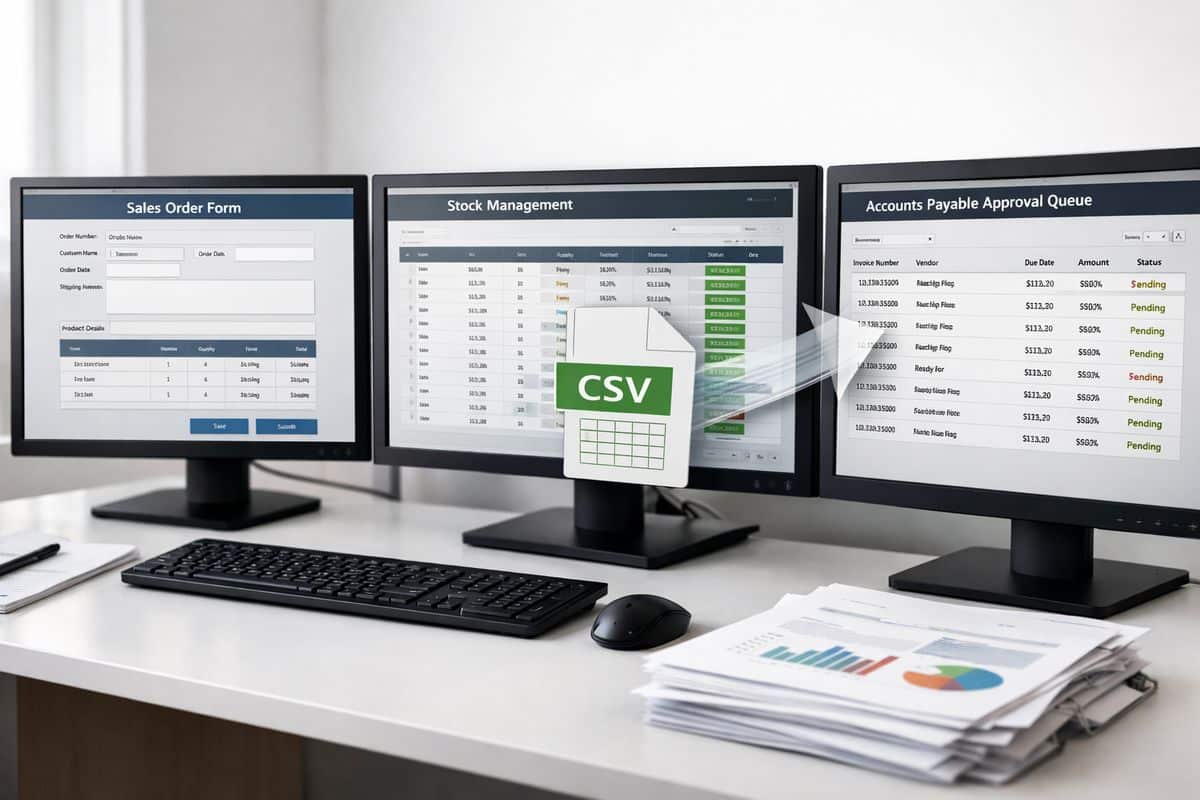
    Three separate software windows on different monitors showing a sales order form, a stock management screen, and an accounts payable approval queue, with a CSV file being dragged between them and printed reports piled nearby

    5. Failing to Define Ownership, Rules, and Exceptions

    Automation without ownership becomes a silent mess.

    Every workflow needs one named business owner. Not a platform owner. Not a vague department label. One person responsible for performance, rule changes, exception handling, and ongoing improvement. Without that, issues sit unresolved, approval queues stall, and nobody knows who should fix the logic.

    Automation needs a named owner

    Ownership means more than signing off the build. It means monitoring exception rates, reviewing bottlenecks, adjusting thresholds, and protecting process integrity as the business changes. If your workflow matters financially, its owner needs operational authority.

    Build for the exceptions, not just the happy path

    Most workflows look clean in a demo. Real business does not.

    Returns, credit notes, supplier mismatches, partial deliveries, disputed invoices, and pricing exceptions need defined routes. If the automation only handles the ideal scenario, the first exception sends your team into manual panic mode. The catch is simple: exceptions are where control either holds or collapses.

    6. Taking a “Set It and Forget It” Approach

    Automation is not a one-time install. It is an operating capability.

    Once launched, workflows need review. Approval thresholds change. Teams change. regulations change. Customer expectations change. If your automation logic stays frozen, it becomes outdated and starts creating delays you do not immediately see.

    A small workflow can go stale in one quarter. A finance workflow can become risky even faster.

    Warning signs that a workflow is stale

    You see exception volumes rising. Approval times get longer. People restart using spreadsheets because the workflow no longer fits reality. Users bypass the system to get work done. Those are not adoption issues alone. They are design signals.

    How to keep workflows performing

    Review KPIs quarterly. Test changes on real operational data, not ideal test samples. Keep version control so adjustments are visible and reversible. Capture user feedback from finance and operations together, because the friction usually sits between the two.

    If you want a practical benchmark for value, measuring what the automation is actually returning keeps optimisation grounded in results rather than assumptions.

    7. Skipping Team Training and Change Management

    Good automation still fails if your team does not trust it.

    Resistance appears quickly when responsibilities are unclear, visibility is poor, or staff feel the system has taken control away from them. That resistance does not always look dramatic. More often, it shows up as quiet workarounds, side spreadsheets, and “just in case” manual checks.

    Why resistance appears fast

    People resist what they cannot see and do not understand. If the workflow logic is invisible, the output feels risky. If no one explains when human intervention is required, every edge case becomes a confidence problem.

    Change management is one of the most common adoption barriers in workflow automation projects. That is why getting teams to use the system properly is an operational requirement, not a nice extra.

    What effective rollout looks like

    Train by role, not in generic group sessions. Give each function a simple SOP. Use internal champions who can answer real questions in real workflows. Show where the data comes from, what the rules are, and when escalation is expected.

    Confidence grows when people see control, not just technology.

    8. Measuring Activity Instead of Business Outcomes

    Counting automations built tells you nothing useful. Counting time saved, errors removed, and cash collected faster tells you everything.

    CFOs and financial controllers do not need vanity metrics. You need cycle time, error rates, cost per transaction, DSO, approval turnaround, and capacity freed. Those numbers show whether automation is improving margin and control or just moving work around.

    KPIs that matter

    Track close speed, transaction accuracy, labour hours saved, response times, exception rates, and cash flow impact. Before-and-after measurement is non-negotiable. Without a baseline, every claim about success is soft.

    The financial case is strong when the numbers are real. Businesses adopting automation report 22% lower costs within a few years, but only when redundant steps and manual effort are genuinely removed.

    How to prove automation value

    Benchmark the old process. Measure the new one. Put the results on dashboards that link operational performance to financial outcomes. If invoice turnaround drops, show the effect on collections. If approval speed improves, show the impact on fulfilment or purchasing lead times. That is how you build a serious case around the return on process improvement spend.

    9. Giving Automation Too Much Control Without Human Oversight

    Full automation is not the goal. Stronger control with less manual drag is the goal.

    Finance and operations include decisions that carry financial exposure, compliance risk, and customer impact. Credit limits, supplier bank detail changes, unusual payments, pricing exceptions, and contract terms need controlled review. If you remove all checkpoints, you increase speed at the expense of governance.

    Where human review remains essential

    Any transaction outside normal thresholds needs a human decision. The same applies to unusual AI-generated outputs, non-standard supplier changes, and edge cases that affect legal or commercial commitments. Automation should route, flag, and prepare decisions. It should not own high-risk judgement.

    Evidence from other high-stakes sectors shows how dangerous overtrust can become. Incorrect decision support can push people into worse decisions when oversight disappears. Business workflows need the same discipline.

    The right balance between speed and control

    Use thresholds, alerts, approval limits, audit trails, and dashboard visibility. Keep standard work automated and low friction. Escalate exceptions cleanly. That balance is exactly where platforms such as InsightFlow create value, giving you live visibility without handing blind control to the system.

    Turn these mistakes into a faster, connected operating model

    The fastest teams do not automate everything. You automate the right processes, on clean data, with clear ownership, connected systems, visible KPIs, and sensible human oversight. That is how you get real-time control, stronger cash flow visibility, and faster execution without adding manual drag back into the business.

    If your finance and operational workflows still depend on spreadsheets, inbox approvals, and rekeying between systems, the problem is not a lack of effort. It is an operating model that needs redesign. Fix that, and automation starts doing what it promised in the first place.


  • Finance and Operations Automation: The Missing Link

    Finance and Operations Automation: The Missing Link

    Finance operations automation is the missing link between having data and actually controlling your business. If finance sits in one system, operations sit in another, and approvals live in email and spreadsheets, every decision arrives late. This guide shows how to connect finance, workflows, documents, and operational activity so you get real-time visibility, tighter control, and faster execution.

    In practice, finance operations automation means connecting accounting with the processes that create financial outcomes: purchasing, invoicing, approvals, payroll, stock movements, reporting, and management control. It is not just task automation. It is a governed operating model where transactions move through the business with rules, visibility, and auditability built in.

    What you will learn:

    • Where partial automation fails
    • Which workflows to connect first
    • What technology actually matters
    • How to measure ROI and control
    • How to implement without adding complexity
    • What Cyprus and Greece businesses need most

    Finance and Operations Automation: The Missing Link Between Data and Control

    Most businesses do not have a software problem. You already have accounting software, spreadsheets, shared folders, approval chains, maybe a CRM, maybe an ERP. The real problem is disconnection. Finance records the result after the fact, while operations generate the activity in real time. That gap destroys visibility.

    When procurement approves spend in one place, suppliers send invoices to another, operations confirm delivery somewhere else, and finance posts entries manually at month end, control becomes reactive. You are looking backwards when you should be managing the present.

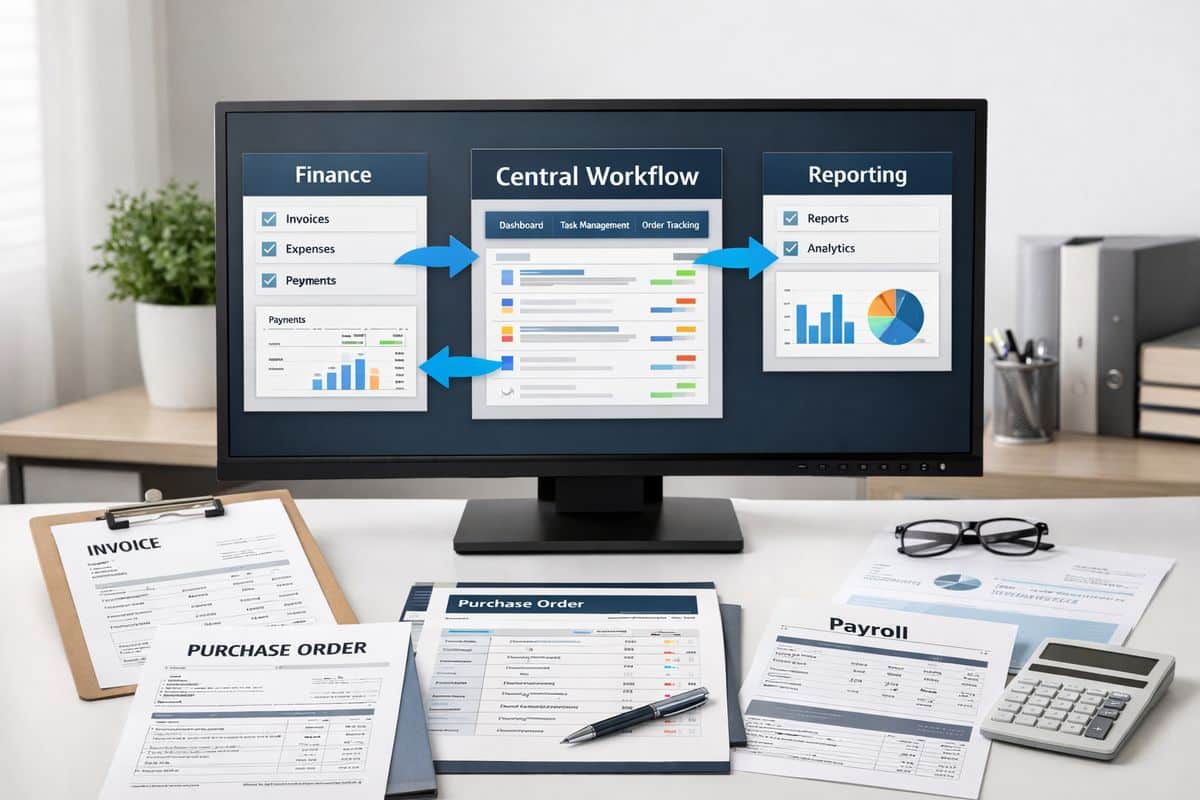
    This is why connected platforms such as InsightFlow matter. You need a controlled layer between finance and operations, one that ties approvals, documents, budgets, and reporting into the same workflow.

    Why Partial Automation Is Holding You Back

    Partial automation feels like progress, but it usually locks in new bottlenecks. A survey of finance leaders found that 54.2% are only partially automated, while just 36% report full automation. That result is easy to recognise: invoice capture is automated, but approval still happens by email. Reporting is digital, but source data still arrives in Excel. Payroll runs on schedule, but cost allocation remains manual.

    The pressure is rising at the same time. Finance workload is up, strategic expectations are up, and transaction volume keeps growing. If your systems do not scale, your team compensates with manual effort. That is not transformation. That is expensive survival.

    Disconnected tools also stop finance from becoming operationally useful. Instead of controlling cash, margin, and working capital in real time, you end up explaining last month’s numbers. If you want a clearer view of where smaller businesses typically get stuck, this breakdown of what manual processes actually slow growth is a useful reference.

    A split workflow scene showing purchase orders, supplier invoices, approval emails, and spreadsheet printouts spread across two separate desks, with paper documents and folders moving between them to illustrate disconnected finance and operations processes

    What Finance Operations Automation Actually Covers

    Finance automation is broader than bookkeeping and broader than accounts payable. It covers the entire chain from operational event to financial result. A purchase order becomes a supplier invoice. A site timesheet becomes payroll cost. A completed delivery becomes revenue. A stock movement changes margin. If those handoffs are disconnected, your finance data is delayed and your operational decisions are weaker.

    That is why the strongest setups combine accounting, procurement, sales, stock, payroll, approvals, and management reporting in one connected model. Cloud platforms such as Xero can sit at the centre of that model, but only if surrounding workflows are integrated properly.

    Core Processes You Should Connect First

    Start with the processes where operational activity directly drives cash flow and control. Accounts payable sits near the top because invoices, approvals, supplier records, and payment timing affect spend discipline immediately. Accounts receivable is just as important because billing delays, disputes, and poor allocation hit cash collection fast.

    Reconciliation and month-end close also deserve early attention. Manual reconciliations consume hours, create risk, and hold back reporting. Expense management, payroll, procurement, order-to-cash, and management reporting all belong in the same conversation because each one depends on timely, accurate operational inputs.

    The pattern is simple: automate the transaction flow, connect the source data, and make exceptions visible.

    The Technology Stack Behind Connected Automation

    The right stack usually combines cloud accounting or ERP, workflow orchestration, document capture, integrations, and live dashboards. Rule-based automation handles repetitive tasks such as invoice routing, coding rules, approvals, reconciliations, and payment matching. AI-led automation handles the harder layer: classification, anomaly detection, forecasting, and exception handling.

    That distinction matters. Rules are excellent for known scenarios. AI becomes valuable when invoices arrive in mixed formats, behaviour changes, or patterns need interpretation. Research shows AI and machine learning adoption is accelerating because finance teams want better prediction and faster decisions, not just faster keystrokes.

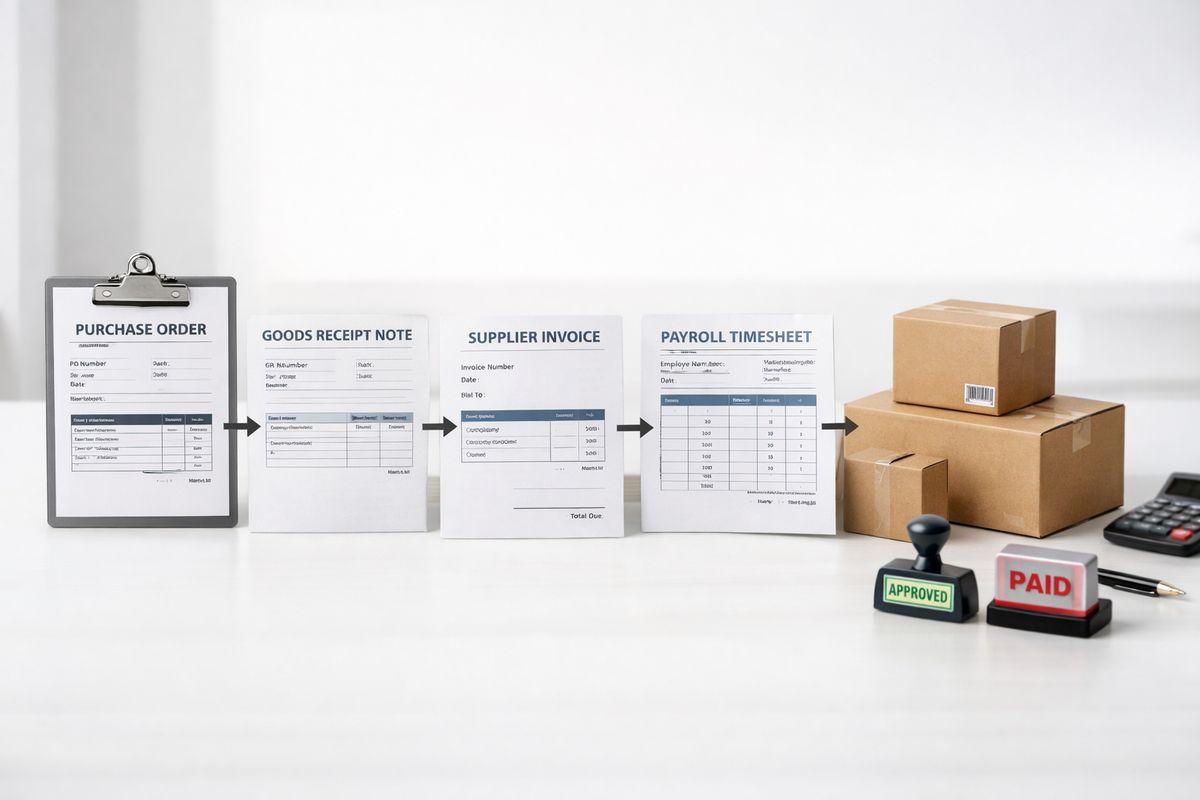
    A connected business process setup with a purchase order, goods receipt note, supplier invoice, payroll timesheet, inventory boxes, and approval stamps arranged in a linked sequence, showing how operational events flow into financial records

    The Business Case: Real-Time Visibility, Faster Decisions, Stronger Control

    Efficiency is the obvious win, but it is not the main one. The real value is control. Connected automation gives you live visibility over payables, receivables, budgets, approvals, and exceptions. That changes how you run the business day to day.

    Instead of waiting for month-end reports, you can see spend against budget now. Instead of finding approval gaps during an audit, you can enforce policy at the point of transaction. Instead of asking finance to rebuild numbers manually, you can work from live dashboards.

    For businesses working with /services/real-time-accounting models, this is where finance becomes operational. Cash flow, profitability, and KPI visibility stop being retrospective reports and become management tools.

    Financial Gains You Can Measure

    Good automation earns its place with numbers. Cost per invoice falls because data entry, chasing approvals, and correcting errors disappear. Processing time drops. Exception rates become visible. Close cycles shrink. DSO improves when order, invoice, and collection workflows are linked properly.

    Finance leaders increasingly judge success through hard operational KPIs, including cost per invoice, cycle time, error rate, and exception rate. That is the right standard. If your automation project cannot show measurable impact, it is just software spend. For a sharper framework on this point, look at how to prove financial returns from automation.

    Operational Gains Your Teams Will Feel Daily

    The daily gains are just as valuable because they remove friction across departments. Approvals move without chasing. Documents stop disappearing in inboxes. Operations and finance work from the same data. Handoffs are cleaner. Managers see what is waiting, what is overdue, and what is outside policy.

    This improves execution far beyond finance. Procurement buys with budget context. Operations sees supplier and project cost status earlier. Commercial teams invoice faster because delivery and billing are linked. Your whole business moves with less drag.

    Where Automation Delivers the Fastest Impact

    Do not start everywhere. Start where friction is high, volume is steady, and control matters immediately.

    Accounts Payable and Procurement Control

    This is often the quickest win. Invoice capture, three-way matching, approval routing, supplier records, spend limits, and payment scheduling belong in one controlled process. AI-powered AP tools now support touchless routing and validation, while still surfacing exceptions for review. The result is fewer duplicate payments, cleaner audit trails, better fraud resistance, and stronger cash planning.

    This is also where many businesses discover the value of working with a partner such as Prodyssey Solutions and its /services/business-transformation approach. The software matters, but the workflow design matters more.

    Order-to-Cash and Revenue Visibility

    Revenue control improves fast when quotes, orders, invoicing, collections, and payment matching are connected. Billing goes out sooner. Disputes drop because finance can see fulfilment and documentation. Collections improve because unpaid items are visible by customer, ageing, and operational status.

    This matters even more in project-based and field environments. If job progress, timesheets, materials, and billing are disconnected, margin leakage becomes inevitable. Tools such as Remato help connect field activity with office control, which is exactly what growing operational businesses need.

    Close, Reconciliation, and Management Reporting

    Month-end close is where manual finance pain becomes visible. Reconciliations drag, journals pile up, and reports arrive after decisions have already been made. Automation changes that by standardising journals, reducing matching effort, and feeding dashboards continuously.

    The benchmark matters here. Many companies still take days to close, and the gap between average and top-performing finance teams is significant. Faster close is not just a finance vanity metric. It means management acts on current numbers, not stale ones.

    How to Implement Finance Operations Automation Without Creating New Complexity

    Automation fails when it starts with tools instead of processes. You do not need more software silos. You need a governed rollout that simplifies how work moves.

    Start With Process Mapping and KPI Baselines

    Map the current workflow before touching technology. Document every handoff, every approval, every spreadsheet, every manual correction, every rekeying point. Then set baseline metrics: cycle time, cost per transaction, error rate, exception volume, close days, overdue approvals.

    That baseline becomes your control point. Without it, you cannot measure improvement or spot a bad rollout. It also exposes broken processes before you automate them, which prevents one of the most common and costly implementation failures that slow teams down.

    Choose Systems That Connect, Not Just Automate

    Selection criteria should be strict: integration with accounting and operational systems, cloud access, role-based approvals, audit trails, dashboard visibility, explainability, and scalability across entities or locations. Point solutions that automate one task but create a new silo do more harm than good.

    This is where platforms designed around connected control stand out. Prodyssey Solutions builds finance and operations visibility around live workflows, not isolated software features.

    Roll Out in Phases With Clear Ownership

    Start with one high-friction workflow, usually AP, procurement, or close. Test normal transactions, then test exceptions. Train managers on approvals. Give finance ownership of policy and control. Give operational managers ownership of timely action. Then expand into adjacent processes once the first workflow is stable.

    Adoption is part of implementation, not a separate phase. If managers bypass the system, automation fails. If exceptions are ignored, automation fails. If ownership is vague, automation fails.

    Risks, Compliance, and Governance You Need to Build In From Day One

    Automation without governance is just faster disorder. Finance workflows must be compliant, reviewable, and policy-driven from the start.

    Compliance, Audit Trails, and Explainability

    Your workflows should support GDPR, IFRS, tax documentation, approval logs, and segregation of duties by design. Every automated step must be traceable. Every exception must be reviewable. Every AI-based decision must be explainable.

    That is not theoretical. Finance leaders now rank accuracy above speed because trust, compliance, and auditability carry more value than raw throughput.

    Common Failure Points to Avoid

    The biggest mistakes are predictable: automating broken processes, relying on poor data, underestimating user adoption, skipping exception handling, keeping spreadsheets as the shadow system, and assuming internal skills will somehow catch up later. Research consistently shows lack of internal expertise blocks progress.

    You avoid those risks with clear governance, clean data ownership, phased delivery, and systems built for visibility.

    Finance and Operations Automation in Cyprus and Greece

    Businesses in Cyprus and Greece face a practical version of this challenge. Multi-entity structures, growing transaction volumes, tax and reporting demands, cross-border trade, and distributed teams all put pressure on finance control. Hiring larger back-office teams is not the answer. Connecting finance and operations is.

    What SMBs and Growing Groups Need Most

    You need cloud access across locations, stronger reporting discipline, and workflows that support multiple entities, currencies, and operational units without manual work multiplying at every step. You need finance visibility that reaches into day-to-day operations, not just statutory reporting.

    That is exactly where connected accounting, workflow automation, and dashboards create an advantage. The goal is lean control, not a heavy admin layer.

    What Good Looks Like in a Connected Finance Function

    Good looks simple. Live dashboards. Clean approvals. Faster close. Reliable KPIs. Linked finance and operations data. Fewer manual interventions. Better cash visibility. Stronger budget control.

    That end-state is achievable when business, finance, and technology work as one. If you want finance to stop reporting the past and start controlling the present, connected automation is the next move.

  • Automation ROI: How to Prove It’s Paying Off

    Automation ROI: How to Prove It’s Paying Off

    Automation ROI is the financial return you get from replacing manual work with faster, connected, more controlled processes. If you are approving invoices by email, updating spreadsheets by hand, chasing stock figures across systems, or waiting days for reports, automation ROI tells you whether that spend is paying back in real business terms. This is how to measure it properly, defend it in front of finance, and spot the mistakes that destroy value.

    What Automation ROI Means in Business Terms

    Automation ROI is not a technology vanity metric. It is the value created when automation reduces cost, improves speed, strengthens control, and frees your team to handle more work without adding headcount.

    In business terms, that means replacing repetitive admin with rules-based workflows and connected systems that move information automatically. An invoice gets captured, coded, approved, and posted without five people touching it. A purchase request follows a clear route instead of sitting in someone’s inbox. A stock movement updates finance and operations at the same time instead of creating mismatched numbers later.

    The easiest way to think about it is this: automation is not just about doing the same work faster. It is about removing unnecessary effort from the system. That is where the return comes from.

    For SMEs in Cyprus and Greece, that return usually shows up in five places: lower labour cost, fewer errors, stronger cash flow, faster decision-making, and better use of existing team capacity. If your accounting and operations are still disconnected, the upside is even bigger because delays and duplication exist on both sides.

    Why CFOs and Operations Leaders Track It

    CFOs track automation ROI because spend without proof is just software overhead. Operations leaders track it because process friction hits margin, service quality, and team capacity every day.

    The real value sits in the overlap between finance and operations. Faster invoice approvals improve supplier relationships and cash visibility. Better order processing improves invoicing speed and collections. Cleaner operational data leads to cleaner reporting. That is why connecting accounting and workflows in one operating model changes the quality of decision-making, not just the speed of admin.

    You are not buying automation to look modern. You are buying control.

    How to Calculate Automation ROI

    The standard formula is straightforward: gain from automation, minus total automation cost, divided by total automation cost, multiplied by 100.

    In plain English, you compare the measurable value created against the full cost of delivering and running the automation. If automation saves your business €60,000 a year and costs €20,000 to implement and operate in that same period, your ROI is 200%.

    That sounds simple, and it is. The hard part is using the right numbers.

    The Core Formula

    Use this formula:

    Automation ROI = (Total gain from automation – Total automation cost) / Total automation cost x 100

    Each part needs discipline.

    Total gain includes measurable business improvements such as labour hours saved, lower rework costs, reduced delays, faster invoicing, improved collections, and higher processing volume without extra staff.

    Total cost includes more than the software licence. You need the full picture: implementation, setup, integrations, workflow design, training, support, maintenance, and internal management time.

    If you leave out hidden costs, your business case looks stronger than reality. If you leave out measurable gains, you understate the return and reject good investments.

    What Counts as Return

    Return must be credible, measurable, and tied to business performance. The strongest categories are labour hours saved, reduced correction work, fewer payment errors, lower compliance risk, faster collections, and improved throughput.

    For example, if your finance team spends 80 hours a month entering supplier invoices manually, and automation cuts that to 20, you recover 60 hours every month. That is not vague productivity. That is a measurable reduction in effort.

    The same applies to operational workflows. If stock updates happen automatically, purchasing errors fall, replenishment improves, and emergency buying drops, the return hits both cost control and working capital. This is why many businesses start by reviewing where automated processes remove the most wasted effort before choosing tools.

    What Counts as Total Cost

    Total cost includes every euro spent to get automation working and keep it working. That means software subscriptions, setup fees, system integration, process redesign, testing, training, support, maintenance, and internal time spent on rollout and governance.

    Internal time gets ignored too often. If your finance manager, operations lead, and admin team spend weeks mapping processes, validating outputs, and managing change, that effort belongs in the investment figure.

    This matters because serious automation is not plug-and-play. Done properly, it changes how work moves across your business.

    The Metrics That Prove Automation Is Paying Off

    Finance teams trust metrics that connect directly to cost, control, and cash. General claims about efficiency are weak. Numbers that show a better operating result are not.

    The best proof comes from before-and-after comparisons on the same process. Measure the old state, automate, then track the difference over a fixed period.

    Time Saved and Capacity Released

    Time saved is the most obvious metric, but it only matters if you quantify it properly. Measure hours spent on data entry, reconciliations, report preparation, invoice matching, chasing approvals, and fixing mistakes.

    Then translate that time into capacity. If automation removes 100 hours of admin a month, your business has not simply become “more efficient”. Your team now has room to absorb growth, improve service, shorten close cycles, or focus on higher-value analysis.

    That distinction matters. Saved time is operational proof. Released capacity is financial proof.

    Error Reduction, Compliance, and Control

    Manual processes create friction and failure points. Duplicate payments, incorrect postings, missed approvals, stock discrepancies, and audit issues all come from unnecessary human touchpoints.

    Automation reduces those touchpoints and standardises the rules. Stronger controls mean fewer exceptions, cleaner records, and less time spent cleaning up avoidable errors. If your approvals, payables, and budget controls are handled through connected workflows such as InsightFlow, you gain traceability as well as speed. That traceability has direct financial value because it cuts correction work and strengthens audit readiness.

    Control is not a soft benefit. It protects margin.

    Cash Flow, Speed, and Operational Throughput

    Cash flow improvements often deliver the clearest automation ROI. Faster invoice generation means quicker billing. Better approval routing means supplier invoices get processed on time. Live visibility into receivables means debtor follow-up starts earlier and collections improve.

    Track metrics such as invoicing cycle time, approval turnaround, days sales outstanding, month-end close time, and transaction volume per employee. If the same team can process more orders, close faster, and collect sooner, automation is doing real work.

    This is where integrated platforms matter. When finance data and operational activity sit in separate silos, every reporting cycle becomes a manual project. When your systems are connected through real-time accounting services, the value shows up in visibility, speed, and cleaner decisions.

    How to Build a Business Case Your Finance Team Accepts

    A finance team accepts an automation business case when the assumptions are visible, the baseline is clear, and the returns are measurable. Anything less gets treated as optimistic software sales language.

    Start With One Process and a Baseline

    Start with one process that is high-volume, repetitive, and visibly inefficient. Invoice approvals, order processing, recurring reporting, stock updates, and reconciliations are strong candidates.

    Document the current state in numbers: processing time, monthly volume, error rate, staff effort, delays, exceptions, and impact on cash or service. If you cannot describe the current cost of the problem, you cannot prove the value of fixing it.

    That baseline is your control group. Without it, post-implementation reporting becomes guesswork.

    Use Dashboards and KPIs to Track Results

    Track results through a small set of operational and financial KPIs. Cost per transaction, hours saved, approval cycle time, exception rate, month-end close duration, and days sales outstanding usually tell the story well.

    Live dashboards matter because they make ROI visible beyond the initial project stage. You want proof that performance is sustained, not just a one-off launch success. Businesses that invest in getting teams to use automation consistently usually see stronger ROI for exactly this reason: process change sticks when the numbers stay visible.

    Set a Realistic Payback Period

    Payback period is the time it takes for gains to cover upfront cost. For high-volume, rules-based admin work, payback often arrives quickly because the wasted effort is obvious and measurable from day one.

    More connected, multi-step workflows take longer, but the upside is larger because the gains hit several parts of the business at once. A phased rollout is usually the right answer. It gets value flowing early while protecting quality and measurement.

    What Weakens Automation ROI

    Automation underperforms for predictable reasons. The pattern is rarely the tool itself. The problem is poor process choice, weak ownership, or unrealistic rollout.

    Automating a Bad Process

    If the workflow is broken, automation just makes the broken workflow faster. That is not improvement. That is accelerated waste.

    A process full of duplicate entry, unnecessary approvals, and unclear ownership needs redesign before automation. This is where structured process review and business transformation work protects ROI, because simplification comes before digitisation.

    Ignoring Ongoing Ownership and Maintenance

    Automation needs ownership. Rules change, approvals change, staff change, and systems change. If nobody manages exceptions, reviews performance, and updates workflows, value drops over time.

    Maintenance is not a side issue. It is part of the investment model and part of the control model.

    Trying to Automate Everything at Once

    This is one of the fastest ways to dilute ROI. Large-scale automation programmes create complexity, slow implementation, and blur the link between spend and result.

    A phased approach wins because it focuses effort where the business impact is largest and easiest to prove. It also helps you avoid the common traps covered in mistakes that slow automation projects down.

    Practical Examples of Automation ROI Across Finance and Operations

    The concept becomes much clearer when you see it inside everyday workflows.

    Accounts Payable and Approval Workflows

    Manual accounts payable usually means invoice chasing, coding delays, approval bottlenecks, and weak visibility over liabilities. Automation fixes that by capturing invoices faster, routing approvals automatically, and posting clean data into accounting systems such as Xero.

    The return shows up in reduced admin time, fewer missed approvals, cleaner supplier records, and better visibility over what is due and when. That strengthens supplier management and cash planning at the same time.

    Order-to-Cash and Collections

    Order-to-cash automation improves how quickly work becomes revenue and how quickly revenue becomes cash. Orders move faster, invoices go out earlier, reminders happen on schedule, and overdue balances become visible before they become a problem.

    That shortens collection cycles and reduces manual chasing. For businesses with tight cash conversion pressure, this is often one of the strongest automation cases available.

    Inventory, Purchasing, and Operational Reporting

    Inventory and purchasing processes often fail because information moves too slowly. Stock changes in one place, purchasing reacts in another, and finance sees the effect later. Automation closes that gap with live stock updates, replenishment triggers, approval rules, and connected reporting.

    The result is fewer stockouts, fewer urgent purchases, tighter control of working capital, and faster management decisions. For businesses with field teams, warehouse activity, or site operations, the ROI compounds quickly because every delay touches cost, service, and cash.

    Questions Decision-Makers Ask About Automation ROI

    How Long Does It Take to See ROI?

    You see ROI fastest in high-volume, repetitive processes with clear manual effort and visible delays. Invoice handling, approvals, reporting, reconciliations, and collections usually pay back sooner than more complex cross-functional automation.

    The deciding factors are transaction volume, current inefficiency, and implementation discipline. The messier the current process, the larger the upside once it is simplified and automated properly.

    Can You Measure ROI If Benefits Are Not Only Financial?

    Yes, but financial gains come first. Start with labour hours saved, lower correction cost, faster collections, and reduced processing time. Then support the case with stronger visibility, cleaner controls, better audit readiness, and improved focus for your team.

    That sequence matters. Operational benefits strengthen the argument. Financial gains close it.

    What Is the Best First Process to Automate?

    Start with repetitive, rules-based work that touches both finance and operations and already has a measurable pain point. Invoice approvals, recurring reporting, order processing, reconciliations, and purchase workflows are strong starting points.

    Choose the process where delay, cost, and control problems are already obvious. That gives you a clean baseline, a fast proof point, and a much stronger case for expanding automation further.

    Once you understand automation ROI properly, the conversation changes. You stop asking whether automation sounds useful and start asking which process gives you the fastest, cleanest financial return. That is the right question, and it leads to better decisions every time.

  • How to Get Your Team to Actually Adopt Automation

    Automation adoption fails for one simple reason: buying software is easy, changing daily behaviour is not. In a growing business, automation adoption means your team uses connected workflows consistently, finance and operations work from the same data, and decisions happen faster because manual handoffs stop slowing everything down.

    What follows is the practical version. You will see where adoption breaks, which processes to automate first, how to remove resistance, and how to measure if automation is actually improving control, cash flow, and reporting.

    What Automation Adoption Actually Means in a Growing Business

    Automation adoption is not a software project. It is the point where automated processes become the normal way work gets done across approvals, purchasing, invoicing, stock, project delivery, and reporting.

    That distinction matters because growth exposes every weak handoff in your business. Sales moves faster than finance. Operations records work in one place, accounts update another, and management decisions depend on data that is already out of date. Proper adoption fixes that by creating one connected operating rhythm, with less admin, fewer delays, and better visibility.

    For businesses in Cyprus and Greece, this matters even more when margins are under pressure and cash discipline needs to stay tight. You do not need more dashboards that nobody trusts. You need workflows that produce reliable information automatically.

    Adoption vs Implementation

    Implementation creates capability. Adoption creates results.

    You can switch on a tool, configure approvals, connect it to accounting, and still get no return if your team keeps using spreadsheets, email chains, and verbal approvals. At that point, the system exists, but the business has not changed.

    Real adoption shows up in measurable ways. Invoice approval time falls. Duplicate data entry disappears. Month-end closes faster. Profitability reports become reliable enough to act on. If you want a sharper view of the financial case, this breakdown of how to judge return from process changes makes the difference clear.

    Why Teams Resist Even When the Business Case Is Clear

    Resistance rarely comes from laziness. It comes from friction.

    If ownership is unclear, nobody trusts the workflow. If systems are disconnected, automation creates extra checking instead of less work. If the process itself is messy, your team sees the new system as another layer of admin. And if managers keep accepting off-system workarounds, adoption collapses immediately.

    There is also a control issue. Manual processes feel familiar, even when they are slow and error-prone. A purchasing manager who approves by phone feels in control. A controller who keeps a private spreadsheet feels protected. But that comfort creates blind spots, weak audit trails, and delayed reporting.

    Start With the Right Automation Target

    The fastest route to adoption is simple: automate a problem your team already wants gone. If the first workflow removes visible pain, your team stops seeing automation as a management initiative and starts seeing it as operational relief.

    That is why the best starting point is rarely the flashiest process. It is the process that wastes time every week, creates avoidable mistakes, and holds up decisions. In many businesses, that sits exactly where finance and operations intersect. More on that appears in this guide to connecting back-office data with day-to-day operations.

    Identify High-Friction Processes First

    Start with repetitive tasks that create delays between action and reporting. Approvals, invoicing, expense capture, stock updates, purchasing, job costing, and reconciliations are common pressure points because manual work in these areas affects both control and speed.

    Take invoice approvals. If supplier invoices arrive by email, get forwarded several times, approved verbally, and posted late, your payables picture is wrong for days. Cash decisions become weaker. Supplier disputes increase. Month-end turns into a clean-up exercise.

    The same pattern applies to stock and project costing. When operational data is updated late or entered twice, your margin reporting becomes guesswork. That is not just inefficient. It damages pricing, forecasting, and accountability.

    Prioritise for ROI and Team Confidence

    Do not automate everything at once. Rank opportunities by four factors: time saved, control gained, implementation effort, and reporting impact.

    A strong first candidate usually has high repetition, clear rules, visible delays, and obvious financial value. Expense capture, purchase approval, receivables follow-up, and field-to-office time capture often win because the value is immediate and easy to prove. If your business has mobile teams or site activity, this is exactly why starting with the right field workflows produces faster uptake.

    One or two early wins are enough. Once your team sees fewer errors, faster approvals, and cleaner reporting, confidence grows. That confidence is what carries the next rollout.

    Remove the Barriers That Kill Adoption

    Adoption rises when your process is clear, your systems are connected, and your team knows exactly what is expected. Training matters, but training on a broken workflow just teaches people how to struggle more efficiently.

    Fix the Process Before You Automate It

    Bad processes do not improve with speed. They simply fail faster.

    Map the workflow before any automation goes live. Define the trigger, the approval path, the data captured, the exception rules, and the final output. If a purchase above a threshold needs approval, define who approves it, how quickly, and what happens if no response comes. If an invoice does not match a purchase order, define where that exception goes and who resolves it.

    This is the point where checking if your business is truly prepared for change stops costly rework. Process clarity comes first. Software comes second.

    Connect Finance and Operations in One Workflow

    Adoption improves sharply when your team stops working in silos. Finance should not wait for operations to send updates manually, and operations should not guess what finance needs for clean reporting.

    Connected workflows solve that. A purchase request becomes an approved order, then a receivable or payable event, then a reporting input, all without duplicate entry. A site update feeds costing. A time entry feeds payroll, billing, and project margin. That is where platforms such as Prodyssey Solutions tools like InsightFlow, Remato, and Xero create real control by linking activity in the field, back office, and finance ledger.

    When your systems speak to each other, your team spends less time chasing information and more time acting on it.

    Replace Ambiguity With Clear Ownership

    Every automated workflow needs an owner. Not a department. A named person.

    Ownership means defined response times, approval authority, escalation rules, and KPI accountability. If nobody owns exceptions, exceptions pile up. If nobody owns dashboard accuracy, reports stop being trusted. If nobody owns compliance with the new process, old habits return.

    Clarity changes behaviour. Once your team knows who approves, who acts, what deadline applies, and what metric is being tracked, adoption stops being optional.

    Lead the Rollout in a Way That Drives Real Usage

    Automation adoption is a leadership exercise disguised as a systems project. If your expectations are soft, your rollout will be soft too.

    Launch in Phases, Not in One Big Switch

    Big-bang rollouts look decisive and usually create confusion. A phased launch works better because it exposes problems early and keeps disruption under control.

    Roll out by process, site, or function. Start with one team, tighten the workflow, fix edge cases, then extend. That approach builds internal proof fast. It also gives managers real examples of time saved and errors removed, which is far more persuasive than a slide deck.

    Train Around Real Work, Not Software Features

    Feature training is not enough. Your team does not need a tour of every button. Your team needs to know how to complete real work inside the new workflow.

    Train with live scenarios: approving a supplier invoice, raising a purchase request, recording site time, reviewing overdue tasks, checking a margin dashboard. When training mirrors actual daily work, usage rises because the value is obvious. This is where focused business transformation support and connected real-time accounting services make rollout cleaner and faster.

    Set Non-Negotiable Operating Rules

    Adoption needs discipline. Decide where tasks are logged, how approvals happen, which report is the single source of truth, and when manual workarounds stop.

    If approvals still happen in WhatsApp or by corridor conversation, the system will never own the process. If side spreadsheets remain tolerated, your dashboards will never be trusted. Non-negotiable operating rules protect control, consistency, and data quality.

    Measure Adoption With Operational and Financial KPIs

    If you do not measure usage and impact, you will confuse implementation with progress. Real adoption shows up in operational and financial numbers, not in licence counts.

    KPIs That Show Real Adoption

    Track reduction in manual entries, approval cycle time, invoicing speed, close-cycle duration, exception rates, overdue tasks, data accuracy, and dashboard usage. Each metric should link directly to a business result.

    For example, faster invoice approval improves payables visibility and cash planning. Fewer manual entries reduce error rates and finance rework. Faster close cycles improve decision speed because management is acting on current numbers rather than historical estimates. If ROI needs formal tracking, this guide to proving automation is paying for itself gives a practical framework.

    How to Spot False Adoption Early

    False adoption is easy to spot once you know what to watch for. Parallel spreadsheets, off-system approvals, incomplete records, late exceptions, inconsistent dashboards, and teams drifting back to email all signal weak trust and weak controls.

    Treat those signs as operational risk, not minor user preference. Every off-system workaround creates blind spots. Every incomplete record weakens reporting. Every manual bypass trains your team to ignore the process you just invested in.

    Build Long-Term Adoption Into Your Operating Model

    The goal is not to finish an automation project. The goal is to run a better business.

    Create a Cadence of Review and Optimisation

    Review workflows regularly. Look at compliance rates, exception volume, approval delays, dashboard accuracy, and new bottlenecks created by growth. As your business changes, the workflow needs to keep pace.

    This review cadence turns automation into an operating discipline. It sharpens efficiency over time and prevents the slow drift back to manual habits.

    Use Trusted Data to Improve Decisions Across the Business

    Strong adoption gives you something far more valuable than saved admin hours: trusted data. With connected workflows and live reporting, you gain better cash-flow visibility, cleaner forecasting, tighter budget control, and faster operational planning.

    That is where automation stops being a back-office improvement and becomes a management advantage. Decisions get faster because the numbers are current. Accountability improves because performance is visible. Control gets stronger without adding more manual checking.

    When to Bring in External Support

    Bring in outside support when workflow redesign, system integration, finance-operations alignment, dashboard setup, or rollout governance starts slowing progress. Expert support shortens the path to value because complexity gets handled properly from the start.

    That is exactly where Prodyssey Solutions fits best: connecting finance, operations, and technology into one visible operating model, with the systems, processes, and reporting built around how your business actually runs.

    Choose one process with visible friction, assign clear ownership, launch it in a controlled phase, and measure the result hard. Once your team sees faster approvals, cleaner reporting, and stronger control, automation adoption stops being a struggle and starts becoming standard practice.

  • Process Automation for Small Business: What It Fixes

    Process automation for small business means using software, rules, and connected systems to handle repetitive work without constant manual input. It matters because the friction slowing your business down is rarely strategy, it is usually admin, delays, duplicate data, and poor visibility. Once those are removed, finance and operations start working as one, and decision-making gets faster.

    What Process Automation for Small Business Means

    Process automation for small business is not a vague technology project. It is a practical way to move recurring work out of email chains, spreadsheets, chat messages, and memory, then place it into workflows that run consistently every time.

    That means an invoice triggers an approval, an approval updates a budget, a payment status updates a dashboard, and the right person gets notified automatically. Instead of chasing the process, you manage the outcome. For business owners, CFOs, and financial controllers, that changes the conversation from “Has this been done?” to “What is happening right now?”

    The real value sits in control. When your finance data, operations, and workflows are connected, you stop waiting until month-end to understand performance. This is exactly where businesses working with Prodyssey Solutions start seeing the difference: better visibility, cleaner handoffs, and systems built around how the business actually runs.

    Process automation vs basic task automation

    Basic task automation handles one isolated action. A scheduled email, an auto-response, or a recurring calendar reminder saves a few minutes. Useful, yes. Transformational, no.

    End-to-end process automation connects the full chain. An enquiry becomes a quote, the quote becomes a job, the job becomes an invoice, the invoice becomes a payment reminder, and the payment status feeds reporting. That is the difference between automating a task and fixing a business process.

    Think of it like replacing one efficient employee in a broken department versus redesigning the whole department so work flows properly. If your systems still rely on someone copying data from one place to another, your bottleneck remains intact.

    Why small and medium-sized businesses are adopting it now

    The business case is already clear. Research across the sector shows automation can save organisations more than 20 hours per week, reduce costs, and improve accuracy. Businesses using automation also report 22% lower costs and faster response times than manual competitors.

    The pressure is even stronger because growth now comes with more system complexity, not less. More channels, more apps, more approvals, more reporting demands. Add hybrid working and higher customer expectations, and manual coordination collapses fast.

    Return matters too. Automation has been shown to deliver around $5.44 for every $1 invested. That is not a side benefit. It is a direct operational lever.

    What Process Automation Fixes in Day-to-Day Operations

    Most businesses do not suffer from one dramatic failure. They suffer from hundreds of small delays, repeated every day. Process automation fixes those recurring leaks.

    Manual admin that steals time from growth

    Manual admin absorbs capacity that should be going into sales, customer service, fulfilment, and financial control. Data entry, approvals, follow-ups, document routing, appointment scheduling, and status updates all look harmless on their own. Together, they consume hours every week.

    Automation removes the need to push every item forward by hand. A form submission creates a record. A record triggers a task. A task updates a status. A status notifies the next person. That flow sounds simple because it is simple, and that is the point.

    If you want a clearer picture of the operational payoff, this guide to where automation saves time and effort shows why admin reduction is usually the first measurable win.

    Errors, rework, and inconsistent execution

    Manual processes produce predictable damage: duplicate entries, wrong figures, missed steps, delayed invoices, and inconsistent communication with customers. None of this happens because your team lacks effort. It happens because people are carrying process logic in their heads instead of in the system.

    Automation standardises execution. Required fields are completed. Approval rules are followed. Reminders go out on time. Documents move to the right place. The process becomes repeatable, visible, and auditable.

    That reduces rework, but it also improves trust in the numbers. If finance has to keep checking what operations entered, or operations has to keep correcting what finance received, your reporting speed and your confidence both drop.

    Slow decisions caused by disconnected systems

    This is where many SMEs in Cyprus and Greece lose control. Sales sits in a CRM. Orders sit in another tool. Cash flow sits in accounting. Work status lives in WhatsApp, email, and spreadsheets. To understand what is happening, somebody has to pull it all together manually.

    Connected workflows solve that. When accounting, operations, and customer data move across the same process logic, your dashboards update in real time. You can see KPIs, orders, payables, receivables, workload, and service issues without spreadsheet chasing.

    That finance-operational connection is where joining up cash, workflows, and reporting creates a major advantage. Faster answers lead to faster decisions. Simple as that.

    Growth bottlenecks without headcount control

    Manual businesses hit a ceiling early. Every extra order creates more emails. Every extra project creates more coordination. Every extra invoice creates more checking. Growth becomes an admin problem.

    Automation breaks that pattern by increasing throughput without increasing overhead at the same rate. Your business can process more transactions, more customers, and more operational complexity with the same core team. That is how smaller businesses scale without turning payroll into the default solution for every operational gap.

    The Small Business Processes That Deliver the Fastest Wins

    Not every workflow deserves attention first. The fastest wins come from repeatable processes with clear rules and visible business impact.

    Finance operations: invoicing, approvals, reporting, and cash flow

    Finance is usually the strongest starting point because the value is immediate. Invoice creation, payment reminders, expense capture, approval routing, reconciliation inputs, and reporting all benefit from standardisation and speed.

    When these workflows are automated, month-end closes faster, approval delays shrink, and cash visibility improves. You stop discovering late issues after the damage is done. Businesses using real-time accounting gain far better control because financial information stays current instead of lagging behind the business.

    For businesses using Xero, the advantage gets even stronger when operational triggers and reporting flows are connected to the accounting core rather than handled in isolation.

    Customer and commercial workflows: CRM, follow-up, and service response

    Commercial process automation fixes another common weakness: slow response. Leads go cold because nobody followed up quickly enough. Quotes sit unanswered. Onboarding drifts. Service tickets bounce between people.

    Automated workflows tighten that up. Lead capture assigns ownership instantly. Quote reminders go out automatically. Customers receive updates without needing to chase. Support requests route based on urgency or service type.

    That consistency improves conversion and service quality at the same time. Customers feel the difference because response becomes dependable, not dependent on who remembered what.

    Operational workflows: fulfilment, stock, scheduling, and internal handoffs

    Operations is where hidden friction piles up. Orders wait for confirmation. Stock issues surface too late. Teams chase site updates. Internal handoffs fail because one person assumed another person knew what to do.

    Automation keeps work moving. Order updates trigger supplier actions. Stock thresholds create alerts. Jobs are assigned automatically. Recurring tasks are scheduled without manual intervention. Internal notifications happen at the right stage, not after someone notices a delay.

    In field-based environments, especially construction and service operations, tools such as Remato help connect site activity, time tracking, and office visibility so the workflow does not break between the field and finance.

    How to Choose the Right Processes to Automate First

    The wrong approach is trying to automate everything at once. The right approach is choosing the work that is repetitive, expensive, and easy to standardise.

    Start with high-volume, rules-based work

    Your best first targets are processes with frequent repetition and clear decision rules. Invoice approvals, customer reminders, order updates, document routing, and recurring notifications all fit this pattern.

    These workflows create quick wins because the before-and-after difference is obvious. Time drops. Errors drop. Throughput improves. You get proof fast, which matters when budgets and operational priorities compete for attention.

    Prioritise workflows that affect cash, service, or compliance

    Rank opportunities by business impact, not by novelty. If a process affects cash collection, payment control, service response time, reporting accuracy, or audit trail quality, it belongs near the top of the list.

    This is where ROI becomes visible. If you need a stronger framework for evaluating spend, this breakdown of how to judge the financial return is the practical lens to use.

    Fix the process before you automate it

    Automation does not repair a bad process. It accelerates it. If your workflow is duplicated, unclear, or dependent on exceptions from the start, automation will only make the confusion happen faster.

    Document the current process, remove unnecessary steps, define ownership, and standardise decision points first. Businesses going through process redesign and system review get better outcomes because the workflow is cleaned up before technology is layered on top.

    What Successful Automation Requires to Work Properly

    Software alone does not create control. Connected systems, governance, and disciplined execution do.

    Connected systems, not more software silos

    The real value comes from linking accounting, CRM, inventory, communications, operations, and reporting. Adding another isolated app only creates another blind spot.

    This matters even more in multi-platform environments. Research shows 88% operate hybrid environments, which makes orchestration more important than any single tool. If your systems are fragmented, your visibility stays fragmented.

    Platforms such as insightFlow are designed around this principle: connect finance and operations so approvals, budgets, payables, and reporting move through one controlled structure.

    Clear ownership, controls, and exception handling

    Strong automation includes permissions, approvals, escalation paths, audit trails, and manual overrides. That is not bureaucracy. That is control.

    Finance-led buyers often resist automation because they assume it weakens oversight. The opposite is true when the workflow is designed properly. Every action is logged. Every exception is visible. Every approval follows a defined route.

    Team adoption and process discipline

    Automation fails when teams ignore the workflow, bypass the system, or enter incomplete data. That is not a software issue. It is an operating model issue.

    PwC’s research shows user adoption challenges and data issues remain major blockers. Your team needs clear ownership, standard workflows, and a shared understanding of where data starts, moves, and ends.

    Common Misconceptions About Process Automation for Small Business

    Misconceptions delay progress more than technology does. Most objections collapse once the operational reality is clear.

    “Automation is only for large companies”

    That was true years ago. It is not true now. Cloud platforms, workflow tools, connected accounting systems, and AI-driven document handling have made automation accessible to smaller businesses.

    In fact, smaller businesses often see faster gains because manual inefficiency is more visible. When your team is lean, every wasted hour is easier to spot and more expensive to tolerate.

    “Automation replaces people”

    Automation removes repetitive admin, not judgement. Your team still handles exceptions, customer conversations, financial review, commercial decisions, and problem-solving.

    What changes is where time goes. Less chasing. Less copying. Less checking. More analysis, service, and operational control.

    “Automation is too complex to manage”

    Poor design is complex. Disconnected systems are complex. Undefined ownership is complex. Well-built automation is structured, measurable, and governed.

    Start in phases, prove the value, and build from there. If you want to avoid the predictable failures, review these common rollout errors that create drag. Most problems come from trying to automate chaos.

    What Better Looks Like After Automation

    After automation, your business runs with less friction and more visibility. Work moves forward without constant intervention. Data stays cleaner. Approvals happen faster. Cash flow becomes easier to track. Dashboards reflect the business as it is now, not as it looked two weeks ago.

    That is the real promise of process automation for small business. Not shiny software. Not abstract transformation. Just a business that responds faster, controls more, and scales without drowning in manual work.

    Once finance, operations, and workflows run in sync, you stop managing around inefficiency and start managing the business itself.

  • Process Automation ROI: Is It Worth the Spend?

    Process Automation ROI: Is It Worth the Spend?

    If you are weighing process automation ROI, the real question is not whether software saves time. It is whether your business gains tighter control, lower operating cost, faster decisions, and clearer financial visibility. That is where the return lives, and that is what makes the spend worth it.

    What Process Automation ROI Means for Your Business

    Process automation ROI is the financial return you gain from replacing manual, repetitive work with connected digital workflows. In plain terms, you compare what you spend on software, setup, training, and support against what you get back through saved labour hours, fewer errors, faster throughput, stronger cash flow control, and better management decisions.

    That matters because automation is not a tech purchase in isolation. It is an operating model decision. If your approvals sit in inboxes, invoices wait for rekeying, reports arrive late, and finance works separately from operations, your business pays for that friction every day. You pay in wages, delays, missed collections, duplicated work, weak visibility, and margin erosion.

    A strong ROI result shows that automation improves business performance, not just admin efficiency. That is the difference between buying software and building control.

    ROI Starts With Connected Operations and Finance

    ROI becomes visible when finance and operations stop working as separate systems. Once purchasing, approvals, payables, billing, reporting, and operational workflows connect, you stop chasing data across spreadsheets, emails, and disconnected platforms.

    That is why businesses working with Prodyssey Solutions focus on integrated visibility rather than isolated tools. When workflows feed live financial data and management reporting, you can see costs, bottlenecks, outstanding approvals, and cash impact in one place. That changes decision speed immediately.

    This is also why Real-Time Accounting and Business Transformation belong in the same conversation. One gives you accurate live numbers. The other fixes the process flow that creates those numbers.

    Where Process Automation Delivers Measurable Returns

    The biggest returns usually come from a small number of performance drivers: less manual work, lower admin cost, fewer processing mistakes, shorter cycle times, tighter compliance, and better cash flow. Those are not soft benefits. Those are measurable operating outcomes.

    Research on automation programmes consistently points to gains in productivity, quality, and throughput when processes are standardised and digitised (Blue Prism). The point is simple: the more your business depends on repeatable admin work, the more expensive manual handling becomes.

    Time Savings and Labour Reallocation

    Time savings are the easiest gains to understand and the easiest to underestimate. If invoice entry takes eight minutes and your team handles 1,000 invoices a month, that is 133 hours before approval chasing, corrections, and filing. Automate capture, coding rules, routing, and status tracking, and a large share of that time disappears.

    Those hours are not valuable because you cut people. They are valuable because you redirect capacity into higher-return work: cash collection, supplier control, margin analysis, operational planning, and customer service. If your finance and admin staff spend less time processing and more time controlling outcomes, productivity rises without adding headcount.

    That is exactly why many growing firms start by understanding the time-saving gains inside repetitive workflows. The best ROI often comes from reclaiming capacity you already pay for.

    Error Reduction, Compliance, and Control

    Manual processes create predictable failures. Duplicate entries. Missed approvals. Wrong coding. Lost documents. Late filings. Every one of those issues carries a cost, and that cost compounds fast when transaction volume grows.

    Standardised workflows reduce that exposure. Approval paths become visible. Rules become consistent. Audit trails become automatic. Data entry drops. Exception handling improves because the issue stands out instead of disappearing into email threads.

    For finance leaders, this is not just about neat process design. It is about financial accuracy, governance, and risk control. Better process control means fewer rework hours, fewer write-offs, stronger evidence for audits, and more confidence in reporting.

    Faster Cash Flow and Better Decision Speed

    Cash flow improves when billing moves faster, collections start sooner, purchasing follows control rules, and management reporting reflects current activity rather than last month’s reconstruction. Automation shortens those cycles.

    A late invoice delays cash. A delayed approval slows purchasing. A reporting lag hides a margin problem until the damage is already done. Once workflows update your accounting platform and dashboards in real time, you act earlier and with more confidence.

    This is where tools such as Xero become more valuable when connected to operational workflows rather than used as a standalone ledger. Faster decisions come from live context, not just booked transactions.

    How to Calculate Process Automation ROI

    A proper ROI calculation starts with finance discipline. You define the current cost of the process, total investment required, and the annual value created after automation goes live. If the numbers do not stand up on paper, the project is not ready.

    Start with baseline metrics. Measure process volume, time per transaction, labour cost per hour, error rates, delay costs, and the effect on billing, collections, or purchasing speed. Then estimate the post-automation state based on actual workflow changes, not sales claims.

    The Core ROI Formula

    Use a straightforward formula:

    ROI = (Annual financial gain minus total annual cost) ÷ total annual cost x 100

    If automation saves €60,000 a year and total annual cost is €20,000, your ROI is 200%.

    Also calculate payback period:

    Payback period = total upfront investment ÷ monthly net savings

    If setup and implementation cost €24,000 and monthly net savings are €4,000, payback arrives in 6 months.

    Keep the model strict. Count net gain, not vague value. If you want a deeper framework for proving outcomes after launch, review how to track the return after implementation.

    Costs You Must Include Before You Invest

    Most weak business cases fail because the cost estimate is incomplete. Licence fees are only one part of the spend.

    Include software subscriptions, implementation fees, integration work, process design, data migration, training time, internal project management, support, maintenance, and change management. Also include the time your own staff spend testing workflows, approving decisions, and learning the new process. That time has a cost even if no invoice arrives for it.

    For businesses in Cyprus and Greece, local operating reality matters as well. Multi-entity structures, fragmented supplier documentation, manual approval habits, and inconsistent process ownership can extend rollout time. If your cost model ignores that, your ROI estimate is inflated from day one.

    Gains You Can Quantify With Confidence

    The strongest ROI case uses gains you can defend in a finance meeting. Saved labour hours. Lower cost per invoice or order. Fewer duplicate payments. Reduced write-offs. Faster collections. Shorter month-end reporting time. Better throughput without extra hires.

    Improved visibility also has financial value when it reduces overspending or catches margin leakage earlier. Keep that measurable. If better dashboards cut reporting preparation from three days to four hours, put a number on the hours saved. If approval automation reduces purchase delays that slow invoicing, quantify the cash impact.

    What Changes the ROI Result Most

    Not every automation project pays back at the same speed. The result depends less on the software label and more on process fit, data quality, integration depth, and rollout discipline.

    Process Volume and Repetition

    High-frequency, rules-based work produces the fastest returns. Invoice processing, purchase approvals, expense validation, recurring reporting, stock updates, and order handling are strong examples because the steps repeat constantly and follow clear logic.

    That is why identifying the right starting point for smaller businesses matters more than buying a broad platform too early. The best first process is usually boring, repetitive, and expensive to handle manually. Perfect.

    System Integration and Data Quality

    Disconnected systems weaken ROI because staff still need to reconcile information manually. If your accounting platform, CRM, ERP, job tracking, and operational tools do not share data cleanly, your automation only shifts the work around.

    Integration determines whether approvals update budgets, whether invoices match purchase data, and whether dashboards reflect reality. Data quality matters just as much. If supplier records, codes, project references, or customer data are inconsistent, automation inherits the mess and speeds up the confusion.

    Platforms built to connect finance and operations, such as InsightFlow, deliver stronger ROI because visibility, workflow control, and reporting sit in one operational layer.

    Adoption, Ownership, and Workflow Design

    Software does not create return by itself. Users need to follow the process, owners need to enforce it, and the workflow needs to match how your business actually runs.

    If approvals bypass the system, if exceptions have no owner, or if the process was never redesigned before automation, value drops fast. The fix is simple but often ignored: define ownership, standardise the process, train the team, and monitor adoption from day one.

    If that part is handled poorly, the software takes the blame for an implementation failure.

    When Process Automation Is Worth the Spend

    Process automation is worth the spend when manual work is actively limiting growth, control, or margin. If transaction volume is rising, admin bottlenecks keep returning, reports arrive too late, approvals stall operations, and finance lacks visibility across departments, the cost of doing nothing is already high.

    That applies strongly to SMEs in Cyprus and Greece, where many businesses still run critical workflows through email, spreadsheets, and separate systems. As volume grows, that setup becomes expensive and fragile. Automation pays back because it removes friction from everyday operations.

    Best-Fit Use Cases for SMEs

    The strongest candidates are invoice processing, expense management, purchasing approvals, order-to-cash workflows, stock updates, and management reporting. Each one combines high repetition with direct financial impact.

    Invoice handling cuts admin time and payment errors. Expense workflows strengthen policy control. Purchasing approvals improve spend visibility. Order-to-cash accelerates billing and collections. Stock updates reduce inventory blind spots. Reporting automation gives you live KPIs instead of delayed summaries.

    For field-based businesses, digitising site and service activity first often unlocks ROI quickly because operational data starts feeding finance accurately and in real time.

    Warning Signs of a Low-Return Investment

    Low-return projects follow a familiar pattern. You automate a broken process. You buy more software than the workflow needs. You skip integration planning. You launch without baseline KPIs. You assume adoption will happen automatically.

    Another warning sign is trying to automate everything at once. That creates complexity, slows deployment, and hides results. A weak scope destroys payback speed.

    Bad buying decisions usually come from the same source: no clear process owner, no measurable target, and no practical plan for finance and operations to work together.

    How to Choose an Automation Investment That Pays Back Faster

    Choose an automation investment the same way you would assess any capital project: by speed to value, fit with business operations, reporting impact, and implementation certainty. A platform or partner must improve control, not add another layer of complexity.

    That is why businesses often look first at what makes an automation partner a good fit. You need clear scope, integration capability, measurable KPIs, live dashboard visibility, and support that understands both finance and operational workflows.

    Questions to Ask Before You Buy

    Ask direct questions. What process is being improved first? What baseline metrics are being used? How long to go live? What systems will be integrated? What manual steps disappear? What reporting becomes visible immediately? What is the expected payback period? What support continues after launch? If a provider cannot answer those cleanly, the investment case is weak.

    Also ask who owns the workflow after implementation. If ownership is vague, ROI is already at risk.

    A Smarter Rollout Plan for Faster ROI

    The fastest route to ROI is a phased rollout. Start with one high-impact workflow, measure time saved, reduction in errors, cycle time improvement, and reporting gains, then expand into the next process. That gives you control, cleaner adoption, lower risk, and faster proof of value.

    This approach fits the way Prodyssey Solutions helps businesses connect finance, operations, and technology into one controlled system. Start where the friction is highest. Prove the gain. Scale from evidence, not hope.

    If you want process automation ROI that stands up financially, buy for fit, integration, and control. The spend becomes worth it the moment your business runs faster, sees more clearly, and makes better decisions every day.

  • Automation Readiness: Is Your Business Ready Yet?

    Automation readiness is your business’s ability to automate work without losing control, accuracy, or visibility. It matters long before you buy software, because automation only improves performance when your processes, data, and reporting already make sense. If you want faster decisions, tighter cash flow control, and fewer manual bottlenecks, this is the standard your business needs to meet.

    What Automation Readiness Means for Your Business

    Automation readiness is not a software checklist. It is your operational ability to move repetitive work out of inboxes, spreadsheets, and individual heads, then into a controlled system that runs the same way every time.

    That definition matters because many businesses confuse automation with digitisation. Moving a paper form into Excel is not automation. Buying a new platform is not automation either. Automation starts when a process has clear rules, clear ownership, and clean data flowing through connected systems.

    For a business owner, CFO, or financial controller, that changes the conversation. You are not asking, “Which tool should you buy?” You are asking, “Can your business run this process consistently enough for a system to take over the repetitive parts?” That is a finance question, an operations question, and a leadership question all at once.

    In practice, automation readiness means your business can connect accounting, approvals, purchasing, stock, reporting, and operational activity into one controlled flow. That is exactly where / focuses its work, connecting business, finance, and technology so decisions are based on live information instead of delayed reports.

    Why Automation Readiness Matters Before You Invest

    Automation produces return when the workflow is already clear. If approvals are inconsistent, coding is messy, or reporting logic changes every month, automation simply accelerates confusion.

    Get the foundation right and the upside is immediate. You reduce manual input, shorten approval cycles, improve debtor and creditor visibility, and see KPIs faster. Cash decisions improve because finance is working with current information, not numbers that are already out of date.

    That is why automation readiness sits before implementation. It protects ROI. If you want a sharper view of where automated workflows deliver practical gains, this breakdown of what repetitive process improvement actually fixes shows where the business case becomes obvious.

    The Core Signs Your Business Is Ready

    A business is ready for automation when work already follows a stable pattern. Not perfect, just stable. The process has rules, data is trusted, and accountability is clear.

    This is where many growing companies in Cyprus and Greece hit a turning point. Volume rises, more people get involved, more entities or departments need visibility, and manual coordination starts to strain. Readiness means you stop relying on effort alone and start building control into the process itself.

    Your Processes Are Standardised and Repeatable

    Automation works best on tasks that already happen in a consistent sequence. Purchase requests go through the same checks. Supplier invoices follow the same approval route. Month-end closes follow the same timetable. Stock updates use the same coding logic.

    If your process changes depending on who is on shift, who is in the office, or who remembers the next step, it is not ready. A system cannot automate exceptions as the default operating model.

    Standardisation does not mean rigidity. It means your core process is documented, repeatable, and understood. Once that exists, automation removes the admin around it and strengthens compliance at the same time.

    Your Data Is Clean, Connected, and Reliable

    Bad data kills automation fast. Duplicate supplier records, inconsistent nominal codes, disconnected stock files, and customer information spread across multiple spreadsheets all produce the same result: weak outputs.

    You need reliable financial data and reliable operational data. Accounting cannot sit in one world while CRM, inventory, payroll, and service activity sit in another. If the systems do not connect, reporting fragments. If reporting fragments, decision-making slows down.

    This is where connecting finance and operational activity into one workflow becomes the difference between useful automation and expensive admin software. Connected data gives you live dashboards, cleaner approvals, and stronger control over payables, margins, and performance.

    Your Team Owns the Process and the Outcome

    Readiness depends on ownership. Somebody owns invoice approval. Somebody owns stock accuracy. Somebody owns month-end reporting deadlines. Somebody owns escalation when an exception appears.

    Without ownership, automation creates noise instead of control. Tasks get routed, but nobody knows who should act. Alerts are triggered, but nobody is accountable for resolution. That is not a system problem. It is a management problem.

    When finance and operations agree on what gets measured, approved, and escalated, automation becomes far more effective. This is one reason businesses that work with Business Transformation tend to move faster: process design and accountability are handled before tool configuration.

    What Blocks Automation Readiness

    The biggest blockers are rarely technical. They are operational habits that have gone unchallenged for too long.

    Most businesses do not notice the cost immediately because manual work still gets done. But the hidden cost shows up everywhere else: delayed reporting, slow approvals, weak audit trails, rising admin time, and poor visibility over cash and performance.

    Manual Workarounds Are Running the Business

    If your business depends on spreadsheets, email chains, copied data, and person-specific routines, you are not automating processes. You are automating around problems.

    This is common in payables, expenses, stock adjustments, and management reporting. Data is rekeyed between systems. Reports are rebuilt manually every month. Approvals sit in inboxes. One experienced employee knows the workaround that keeps everything moving.

    The cost is bigger than the admin time. Cash decisions are delayed. Errors increase. Controls weaken because the process exists outside the system. If that sounds familiar, it is worth reviewing the habits that derail workflow improvement before spending on another tool.

    Systems Do Not Speak to Each Other

    Siloed systems make automation fragile. Finance sees one version of the numbers, operations sees another, and management gets a late, stitched-together report that satisfies nobody.

    That problem gets worse in growing businesses with multiple functions, multiple locations, or local compliance demands. Cyprus and Greece both place pressure on accurate bookkeeping, tax handling, documentation, and operational discipline. Fragmented systems make all of that harder.

    Connected platforms matter because they remove rekeying, reduce reporting lag, and give management one live version of the truth. That is the value behind Real-Time Accounting, where financial performance, payables, receivables, and KPIs are visible continuously rather than reconstructed after the fact.

    Leadership Wants Automation but Not Process Change

    Software does not fix weak approvals, unclear responsibilities, or inconsistent reporting standards. It exposes them.

    That is the catch. Automation requires decisions. Who approves what? Which exceptions need escalation? What data fields are mandatory? Which KPI definitions are standard across the business? If leadership wants speed without making those choices, implementation stalls and adoption drops.

    The strongest automation projects are disciplined before they are technical. Process rules come first. System logic follows.

    How to Assess Your Automation Readiness

    You do not need a long transformation programme to assess readiness. You need a disciplined review of the work that consumes time, affects control, and repeats often enough to justify automation.

    Start by looking at where volume and friction meet. That is usually where the return appears fastest.

    Review High-Volume, Repetitive Work First

    The best starting points are repetitive, rules-based, and measurable. Accounts payable is a classic example. So are bank reconciliations, expense handling, order processing, stock movements, and recurring management reports.

    These processes create drag because they happen constantly. Even small inefficiencies multiply. If each invoice takes a few extra minutes to code, approve, chase, and post, the monthly waste becomes serious.

    For field-heavy businesses, service updates, timesheets, and site reporting often belong on that list too. A tool like Remato matters here because it connects activity in the field with visibility in the office, which removes delays between operational work and financial control.

    Score Each Process Against Control, Data, and ROI

    Assess each process against a small set of business factors: stability, data quality, integration needs, approval complexity, manual effort, and expected return. Keep it simple and decisive.

    A strong automation candidate already has clear rules, consumes too much time manually, and delivers visible gains once improved. A weak candidate is full of exceptions, dependent on one person, and impossible to measure.

    Prioritise quick wins first. Faster approval cycles, cleaner payables, reduced admin time, and better reporting visibility create confidence. Confidence matters because automation adoption accelerates when the first rollout delivers obvious business value.

    Check Reporting Readiness

    If you cannot measure a process now, proving automation value later becomes difficult. You need a baseline.

    Look at turnaround times, exception rates, overdue approvals, cash position, stock movement, margin visibility, and reporting delays. If those numbers are not visible, your first job is not full automation. Your first job is reporting discipline.

    This is where connected control platforms such as InsightFlow become powerful. When approvals, budgets, payables, and reporting sit in one environment, you can see performance as it happens rather than waiting for end-of-month reconstruction.

    Building an Automation Roadmap That Delivers Control

    A useful roadmap is not a list of software features. It is a sequence of process changes tied to measurable business outcomes.

    That keeps the project grounded. No transformation theatre. No vague promises. Just better control, delivered in the right order.

    Start with One Process, Then Expand Across the Operation

    Start where the business case is strongest and the process is easiest to stabilise. Payables is often the right first move because the volume is high, approval control matters, and the return is visible fast.

    A phased rollout works because it limits disruption and proves value early. Once one workflow is running cleanly, you use the same discipline elsewhere: expenses, reporting, stock, procurement, service delivery.

    That sequence also improves adoption. Teams trust systems that remove pain quickly.

    Connect Finance and Operations from Day One

    Automation fails when finance is treated as back-office reporting and operations is treated as a separate universe. The best results come when sales, inventory, purchasing, service delivery, and accounting share the same structure.

    That is the model behind Xero when it is properly extended with integrations, workflow logic, and dashboards. Accounting becomes the centre of live business visibility, not just historic compliance.

    For businesses scaling across departments, projects, or entities, this is non-negotiable. Shared data structure produces shared control.

    Set Success Metrics Before Implementation

    Set business metrics before rollout starts. Faster month-end close. Lower admin hours. Fewer posting errors. Better debtor control. Tighter cash forecasting. Faster approvals. Live reporting by department or project.

    Those outcomes keep automation accountable to the business, not to the vendor demo. If the process is faster but visibility is worse, that is not success. If the tool is impressive but nobody trusts the numbers, that is not success either.

    If you need a stronger framework for proving value, this guide to measuring return from automation properly makes the financial case far easier to defend.

    Common Questions About Automation Readiness

    Is Automation Readiness Only About Technology?

    No. Automation readiness is mainly about process control, data discipline, and team alignment. Technology enables the result, but technology does not create the conditions for success.

    That is why software-first projects so often disappoint. The platform goes live, but approvals remain inconsistent, data remains messy, and reporting still needs manual intervention. Real readiness exists before configuration begins.

    Does Your Business Need to Be Large to Benefit?

    No. Small and medium-sized businesses often see faster gains because manual work is more visible, reporting gaps are easier to identify, and operational drag is easier to remove.

    In a growing business, one broken workflow affects everything. Delayed invoice approval hits cash planning. Poor stock visibility hits margins. Weak reporting slows decisions. Fix the process and the impact shows up quickly.

    What Is the Best First Step if You Are Not Ready Yet?

    Start with visibility. Map the process, clean the data, define ownership, and review how your systems interact. That gives you the facts needed to automate with control instead of guesswork.

    Once you understand where work breaks down, automation stops being a vague ambition and becomes a practical business capability. That is the point where readiness turns into real advantage, with finance and operations moving from reactive admin to live control.

  • Process Automation Company: How to Choose Well

    Choosing a process automation company feels deceptively simple until every provider claims integration, visibility, and efficiency. The real difference sits in how well a process automation company connects your finance, operations, and reporting into one controlled system, and that difference shows up fast in cash flow, month-end pressure, and day-to-day decision speed.

    What a Process Automation Company Actually Does

    A process automation company does far more than install software. You hire one to remove friction from the way your business runs: approvals, invoicing, purchasing, reporting, document handling, stock movements, payroll inputs, and the flow of data between systems.

    That matters because most growing businesses do not suffer from a lack of tools. You already have tools. The problem is that your accounting platform sits in one place, operations sit somewhere else, and your team fills the gaps with spreadsheets, emails, calls, and manual checks. A strong partner such as Prodyssey Solutions closes those gaps and turns disconnected activity into one visible operating model.

    The best providers treat finance, technology, and operations as one system. That means workflow automation, system integration, approval controls, live dashboards, and reporting that reflects what is happening now, not what happened three weeks ago.

    Core Services You Should Expect

    The baseline offer should include process mapping, workflow redesign, integration between accounting and operational systems, dashboard setup, KPI reporting, approval logic, and ongoing optimisation. Anything less is software configuration dressed up as transformation.

    You should also expect practical delivery. That includes linking accounting tools such as Xero with purchasing, CRM, inventory, payroll, field activity, or job costing systems where relevant. If your business depends on operational visibility outside the finance team, the provider should also support tools like InsightFlow for connected approvals, budgets, payables, and reporting, or specialist platforms such as Remato where field operations need tighter control.

    The Business Problems Automation Should Solve

    The outcomes should be obvious and measurable. Invoicing should move faster. Data entry errors should fall. Approval bottlenecks should shrink. Cash collection should become easier to track. Stock, purchasing, and job costs should stop drifting out of sync with accounting.

    Most of all, accountability should sharpen. Once workflows are automated and visible, you can see who approved what, what is overdue, where margins are slipping, and which processes are slowing cash conversion. If you are still chasing updates through five people and two spreadsheets, automation has not done its job.

    A clean operations workspace with paper invoices, purchase orders, payroll forms, and shipping documents feeding into a central workflow system shown as connected application screens on a large monitor, with arrows visually linking finance, operations, and reporting into one coordinated process.

    Signs You Need a Process Automation Company Now

    You need outside help when operational friction starts affecting financial control. That usually shows up before anyone labels it an automation problem.

    A few warning signs are hard to ignore: duplicate data entry across systems, a slow month-end close, manual invoice handling, spreadsheet-based approvals, inconsistent reporting between departments, and admin costs that rise every time revenue grows. If your business adds people just to keep information moving, your process design is already failing.

    Another sign is poor visibility. You should not need separate conversations with finance, operations, and department heads just to understand current performance. If basic answers take too long, your systems are fragmented.

    This is also where checking your business readiness for automation becomes useful. Not because you need more theory, but because successful implementation depends on clean ownership, clear workflows, and realistic priorities.

    Finance and Operations Disconnects That Cost You Money

    This is the biggest issue for SMB owners and finance leaders in Cyprus and Greece. Accounting often records what happened, while operations control what is happening. When those worlds stay separate, decisions arrive late.

    You see the damage in delayed invoicing, weak forecasting, margin leakage, uncontrolled purchasing, and poor resource planning. Finance cannot trust operational data. Operations cannot see financial consequences quickly enough. So your team manages by reaction instead of control.

    A serious automation partner fixes that connection. If this is your core issue, you need a provider that understands how finance and operational workflows should work together, not one that treats accounting as a back-office reporting function.

    How to Evaluate a Process Automation Company

    Most providers sound convincing in a sales meeting. The real test is execution quality, system thinking, and commercial discipline.

    Start by looking at how the company diagnoses problems. If the conversation jumps straight to a platform demo, walk away. A capable provider starts with process logic, ownership, approvals, data flow, exceptions, and reporting needs. Technology follows process.

    Next, test commercial fit. You need a company that can deliver measurable gains without turning a practical improvement project into an expensive consulting exercise. Clear scope, realistic milestones, visible KPI targets, and a support model that continues after launch matter more than presentation polish.

    Integration Capability and System Compatibility

    Integration should be near the top of your list. Your accounting software, ERP, CRM, inventory tools, purchasing workflows, payroll inputs, and operational systems must exchange data reliably. If your team still rekeys the same numbers in multiple places, you are paying for software without getting system value.

    Ask direct questions. Which platforms can be connected? How is data validated? How are failed syncs handled? What happens when exceptions appear? One version of the truth is not a slogan. It is the result of disciplined integration design.

    Process Design, Not Just Software Setup

    A true automation partner redesigns work. A software installer just switches features on.

    The difference is huge. Real automation includes approval rules, exception handling, role-based responsibilities, document routing, escalation paths, and measurable cycle-time improvements. Without that work, automation simply moves bad process into a digital format.

    This is why understanding the process errors that usually slow teams down pays off before you sign anything. You want a provider that prevents those errors, not one that introduces new versions of them.

    Reporting, Dashboards, and Real-Time Control

    Dashboards are not decoration. They are how you run the business with confidence.

    You should expect live visibility into cash flow, profitability, overdue approvals, payables, receivables, operational throughput, and management KPIs. Good reporting collapses the distance between action and insight. Instead of waiting for month-end packs, you see pressure points early and respond while the outcome is still changeable.

    This is exactly where services such as Real-Time Accounting and connected control platforms gain value. You are not buying prettier charts. You are buying faster decisions, tighter control, and fewer financial surprises.

    Industry Fit, Local Market Knowledge, and Support

    For businesses in Cyprus and Greece, local understanding matters. Decision structures are often more hands-on, teams are cross-functional, and implementation needs to work around active operations, not in a lab.

    Choose a provider with experience in SMEs, not just enterprise language. You need practical rollout, sensible pacing, and support that respects the way owner-led and finance-led businesses actually operate. Strong delivery depends on local business rhythm as much as technical skill.

    Types of Process Automation Companies and Which One Fits Best

    Not every provider is built for the same job. Choosing the wrong type creates cost, delay, and weak results.

    Specialist Automation Firms

    Specialist firms focus on workflow automation, integrations, dashboards, and cross-system visibility. This option usually gives you the best mix of speed, focus, and measurable process gains.

    If your challenge crosses finance, operations, approvals, and reporting, this is often the strongest fit. You need joined-up delivery, not isolated software work.

    ERP or Accounting Implementation Partners

    This option fits when your main issue sits inside one platform. If your chart of accounts, accounting setup, reporting structure, or ERP configuration is the real blocker, a platform specialist can solve it efficiently.

    The limitation appears when your problems span multiple systems and operational workflows. In that case, accounting setup alone will not fix approval delays, disconnected purchasing, job costing gaps, or field-to-office visibility.

    Large Consultancies vs Agile Delivery Partners

    Large consultancies bring strategic breadth, formal methodology, and heavyweight project structure. For large enterprises, that can make sense.

    For most small and medium-sized businesses, agile delivery partners are a better fit. You get faster implementation, tighter cost control, more direct communication, and solutions shaped around operational reality. Strategy matters, but execution matters more.

    Budget, ROI, and Common Buying Mistakes

    You should judge cost against control, speed, and measurable reduction in wasted effort. Cheap projects often become expensive when poor scoping, weak adoption, or bad integration leaves your team doing manual work anyway.

    What Affects Cost

    Cost depends on process complexity, number of systems, integration depth, workflow volume, dashboard requirements, training, and support. Custom approval logic, exception handling, and data cleanup also affect price.

    That does not mean every project needs broad scope. In fact, disciplined scope produces better returns. Start with high-friction workflows, high-value reporting gaps, and processes that directly affect cash, control, and admin load.

    How to Judge Return on Investment

    ROI should be tied to hard operational and financial outcomes: fewer admin hours, faster order-to-cash cycles, lower error rates, stronger working capital visibility, better forecasting, and tighter management control.

    If a provider cannot define value in those terms, the proposal is weak. Before approval, insist on a simple model that links project cost to time saved, delays removed, cash released, and reporting speed improved. That is the standard for proving automation is paying for itself.

    Mistakes to Avoid When Choosing a Provider

    The worst mistake is buying software before fixing process design. Right behind that comes choosing on price alone. Low-cost delivery often skips discovery, adoption, and reporting structure, which leaves you with half-working automation and a frustrated team.

    Other common mistakes include undefined KPIs, ignored data quality issues, weak user adoption planning, and choosing a provider that understands systems but not finance and operations together. If implementation changes how people work, adoption is part of the project. It is never an afterthought.

    Best Choice by Business Use Case

    The right provider depends on the business problem you need solved first. Start there, and the market becomes much easier to judge.

    If Your Priority Is Connecting Accounting With Operations

    Prioritise integration depth, live reporting, workflow control, and finance-operational visibility. You need a partner that understands approvals, purchasing, payables, invoicing, margins, and operational data as one system.

    This is where Business Transformation becomes commercially valuable. The goal is not digitisation for its own sake. The goal is one connected model that gives you real-time control.

    If Your Priority Is Faster Growth With Less Admin

    Choose a provider focused on scalable workflows, approval automation, standardised process logic, and dashboards that keep management visibility high as volume grows.

    Growth should not require admin headcount to rise at the same pace. If your current setup depends on extra coordinators, more spreadsheet checks, and more manual approvals every quarter, your systems are limiting scale.

    If Your Priority Is Better Financial Control and Cash Flow

    Focus on invoicing speed, receivables visibility, purchasing controls, payables approvals, budget tracking, and management reporting that supports live financial decisions. This is the right path if cash pressure, margin uncertainty, or forecasting weakness is driving the project.

    Choose a process automation company that understands business control, not just software setup. When finance, operations, and data work as one, you move faster, protect cash, and run the business with far greater confidence.

  • Field Service Automation: What to Automate First

    Field service automation sounds technical, but the buying decision is simple: automate the handovers that slow cash, hide costs, and create avoidable admin. If your jobs happen in the field and your numbers sit in accounting, field service automation gives you one connected flow from dispatch to invoice, with fewer delays and better control.

    What Field Service Automation Means for Your Business Control

    Field service automation is not just scheduling software. It is the operating layer that connects booking, dispatch, job execution, time tracking, stock usage, invoicing, and reporting so your business runs as one workflow instead of a chain of disconnected tasks.

    That distinction matters. Most service businesses do not lose margin because technicians lack skill. Margin disappears in the gaps between office and field: missed updates, paper job sheets, delayed approvals, double entry into accounting, and invoices raised days after work is already complete. Automation closes those gaps.

    For your business, that means real-time visibility over work in progress, cleaner job data, and faster billing. It also means stronger financial control. When operations and finance share the same data flow, you stop chasing facts after the event and start managing live performance. That is exactly why businesses working with Prodyssey Solutions focus on connecting operations, finance, and technology rather than automating one isolated task at a time.

    What to Automate First for Fastest ROI

    The fastest return does not come from automating everything. It comes from automating the few processes that remove the biggest delays and the most manual effort. Start with the activities that happen on every job, affect every invoice, and create daily admin pressure.

    In practice, that usually means scheduling first, then job records, then invoicing and accounting sync. That sequence works because it follows the revenue path. Jobs are booked and assigned, work is completed and captured, then invoices are raised and pushed into finance. If any part of that chain stays manual, your cash cycle stays slow.

    Job Scheduling and Dispatch

    Scheduling is the first automation win because it touches volume, speed, and utilisation all at once. If your team still uses calls, spreadsheets, whiteboards, or message chains to assign work, admin time climbs while response time drops. A digital scheduler fixes that immediately.

    Automated dispatch gives you a live view of jobs, technician availability, location, priorities, and status. You assign faster, reduce missed appointments, and keep customers informed without extra admin. More importantly, you improve technician utilisation. Empty travel time and poor sequencing quietly erode profit every day.

    This is where many SMEs discover the broader value of fixing repetitive operational friction. Scheduling is not just a calendar problem. It is a throughput problem tied directly to revenue capacity.

    Work Orders, Timesheets, and Job Completion

    Once scheduling is under control, the next priority is capturing accurate job data at source. That means digital work orders, technician timesheets, checklists, photos, notes, materials used, and customer sign-off from a mobile device, ideally at the point of completion.

    This step changes more than paperwork. It improves billing accuracy because labour, parts, and service notes are recorded properly. It improves payroll inputs because time is captured against real jobs instead of reconstructed later. It also strengthens compliance and auditability because completed work has a clear digital record.

    The operational gain is just as strong. You see which jobs are finished, delayed, waiting on parts, or sitting unapproved. That live status matters because incomplete job closure is one of the main reasons invoices get stuck.

    Invoicing and Accounting Sync

    If completed jobs still need someone in the office to rekey data into accounting, your automation is unfinished. Invoice creation and accounting sync should sit near the top of your priority list because this is where operational activity turns into cash.

    Automating this handover removes double entry, shortens billing cycles, and reduces invoice errors. Service lines, labour hours, stock usage, and customer details flow directly from the job record into your accounts. That creates faster invoicing and cleaner reporting, especially when connected to platforms like Xero or a real-time finance setup such as Real-Time Accounting.

    For CFOs and financial controllers, this is the point where field service automation stops being an operations project and becomes a cash flow control system.

    How to Decide Your Automation Priorities

    Software demos often push long feature lists. Ignore that. Your first buying decision is not which platform has more functions. It is which process currently damages revenue, margin, or reporting the most.

    A useful rule is simple: automate the bottlenecks that create measurable financial drag. If you want a clear framework for proving impact, start with measuring what automation is actually saving or accelerating. That keeps the project tied to outcomes instead of vendor promises.

    Start With Bottlenecks That Delay Revenue

    Delayed revenue is the clearest signal for where automation should start. Look at the gap between job completion and invoice issue. Then look at approval delays, missing job information, and disputed billable time. Any process that slows billing belongs at the front of the queue.

    This matters even more in service businesses with tight working capital. Every extra day between completing work and issuing an invoice extends your cash conversion cycle. Fix that first, and you see the result quickly.

    Target Manual Processes With High Error Rates

    Next, target the tasks that create frequent errors because people repeat the same work in multiple places. Common examples include paper job sheets, spreadsheet scheduling, manual timesheet entry, and disconnected stock records.

    Errors in these areas are expensive. You underbill labour, lose track of materials, pay overtime based on weak data, and produce reports nobody fully trusts. Automation cuts those leaks by making the original field input the single source of truth.

    Choose Processes That Connect Finance and Operations

    The best early wins improve service delivery and financial control at the same time. Job costing is a strong example. When labour, travel, and stock are tied to each work order, you see gross margin by job type, team, customer, or contract instead of relying on broad averages.

    The same logic applies to invoice status, technician productivity, and live operational dashboards. If your first automation project does not improve both execution and reporting, it is too narrow.

    The Core Features to Look for in Field Service Automation Software

    Buying decisions go wrong when features are treated as technical extras instead of control points. Focus on capabilities that improve speed, accuracy, and visibility across the full service cycle.

    Mobile Access for Field Teams

    Field automation fails if technicians cannot use it easily on site. Mobile access is non-negotiable. Your team needs to receive jobs, update status, log time, complete checklists, attach photos, capture signatures, and record materials from a phone or tablet.

    Offline capability also matters, especially on remote sites or in buildings with weak signal. If your team has to wait for connectivity or fall back to paper, data quality drops immediately. Tools built for field execution, including platforms like Remato, stand out because they capture operational detail where the work happens, not hours later in the office.

    Real-Time Dashboards and KPI Tracking

    You need more than digital forms. You need live visibility into what is happening now: open jobs, jobs at risk, technician utilisation, SLA performance, invoice pipeline, work in progress, and cash impact.

    That is where dashboards earn their place. Good reporting does not just show activity. It shows control. You should be able to identify backlogs, delays, margin issues, and billing bottlenecks without waiting for end-of-week updates. Connected reporting platforms such as insightFlow are valuable because they turn operational data into management visibility in real time.

    Integration With Accounting, Inventory, and CRM

    Standalone automation creates another silo. The stronger buying decision is a system that connects field activity with accounting, inventory, and customer data in one flow.

    Accounting integration matters for invoicing, VAT treatment, receivables tracking, and profitability. Inventory integration matters for parts usage, replenishment, and job costing. CRM connectivity matters for customer history, asset records, and service context. If you are reviewing vendors, prioritise connected workflows over feature depth. That is the difference between software that looks impressive and software that actually improves control.

    Common Mistakes That Slow Down Automation Success

    Most automation problems start before implementation. Poor sequencing, weak process design, and finance being brought in too late are what damage ROI.

    Automating Broken Processes First

    Bad workflows do not improve when digitised. You just get faster confusion. Before configuring any platform, review approvals, handovers, responsibilities, and data ownership. If a job can sit unapproved for days, automation will expose the flaw but it will not fix it by itself.

    This is exactly why businesses invest in reviewing and redesigning workflows before rolling out new systems. Process discipline comes first, then automation.

    Buying for Features Instead of Workflow Fit

    A crowded feature list impresses during a demo and frustrates in real life. Workflow fit matters more. Your team needs software that matches how jobs are scheduled, completed, approved, billed, and reported. If the field team avoids it or the finance team cannot trust the output, the platform fails.

    Ease of use, mobile adoption, accounting sync, and setup quality decide ROI far more than feature volume. Businesses that ignore that usually repeat the same automation errors that slow teams and weaken results.

    Ignoring Finance Requirements in the Setup

    Finance cannot be an afterthought. Invoice rules, VAT handling, job costing, approval logic, chart of accounts mapping, and reporting structure must be designed from the start. If not, you end up with operational data that looks active but produces weak numbers.

    For CFOs and controllers, this is the line that should not be crossed. If a field service platform cannot support auditability, margin analysis, and reliable reporting, it does not belong in your stack.

    Recommended Automation Roadmap by Business Need

    The right starting point depends on the problem you need to solve first. Keep the rollout focused, connect it to one measurable business outcome, and expand after the first control point is stable.

    If Your Priority Is Faster Cash Collection

    Start with job completion, invoice triggers, and accounting sync. Make sure every completed job produces a clean, approved digital record that can flow directly into billing without office rework.

    The result is shorter invoice cycles, fewer billing disputes, and tighter control over receivables. That is the fastest route to visible financial impact.

    If Your Priority Is Better Field Productivity

    Start with scheduling, dispatch, mobile job management, and technician status tracking. This gives you better allocation, fewer delays, and more completed jobs per day without increasing headcount.

    You also reduce the admin burden on supervisors because the field updates itself in real time instead of relying on calls and end-of-day catch-up.

    If Your Priority Is Full Operational Visibility

    Start with centralised work orders, live dashboards, stock usage, and integrated reporting. This creates one connected view of service delivery, costs, job progress, and billing status.

    If your business needs stronger control across finance and operations, field service automation should be treated as part of a bigger connected model, not a standalone app purchase. That is where the right structure, the right integrations, and the right implementation partner make the difference.

    Choose the first automation step that removes the biggest delay in your revenue flow, then build from there. Done properly, field service automation gives you something far more valuable than convenience: control.

  • Business Process Automation Benefits That Save Time

    Business process automation benefits start with one simple outcome: you stop paying people to push data from one place to another. Once repetitive work moves into connected workflows, your business runs faster, reports become cleaner, and finance gets a clearer grip on what is happening across operations.

    What Business Process Automation Means for Your Business

    Business process automation, or BPA, means using software, rules, bots, workflows, and AI to run repeatable business processes with minimal manual intervention. In practice, that covers tasks like routing invoices for approval, updating stock records after a sale, chasing overdue payments, or moving customer data from a CRM into accounting. It is not just about reducing admin. It is about creating control, consistency, and real-time visibility across the business.

    That distinction matters. If your finance team still waits for email replies, spreadsheet updates, and verbal approvals, the problem is not only wasted time. The problem is that your cash position, purchasing discipline, and operational KPIs stay hidden until somebody manually assembles the story. BPA fixes that by connecting systems and steps into one managed process.

    This is why automation has moved from nice-to-have to normal business infrastructure. Market forecasts put the sector at US$15.3bn in 2025, heading beyond US$33bn within the next several years. Businesses are investing because manual work does not scale, and disconnected processes make control harder, not easier.

    BPA vs RPA vs Workflow Automation

    These terms often get mixed together, but the differences are straightforward.

    BPA handles an entire end-to-end process. Think purchase-to-pay, order-to-cash, or employee onboarding. It connects people, approvals, documents, systems, and business rules so the whole process moves forward without constant intervention.

    RPA, or robotic process automation, is narrower. It is best for rule-based screen work, such as copying values from one legacy system into another or downloading reports from portals that do not integrate properly. It acts like a digital operator following instructions.

    Workflow automation sits in the middle. It routes tasks, notifications, and approvals between people and systems. For example, an expense claim moves from submission to manager approval to finance review to payment.

    Here is the practical view: if you want to remove a specific repetitive screen task, RPA fits. If you want to route work efficiently, workflow automation fits. If you want finance and operations working in one connected flow, BPA is the bigger answer. That is exactly where connecting finance with day-to-day operations changes the quality of decision-making.

    The Core Business Process Automation Benefits That Save Time

    The core business process automation benefits are time savings, lower processing cost, fewer mistakes, and better control. Time sits at the centre because every other benefit flows from it. When work moves faster, approvals stop stalling, month-end closes tighten, customer responses improve, and leadership gets current information instead of last week’s reconstruction.

    Research consistently backs this up. Around 73% of IT leaders report automation saves about 50% of time in key activities, and 78% of business leaders say productivity improves. That aligns with what happens inside growing businesses: the same headcount handles more volume because the process does more of the routine work.

    Faster Workflows and Less Manual Admin

    Manual admin multiplies quietly. One invoice arrives, somebody downloads it, renames it, emails it, chases approval, rekeys it into accounting, updates a spreadsheet, then follows up again because the due date is close. None of that creates value.

    Automation removes those handoffs. Data enters once, routing happens automatically, reminders trigger on time, and status stays visible without email chasing. A finance controller sees what is approved, what is stuck, and what is due today from a live dashboard instead of piecing it together manually.

    This is where your first wins usually appear: less re-entry, fewer spreadsheet workarounds, and far fewer approval bottlenecks. Research on workflow automation shows 42% save time and free staff for more valuable work. That is the direct payoff of taking repetitive effort out of the process.

    Fewer Errors, Better Data, Better Decisions

    Speed without accuracy is useless. Good BPA improves both because every automated process follows the same rules every time. Required fields cannot be skipped. Approval limits can be enforced. Duplicate entries can be flagged. Supporting documents can be attached before anything moves forward.

    That standardisation matters most in finance. Cleaner coding, cleaner supplier data, and cleaner approval records produce cleaner reporting. Once data quality improves, dashboards become trustworthy. And once dashboards become trustworthy, your decisions improve because you are no longer reacting to exceptions discovered too late.

    About half of organisations report that automation reduces or eliminates human error. That is not a small gain. It means fewer payment mistakes, fewer reconciliation issues, and less time spent fixing problems created upstream.

    Lower Costs and Stronger ROI

    Time savings become financial value fast. If invoice processing takes 12 minutes instead of 30, your cost per transaction drops. If approvals happen in hours instead of days, late fees shrink and supplier relationships improve. If month-end closes accelerate, your leadership team gets usable numbers sooner and can act before issues deepen.

    This is why BPA adoption is often tied to cost reduction targets. Research shows automated business solutions are driven by cost reduction and efficiency, and reported savings often fall in the 10% to 50% range depending on the process. Some organisations report payback in 6 to 9 months and triple-digit returns over time.

    The real drivers of ROI are simple: transaction volume, labour intensity, error frequency, and delay. High-volume, repetitive, rule-based work pays back first. If you want a sharper framework for that business case, look at how to prove the financial return clearly.

    Compliance, Control, and Standardisation

    Finance leaders do not automate for speed alone. Control matters just as much.

    BPA creates an audit trail. Every submission, approval, exception, and timestamp is recorded. Approval hierarchies are enforced consistently. Documents stay attached to the transaction. Policies stop living in a PDF nobody reads and start operating inside the workflow itself.

    That is especially valuable when managing VAT documentation, purchasing controls, expense approvals, and cross-team accountability. Standard processes reduce policy drift. They also reduce the risk that a payment, order, or contract moves forward without the right checks. For businesses in Cyprus and Greece that need stronger operational discipline while staying agile, that level of control is not overhead. It is the operating model.

    Where You Save Time First: High-Impact Processes to Automate

    Not every process deserves automation on day one. The best early candidates are repetitive, frequent, rules-based, and easy to measure. The closer they sit to cash flow, approvals, or customer delivery, the faster you feel the benefit.

    Finance and Accounting Workflows

    Finance is usually the clearest starting point because the waste is visible. Invoice capture, purchase order approvals, expense claims, reconciliations, payment runs, and credit control all involve structured data and repeated actions. Automating those workflows speeds up processing and gives you a much clearer cash position.

    This is where a smaller business often sees the fastest operational wins, especially when accounting is still relying on inboxes and spreadsheets. With connected workflows around Xero, approvals, payables, receivables, and reporting can move in sync rather than as separate tasks.

    Operations, Sales, and Customer Admin

    The next layer sits outside finance but directly affects it. Order processing, stock updates, service requests, document routing, and CRM-to-finance handoffs often break because each team works in its own system. The result is delay, duplicate entry, and inconsistent records.

    BPA closes those gaps. A confirmed order updates operations, triggers fulfilment, prepares invoicing, and feeds forecasting in one connected flow. If your business runs projects, field teams, or site activity, tools like Remato bring that same visibility from the field into the office, which cuts lag between operational activity and financial reporting.

    HR and Internal Approval Processes

    HR workflows are full of low-value friction. Leave requests, onboarding, contract sign-off, policy acknowledgements, and internal requests consume far more manager time than most businesses realise. The work itself is not complex. The chasing is the problem.

    Standard workflows fix that. Employees submit once, managers approve in sequence, documents stay centralised, and status is visible throughout. Teams stay focused on actual work instead of reminders and follow-ups.

    How Automation Improves Visibility Across Finance and Operations

    Speed is the obvious benefit. Visibility is the strategic one.

    When your processes are automated, every stage produces usable data. You can see what is waiting, what is overdue, where bottlenecks sit, who is overloaded, and which KPIs are slipping. That changes management from reactive to active.

    For businesses working with /Prodyssey Solutions, this is where automation stops being a back-office upgrade and becomes a control system. Connected workflows, live reporting, and integrated approvals create one operating picture instead of disconnected snapshots.

    Real-Time Dashboards and Process Tracking

    Dashboards should not just show totals. They should show movement. Which invoices are pending approval? Which orders are stuck? Which jobs are complete but not billed? Which teams are carrying too many exceptions?

    When process tracking is live, decisions get faster because the facts are already visible. Platforms such as InsightFlow are built around that principle: approvals, payables, budgets, and workflows become visible as they happen, not after somebody exports data into a report.

    Better Cash Flow and Forecasting Control

    Cash flow improves when timing improves. Automated invoice handling speeds approvals. Automated receivables workflows tighten collections. Automated reporting reduces lag in understanding what is due, what is committed, and what is blocked.

    That gives you better forecasting discipline because your numbers reflect current activity instead of delayed admin. It also strengthens working capital control, especially when purchasing, approvals, and payables sit in one connected flow. If your goal is better visibility rather than just faster admin, reviewing process design before rollout is the right place to start.

    How to Get the Benefits Without Creating New Problems

    Automation fails when bad processes get digitised instead of improved. Faster chaos is still chaos.

    Start With Repetitive, High-Volume, Rules-Based Work

    Choose processes with clear repetition, obvious delay, measurable error rates, and direct business impact. Invoice approvals, document routing, expense processing, order handoffs, and collections usually qualify straight away.

    The more frequently a process runs, the easier it is to prove value. The clearer the owner, the easier it is to implement without confusion.

    Fix the Process Before You Automate It

    If a workflow has too many approval steps, poor data standards, or unclear ownership, automation will expose the problem, not solve it. Process mapping, approval redesign, and master data clean-up should happen before configuration starts.

    That is why implementation support matters so much. More than half of the BPA market in 2025 sits in services, not just software, because businesses need redesign as well as tools. Avoiding the usual rollout errors saves more time than any feature list.

    Choose Tools That Connect With Your Existing Systems

    Disconnected tools create new admin. Good BPA connects with ERP, accounting software, CRM, document management, and operational platforms. Integration is not a bonus feature. It is the whole point.

    Cloud adoption now leads the market, with 58.3% cloud-based deployment expected in 2025, largely because cloud tools are easier to scale, access, and connect. For businesses focused on finance visibility, operational control, and practical implementation, solutions from /Prodyssey Solutions, including Business Transformation and Real-Time Accounting, make the strongest impact when the process, data, and technology are designed together.

    Common Questions About Business Process Automation Benefits

    What is the primary benefit of business process automation?

    The primary benefit is time saved through the removal of manual effort. That time saving then drives better accuracy, lower cost, faster approvals, cleaner reporting, and stronger control across the business.

    Which business processes should you automate first?

    Start with high-volume, repetitive, rules-based processes that already cause delays or errors. Invoice approvals, expense claims, document routing, reporting, order-to-cash steps, and collections usually deliver the fastest return because the waste is easy to see and easy to measure.

    Does automation replace staff?

    No. It removes repetitive, low-value tasks and shifts your team toward analysis, customer service, exception handling, and operational improvement. That is why 85% of business leaders say automation helps employees focus on more meaningful work.

    How do you measure success?

    Measure cycle time, cost per transaction, error rate, approval turnaround, overdue items, cash conversion, SLA performance, and payback period. If those numbers improve, the automation is working. If they stay hidden, the process is still not under control.

    Once you understand business process automation benefits in those terms, the decision becomes clearer. You are not buying software to save clicks. You are building a business that runs with more speed, more accuracy, and far better visibility across finance and operations.