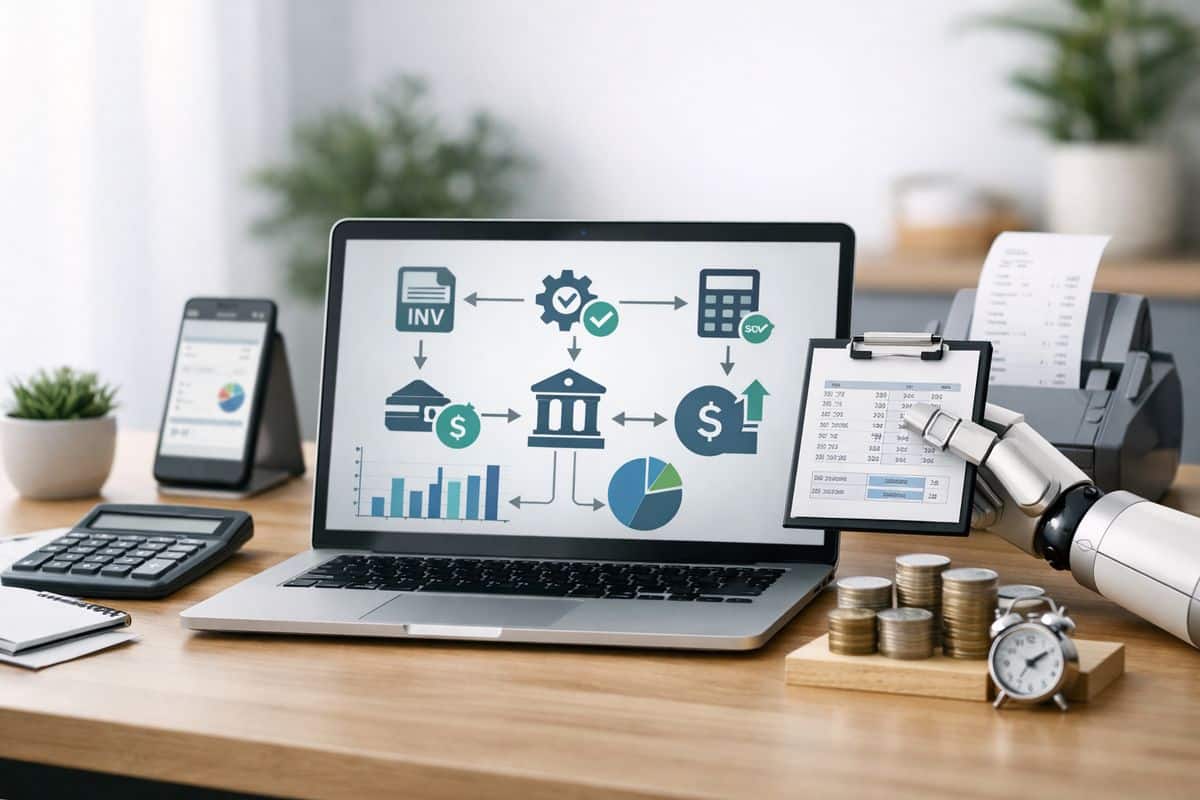
Building an accounting automation workflow is not a software project. It is an operating model decision. Get the design right and you gain faster close cycles, tighter control, live visibility, and more time for commercial finance work instead of repetitive processing.
What You Need Before You Build the Workflow
Automation breaks when the foundations are weak. Before any workflow goes live, you need systems access, clean data, named owners, approval logic, and a clear view of current performance.
Core systems, data sources, and integrations
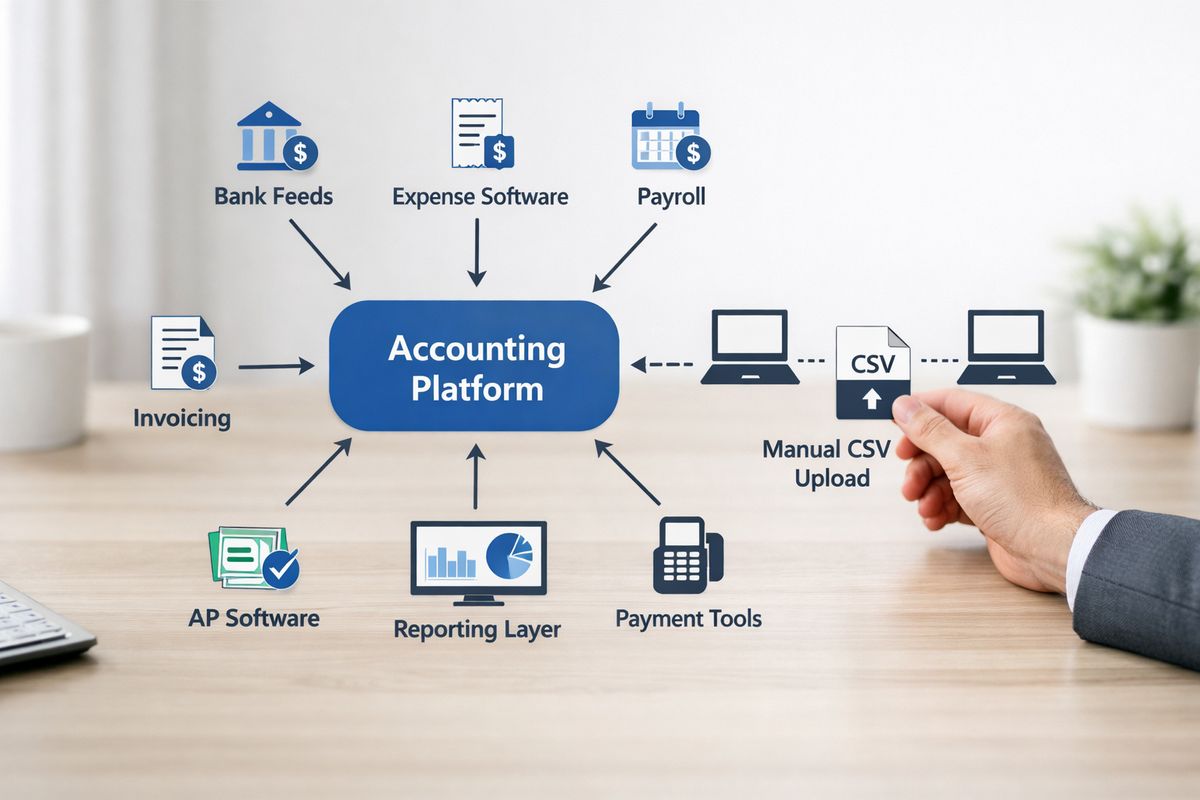
Start by identifying every system that touches finance data. That includes your accounting platform, bank feeds, expense tools, payroll, invoicing, AP software, payment tools, and reporting layer. If those systems sit in isolation, automation simply moves the mess faster.
This is the point where many projects stall. Research shows only 23% of organisations hold all financial data in a single system, while many still operate across disconnected tools. Your first job is to define how data moves between platforms and which integrations are direct, which rely on middleware, and which still depend on CSV uploads. If you want a workflow that runs daily, not one that gets repaired weekly, that map has to be precise.
Process owners, approval rights, and controls
Assign ownership before you assign automation. You need one owner for intake, one for coding logic, one for approvals, one for reconciliation, and one for close review. You also need clear exception approvers, especially for threshold breaches, unusual spend, tax issues, and non-standard journals.
Keep segregation of duties intact. A workflow that captures, codes, approves, and pays in one path without oversight is not efficient. It is dangerous. Good automation removes admin, not control.
Baseline metrics to measure impact
Capture the numbers that matter now: days to close, invoice turnaround time, reconciliation effort, error rates, approval delays, and the number of manual touches per transaction. Without that baseline, every automation claim becomes guesswork.
You also need a financial lens. Track cash flow timing, missed early payment discounts, overdue approvals, and the labour cost tied to repetitive processing. That gives you a hard benchmark for ROI from the start.
Step 1: Map Your Current Accounting Workflow End to End
You cannot automate what you have not mapped. The goal here is not to create a polished process diagram for a board pack. The goal is to see how work actually moves.
Trace the workflow from capture to close
- Start at the point where documents enter the business, such as invoices, receipts, payroll files, or bank transactions.
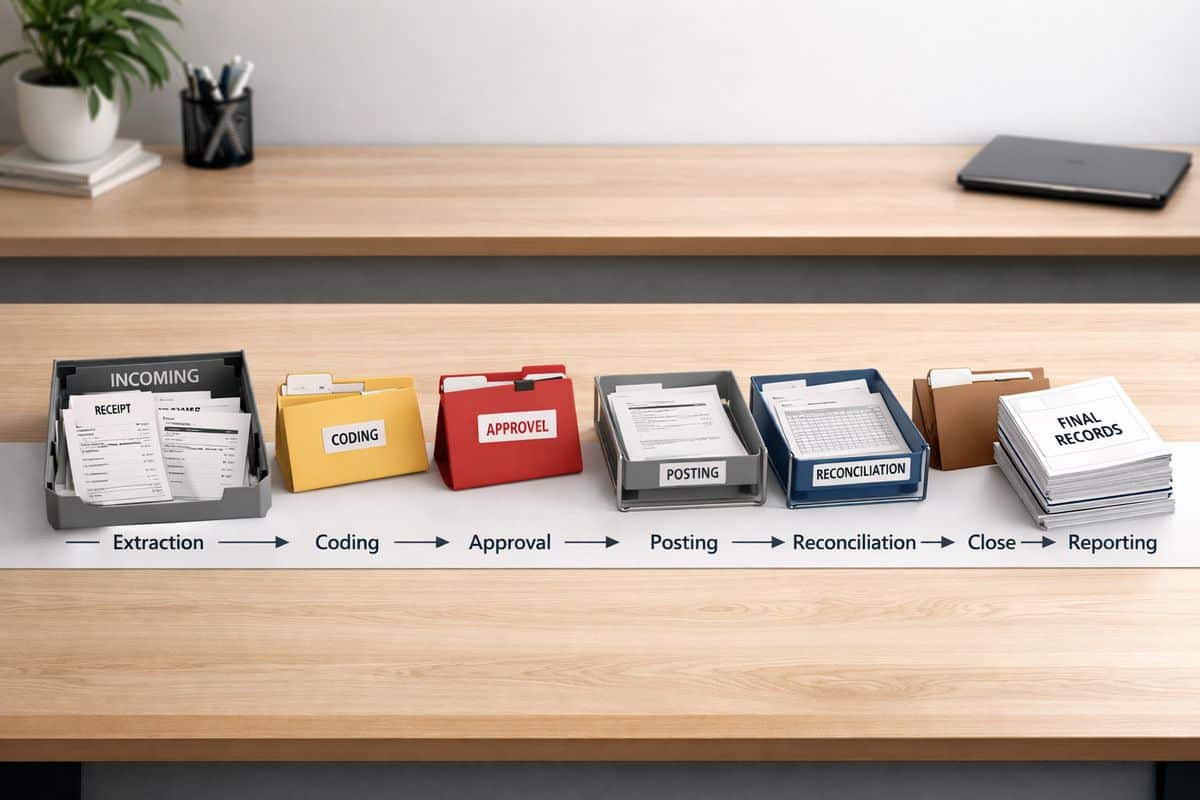
- Follow each item through extraction, data entry, coding, approval, posting, reconciliation, close, and reporting.
- Record every system used, every handoff, and every point where someone leaves one tool to continue the task elsewhere.
- Mark where supporting documents are stored and where reviews happen.
- Note what success looks like at the end of each stage.
Your finished map should show the real operating flow from capture to close, not a policy document. If month-end still depends on spreadsheet packs and inbox chasing, show it plainly. That is exactly what needs fixing. If your finance reporting still depends on delayed routines, it helps to understand why month-end processes slow decisions.
Identify manual steps, bottlenecks, and rework
- Highlight repeated data entry across different systems.
- Mark spreadsheet workarounds used to clean, classify, or reconcile transactions.
- Identify email-based approvals and untracked follow-ups.
- Record where transactions stop because data is missing or coding rules are unclear.
- Count how often completed work gets sent back for correction.
This is where waste becomes visible. In one survey, 84% of finance teams said at least a quarter of time still goes to manual, repetitive work. That is not a technology gap alone. It is a workflow design problem.
Separate routine tasks from judgement-heavy work
- Mark rules-based tasks such as invoice capture, supplier matching, recurring journals, bank matching, and checklist preparation.
- Mark judgement-led tasks such as revenue recognition decisions, policy interpretation, technical accounting treatment, and material exceptions.
- Assign automation priority only to the first group.
- Keep review and sign-off with finance leadership for the second group.
This split matters. The strongest model is machine execution with human oversight, not uncontrolled automation.
Step 2: Standardise the Process Before You Automate It
Automation scales discipline. If your process is inconsistent, software only turns inconsistency into volume.
Simplify workflows and remove non-essential steps
- Remove duplicate approvals that add delay without reducing risk.
- Eliminate redundant reviews where the same information gets checked twice.
- Replace email chasing with system-based routing.
- Cut manual exports and reuploads wherever integration can handle the handoff.
Too many accounting teams still work inside workflows with excess steps and too much tool-switching. That is why 75% report workflows with too many steps. Shorter workflows produce faster processing and better control because the path is visible.
Create standard rules for coding, naming, and approvals
- Standardise supplier naming conventions.
- Define chart of accounts rules by transaction type.
- Set approval thresholds by amount, department, and risk.
- Lock down tax treatment rules for common categories.
- Create posting rules for recurring entries.
Clear standards reduce exceptions. They also make dashboards more trustworthy because categories remain stable over time.
Build exception paths for non-standard transactions
- Define what triggers an exception, such as missing documentation, tax mismatches, duplicate invoices, or out-of-policy spend.
- Route each exception to a named owner.
- Set response time expectations.
- Require documented resolution before posting.
Success here is simple: edge cases follow a controlled path instead of forcing the whole workflow back into manual processing.
Step 3: Choose the Right Processes to Automate First
Do not start with the hardest process in finance. Start where the volume is high, the rules are clear, and the payoff is immediate.
Start with AP, data entry, and reconciliations
- Begin with invoice capture and bill processing.
- Add automated coding suggestions and duplicate checks.
- Automate bank feed matching and recurring journal preparation.
- Use workflow queues for approvals and exceptions.
That sequence works because it removes repetitive effort quickly. It also aligns with market reality, where AP and data entry are the most common automation starting points.
Rank opportunities by volume, risk, and ROI
- Score each candidate process by transaction volume.
- Score the current manual effort required.
- Score error frequency and downstream impact.
- Score cash flow or close-cycle impact.
- Prioritise the highest combined return with the lowest control risk.
This gives you a practical rollout order instead of a vendor-led wishlist.
Avoid starting with complex judgement-based workflows
- Keep technical accounting out of phase one.
- Leave revenue recognition structuring and policy-heavy assessments in manual review.
- Hold back unusual journals and material exceptions until your control framework is proven.
Early wins build trust. Failed automation in a sensitive area destroys it.
Step 4: Design the Future-State Accounting Automation Workflow
Now build the workflow you actually want. Not a digital copy of bad habits.
Build the workflow stages from capture to review
- Set the core path as capture, validation, coding, approval, reconciliation, close, and reporting.
- Define what data and documents are required at each stage.
- Decide what posts automatically and what waits for review.
- Build audit visibility into every transition.
This structure gives you consistency across entities, departments, and periods. It also creates the backbone for live finance operations, where accounting supports decisions as work happens, not weeks later.
Define automation triggers, handoffs, and approvals
- Set triggers for document receipt, bank feed import, recurring invoices, and period-end routines.
- Define when the system advances a task automatically.
- Insert approval points only where risk or policy demands them.
- Escalate stalled items after a fixed time window.
A workflow without trigger logic becomes a queue that still needs manual chasing. That defeats the point.
Add control points for compliance and audit readiness
- Require supporting evidence before approval on defined transaction types.
- Lock threshold approvals to authorised roles.
- Keep a full activity trail for edits, approvals, and overrides.
- Flag policy exceptions for review before posting.
Fast finance still needs audit discipline. Speed without traceability is not a finance operating model.
Step 5: Connect Your Finance Stack and Unify the Data
This is the make-or-break stage. Most automation failures come from fragmented systems and poor data flow.
Integrate accounting, banking, AP, payroll, and reporting tools
- Connect every upstream source that feeds the ledger.
- Remove rekeying between AP, banking, payroll, and reporting.
- Test sync frequency and field mapping before launch.
- Confirm that failed syncs create alerts, not silent errors.
If your stack is disconnected, your workflow will be too. That is why integration barriers remain one of the biggest blockers to finance automation.
Establish a single source of truth for financial data
- Define which platform owns supplier records, chart of accounts, tax settings, and ledger balances.
- Prevent duplicate master data across tools.
- Align dashboards and KPI reporting to the same underlying source.
This is where a connected finance function starts delivering real management value. The payoff is stronger reporting, cleaner control, and better visibility into cash movement.
Clean historical data and resolve mapping issues
- Merge duplicate suppliers and customers.
- Fix broken nominal code mappings.
- Correct inconsistent VAT treatment.
- Fill missing references and incomplete records.
- Re-test imported history before relying on automation output.
Checkpoint: if two systems classify the same transaction differently, stop and fix the mapping before rollout.
Step 6: Configure Rules, AI, and Human Oversight
This is where the workflow starts running. Keep the design disciplined.
Set rules for extraction, categorisation, and matching
- Configure invoice field extraction.
- Apply coding rules by supplier, category, or amount.
- Turn on duplicate detection.
- Set bank matching rules and tolerance thresholds.
- Automate recurring entries where the logic is stable.
Use AI for pre-processing, not uncontrolled decision-making
- Use AI to extract document data and prepare suggested coding.
- Use it to classify common transactions and assemble close checklists.
- Keep final judgement on policy, materiality, and unusual items under finance review.
- Require human approval for sensitive or high-value exceptions.
That is the right balance. Experts increasingly point to pre-processing work as the best use of AI in accounting, because it removes preparation effort without handing over financial judgement.
Route exceptions to the right person fast
- Create queues for unmatched transactions, missing documents, and threshold breaches.
- Trigger alerts when approvals stall or syncs fail.
- Escalate unresolved items before they disrupt close.
- Track exception ageing on a dashboard.
Step 7: Build Live Dashboards and KPI Tracking
If you cannot see the workflow, you cannot manage it.
Track speed, accuracy, and close performance
- Measure invoice cycle time, approval turnaround, reconciliation completion, days to close, and exception volume.
- Track manual touches per transaction after automation goes live.
- Review trends weekly, not only at month-end.
This is where the workflow becomes a control system. A strong finance performance dashboard setup shows immediately whether automation is reducing friction or just hiding it.
Surface cash flow and working capital signals
- Pull AP, AR, and bank data into live views.
- Monitor liabilities due, overdue collections, and near-term cash position.
- Use daily reporting for decisions on supplier timing, credit control, and working capital pressure.
Use alerts to manage backlog and bottlenecks
- Set notifications for stuck approvals.
- Flag overdue reconciliations.
- Surface unusual spend and failed integrations.
- Escalate issues before month-end pressure builds.
Step 8: Test the Workflow and Roll It Out in Phases
A phased launch protects operations and improves adoption.
Run a pilot with one process or entity
- Start with one entity, one AP flow, or one bank reconciliation process.
- Test live transactions through the full workflow.
- Compare output against the old process for speed, accuracy, and control.
Test exceptions, controls, and approval logic
- Run duplicate invoices through the system.
- Test missing attachments and policy breaches.
- Force integration failures and confirm alerts fire correctly.
- Verify audit trails for overrides and approvals.
Checkpoint: the workflow is ready only when exception handling works as reliably as the standard path.
Train teams on review, escalation, and accountability
- Show users what the system does automatically.
- Show what still needs review.
- Define who owns each queue and each exception type.
- Make dashboard use part of the routine, not an optional extra.
Common Problems and How to Fix Them
Automation fails because the process was never standardised
If coding rules vary by person, approvals depend on inbox habits, and spreadsheets still sit outside the core flow, automation will fail. Fix the process first, then expand tooling.
Data quality issues create errors and mistrust
Duplicate suppliers, poor mappings, and inconsistent tax treatment destroy confidence quickly. Clean master data, strengthen validation rules, and stop bad data at the point of entry.
Too many systems create fragmented workflows
Every extra handoff adds delay and weakens visibility. Consolidate where possible and strengthen the integrations that remain.
Teams resist automation because control feels weaker
This concern is valid when automation is opaque. Make approvals visible, keep audit trails complete, and route exceptions clearly. Control becomes stronger when the workflow is designed properly, which is exactly how Prodyssey Solutions approaches connected finance systems.
What Your Finished Workflow Should Deliver
Faster processing and a shorter close
You should see faster invoice handling, less reconciliation effort, and a shorter month-end close. Manual prep work falls. Review quality rises.
Better accuracy, visibility, and decision speed
Cleaner data and connected systems support live reporting, stronger KPI tracking, and quicker management action. That is the real value behind the business gains from automation.
A scalable finance operating model
A mature workflow supports growth without adding proportional headcount. You gain tighter control, stronger ROI, and a finance function built to support real-time decisions.
Next Steps: Expand the Workflow Beyond Core Accounting
Extend into forecasting, cash flow, and scenario planning
Once transaction data is clean and timely, forecasting becomes faster and more reliable. Your planning inputs stop relying on stale month-end snapshots.
Add supplier, customer, and approval workflows
Extend the same logic into onboarding, document collection, payment approvals, and collections follow-up. Finance becomes connected to operations instead of sitting behind it.
Review performance quarterly and refine the rules
Treat the workflow as an operating system. Review exception trends, approval delays, close performance, and data issues every quarter. Refine the rules, tighten the controls, and keep pushing towards real-time visibility. That is how an accounting automation workflow turns from a cost-saving initiative into a better way to run the business.
Leave a Reply