
Business process automation works best when you stop treating it as a software project and start treating it as a control system for your business. If you automate the right process first, you get faster execution, cleaner data, stronger cash flow, and real-time visibility across finance and operations.
In practical terms, business process automation means using connected systems and workflow rules to move recurring work forward without manual chasing, rekeying, or guesswork. It goes beyond one-off task automation. The goal is to standardise how work happens across approvals, documents, accounting, operations, and reporting so you can manage the business with live information instead of delayed updates.
Here’s what you’ll learn:
- What BPA means in practice
- Which processes to automate first
- Why finance usually comes first
- Where HR and operations fit next
- How to connect accounting and operations
- How to launch in 90 days
Business Process Automation Fundamentals: Start With Control, Speed, and Visibility
Business process automation is not about replacing people. It is about removing friction from predictable work so your team spends less time pushing data around and more time making decisions. That distinction matters.
Simple task automation handles one activity, such as sending an email reminder. BPA handles the full workflow around that activity, including who approves, what data gets captured, where documents are stored, which system gets updated, and what management can see in real time. That is why BPA has become mainstream, with over 66% of organisations already automating at least one process.
What Business Process Automation Actually Means in Daily Operations
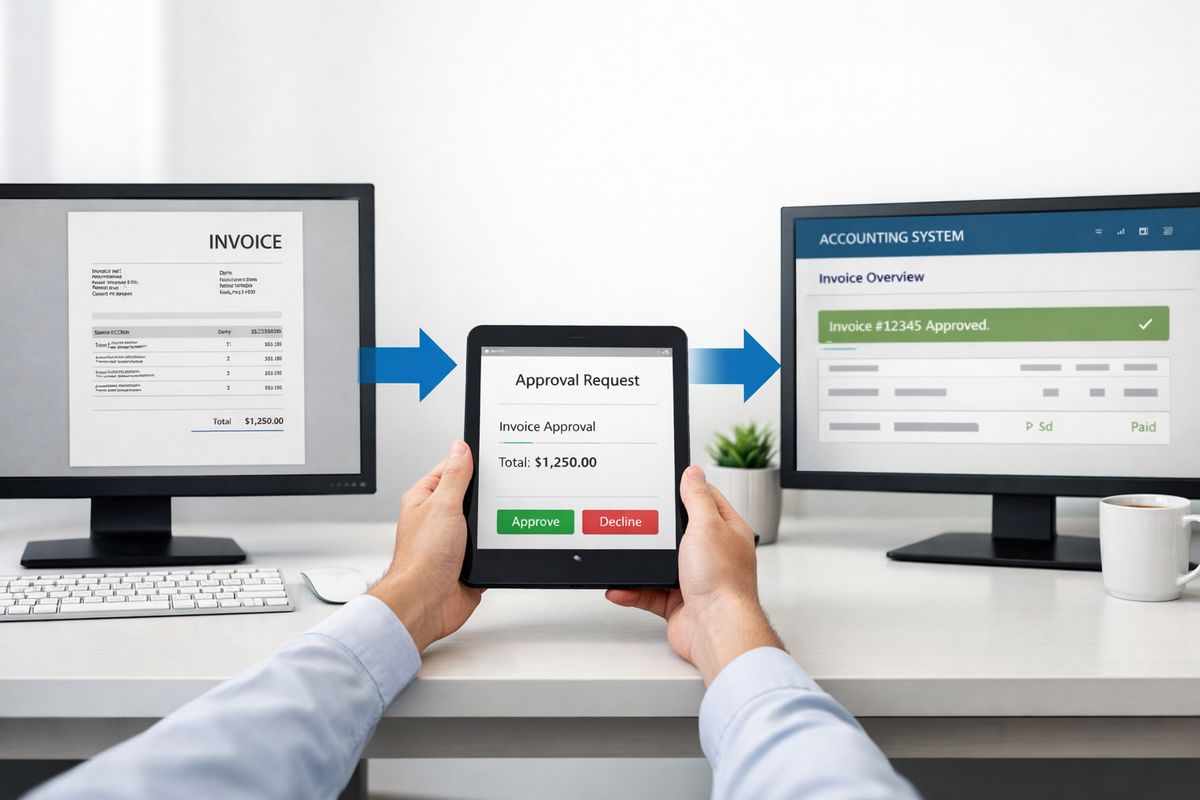
In daily operations, BPA sits inside the work your business already does. An invoice arrives, data is captured automatically, the right person receives an approval request, coding rules are applied, the accounting platform updates, and the dashboard reflects the liability immediately. No forwarding emails. No downloading PDFs. No spreadsheet trackers.
The same logic applies across purchasing, expense approvals, onboarding, customer queries, job scheduling, and month-end reporting. Once workflows are connected, finance stops operating in a silo. Operations, accounting, and reporting move together, which is exactly where connecting back-office and operational workflows changes management control.
Why Manual Processes Damage Cash Flow and Decision-Making
Manual processes create hidden delays everywhere. A sales invoice goes out late because data sits in someone’s inbox. A supplier invoice misses approval because nobody knows who owns the next step. A KPI report arrives five days after month end, by which point the problem has already grown.
Spreadsheets, duplicate entry, and email-based approvals also weaken trust in the numbers. If your teams spend time checking, correcting, and reconciling the same information across systems, your reporting slows down and your decisions get worse. Research consistently shows automation reduces manual effort, and 73% of IT leaders say it saves about half the time spent on repetitive work.
What to Automate First: Use a Clear Prioritisation Framework
The right first automation is repetitive, rules-based, high-volume, and commercially visible. That is the decision rule.
Do not start with the loudest complaint in the business. Start with the process that happens often, follows clear logic, creates errors when handled manually, and touches money, compliance, or customer service. That is where you get fast ROI and fast internal credibility. If you need a broader shortlist, focus on the highest-value early wins for SMEs before buying more tools.
The Five Best Criteria for First-Wave Automation
Frequency comes first. A process performed daily or weekly gives you faster payback than something handled once a quarter.
Standard rules matter just as much. If the workflow follows approval thresholds, coding logic, document checks, or routing rules, automation fits naturally. Error rate is the next signal. If people regularly enter the wrong amount, miss a field, lose a document, or send work to the wrong person, automation fixes a real operational problem.
Then look at hand-offs. Every transfer between departments, inboxes, or systems is a delay point. Finally, judge financial or compliance impact. A process that affects payables, receivables, payroll, tax records, or auditability deserves priority because the return is visible in cash flow, reporting quality, and control.
Red Flags: Processes You Should Not Automate First
Do not automate a broken process just because software makes it possible. If the workflow changes every week, depends on one person’s judgement, or runs on poor master data, automation will simply lock confusion into place.
The same applies to processes with unclear ownership or too many exceptions. First simplify the workflow, define the rules, clean the data, and assign accountability. Then automate. Businesses that ignore this sequence usually run into the same project failures that derail otherwise good automation plans.
Finance and Admin Processes Deliver the Fastest Return
For most SMEs, finance and admin deliver the strongest first wins because the results show up in cash, reporting, and internal control. This is where business process automation stops being theoretical and starts paying back.
That pattern is no accident. Businesses report 10% to 50% cost reductions from automation, and finance workflows are among the easiest places to measure the gain.
Invoice Processing, Approvals, and Accounts Payable
Accounts payable is often the best first automation. Supplier invoices arrive in multiple formats, someone has to capture data, someone else checks coding, approvals get delayed, and payment timing becomes reactive. That is too much manual handling for a process with clear rules.
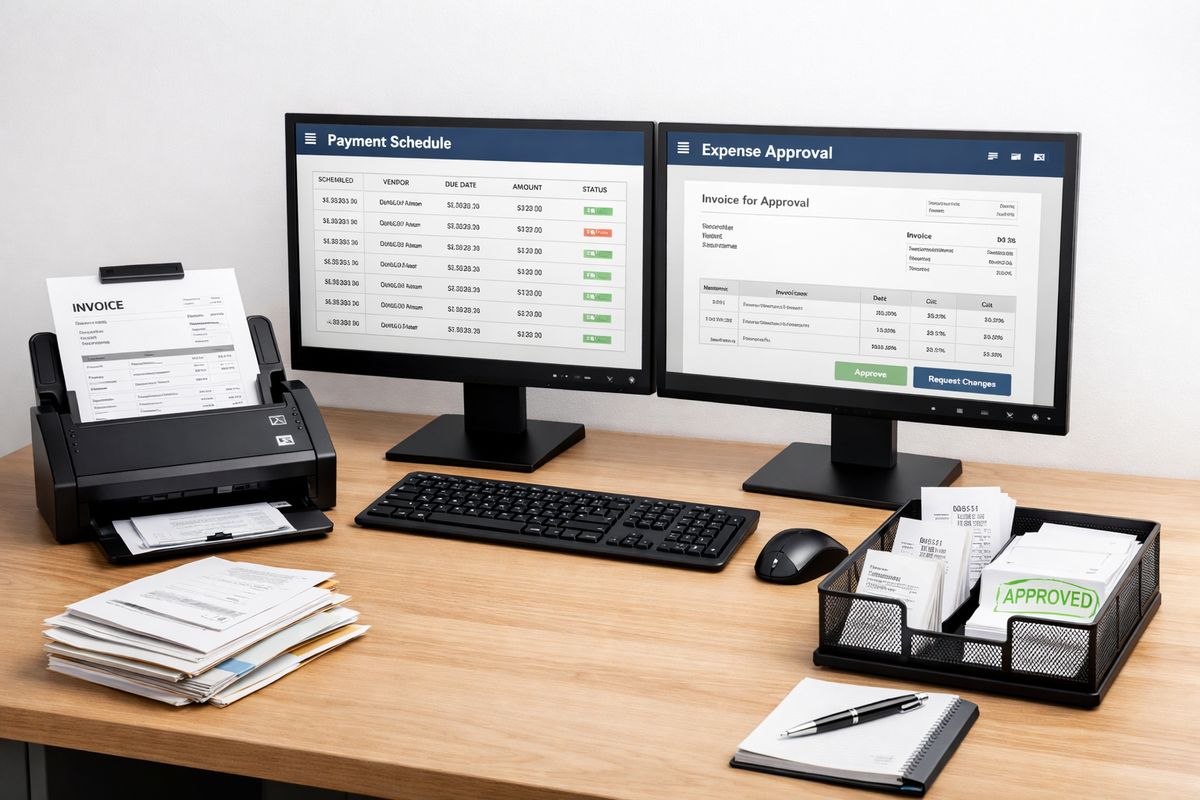
Automating invoice capture, coding suggestions, approval routing, and payment scheduling gives you faster processing, fewer errors, and a full audit trail. You also get better supplier relationships because invoices stop disappearing into inboxes. For businesses working with Xero or connected finance tools, this is often the first step towards tighter control over finance operations.
Purchase Orders, Expense Claims, and Spend Controls
Purchasing and expenses usually look manageable until the volume grows. Then the problems appear: off-policy spend, inconsistent approvals, missing documentation, and budget overruns discovered too late.
Automated request workflows solve that by enforcing approval thresholds before money is committed. Expense claims follow the same logic. Receipts are captured, policy rules are checked, managers approve through a structured flow, and accounting receives cleaner data. Month-end gets faster because the process stayed controlled at the start.
Accounts Receivable and Customer Follow-Up
Receivables automation has a direct effect on cash flow. Quote-to-cash workflows can trigger invoice generation, payment reminders, customer status updates, and dispute tracking without constant chasing from finance staff.
That means fewer late invoices, faster follow-up, and clearer visibility over debtor days. If your team still relies on manual reminders and spreadsheet trackers, you are accepting slower collections than your business needs.
HR, Customer Service, and Operational Workflows Are the Next Best Starting Points
Once finance workflows are under control, the next layer is the repeatable work that absorbs management time and creates friction across the business. HR, service, and operational requests fit perfectly because the workflows are structured and the benefits are immediate.
Employee Onboarding and Staff Administration
Onboarding is full of repeatable steps: contracts, document collection, system access, payroll hand-offs, policy acknowledgements, and equipment requests. If those steps run manually, delays and inconsistencies become normal.
Automation creates one controlled process from offer acceptance to first day. That protects compliance, improves the employee experience, and reduces admin effort during growth. The same logic works for leave requests, staff changes, and document renewals.
Customer Enquiries, Ticket Routing, and Standard Responses
Customer service slows down when every enquiry lands in a shared inbox with no structure. Requests get missed, routed late, or answered inconsistently.
Automated intake forms, categorisation rules, routing logic, and response templates fix that. Customers get faster answers, your team handles workload more evenly, and managers can finally see bottlenecks instead of hearing about them after the fact.
Order Processing, Inventory Updates, and Internal Requests
Operational workflows become the next priority once finance and service processes are connected. Order confirmations, stock updates, fulfilment triggers, service scheduling, and internal requests all benefit from consistent workflow logic.
This is especially valuable in businesses managing field operations, stock movement, or project delivery. At that stage, platforms such as Prodyssey Solutions and connected tools like InsightFlow help turn disconnected steps into one visible operating model.
Connect Accounting With Operations Before You Scale Automation
Automation fails at scale when finance and operations run on separate versions of reality. One system says a job is complete, another says it is still open, and accounting has no live view of cost, billing status, or approval position.
That is why integration matters more than isolated automation. The BPA market itself is moving in this direction, with 58.3% cloud-based share forecast for 2025 and a clear push towards connected, accessible workflows.
Build One Flow of Data Across ERP, Accounting, CRM, and Operational Systems
Your invoicing, purchasing, stock, payroll, CRM, and reporting systems must exchange data reliably. That does not mean ripping everything out. It means designing one flow of information so updates happen once and appear where they need to appear.
This matters even more in cloud and hybrid environments, which are now the norm. If your accounting platform is cloud-based but operations still depend on site tools, spreadsheets, or legacy apps, the integration layer becomes the real automation priority.
Use Live Dashboards and Workflow Data to Track ROI
A successful automation project gives you more than time savings. It gives you measurable management data: processing times, approval bottlenecks, overdue invoices, exception rates, and workload by team or function.
That turns automation into a control system. Live dashboards show what is stuck, what is late, and where cash or productivity is leaking. If you want to quantify the impact properly, start with a clear method for measuring financial return before rollout.
How to Launch Business Process Automation Without Disruption
The fastest route is simple: map the process, remove the nonsense, automate one workflow, measure the result, then expand. Not ten workflows. One.
This phased approach matters because automation success depends on governance and adoption, not software alone. Research on process automation repeatedly shows implementation problems come from poor planning, weak ownership, and limited stakeholder alignment, not technical limitations.
A Practical 90-Day Rollout Plan
In the first 30 days, identify one high-volume workflow and document the current state exactly as it operates now. Measure baseline cycle time, error rate, approval delays, and staff effort. Remove unnecessary steps before you automate anything.
In days 31 to 60, define business rules, assign ownership, connect the relevant systems, and build the workflow. Keep the scope tight. Train users on the actual process, not just the screen clicks.
In days 61 to 90, go live, monitor exceptions daily, compare baseline against current performance, and adjust quickly. Once the process is stable and the result is visible, move to the next workflow with confidence.
Governance, Compliance, and Change Control
Every automation needs approval logic, access rights, audit trails, exception handling, and documentation. Without that structure, speed creates risk instead of control.
That is especially relevant in Cyprus and Greece, where finance oversight, tax discipline, and management accountability need clear evidence and clean records. Strong governance also drives adoption, because your team trusts a workflow that is consistent, visible, and easy to follow.
What Success Looks Like After the First Automation Wins
Success is not a flashy dashboard on day one. Success is shorter cycle times, fewer errors, faster approvals, improved collections, cleaner month-end data, and better visibility over budgets and workload.
Once that happens, automation stops feeling like change for its own sake. It becomes part of how your business runs. That is the smart sequence: automate one rules-based, high-impact process first, prove the result, then scale across finance and operations with discipline.
Leave a Reply